A practical guide to organising family schedules when important dates are scattered across messages, emails and school notices.
The school sends a message about a project deadline. A birthday invitation arrives in another chat. Your partner mentions an appointment while you are leaving for work.
You remember each conversation at the time. But when someone asks, “What is happening on Friday?” you have to search through several places to find the answer.
The difficulty is not always having too many activities. It is having no clear place to see them together.
To organise a family schedule, collect important dates in one shared calendar, give each task an owner and review the coming week together. A printed calendar can provide a visible monthly overview, while a shared digital calendar handles changing details and timed reminders.
Here is how to build a system your household can realistically maintain.
1. Find Where Your Family’s Dates Are Hiding
Before buying or designing a calendar, identify the places where plans currently arrive.
These might include:
School WhatsApp groups.
Emails from teachers.
Printed circulars and permission slips.
Sports or tuition messages.
Birthday invitations.
Work calendars.
Conversations between family members.
You do not need to transfer every message. Extract the information that requires someone to act or be somewhere.
For each item, look for four details:
What is happening? When is it happening? Who is involved? What needs to be done beforehand?
If a notice is unclear, confirm it before entering the date. A calendar makes information easier to see, but it cannot correct an inaccurate entry.
2. Choose One Shared Place for Confirmed Plans
Agree where the household will keep the current version of its schedule.
A shared digital calendar is useful when appointments change, adults need access away from home or events require alerts. A printed calendar provides a visible overview without anyone needing to open an app.
If you use both, give them clear roles:
| Information | Where to keep it |
|---|---|
| Confirmed appointments, times and locations | Shared digital calendar |
| Important dates everyone should see at home | Printed monthly overview |
| Permission slips, invitations and detailed notices | One folder or agreed digital location |
| Gift purchases, packing and other preparation tasks | Task list or dated reminders |
When plans change, update the shared digital entry first, then correct the visible overview. Avoid leaving two conflicting versions of the schedule.
3. Record the Action, Not Just the Event
“School trip — Thursday” tells you the occasion. It does not tell you that a form is due on Monday or that your child needs a packed lunch.
Separate the event from its preparation.
For example:
Monday: Return school-trip permission form.
Wednesday: Prepare items from the school’s packing list.
Thursday: School trip.
Apply the same approach to birthdays and family occasions.
A birthday entry reminds you of the date. A separate “Choose and order gift” task gives you time to prepare. Set that reminder according to the gift’s production and delivery requirements.
This is especially useful for tasks that are easy to postpone because they do not feel urgent yet.
4. Give Each Task an Owner
A calendar can show that something needs doing without making it clear who will do it.
“Someone will collect the child” is not a confirmed pickup plan.
Add a name or initials to tasks that require responsibility. Agree on the owner rather than assuming the other person has seen the entry.
Here is a fictional example:
| Day | Event or task | Owner | Detail to confirm |
|---|---|---|---|
| Monday | Return permission form | Parent A | Form signed and packed |
| Wednesday | Activity pickup | Parent B | Pickup time and location |
| Friday | Submit school project | Parent A and child | Required materials |
| Saturday | Cousin’s birthday | Parent B | Gift and travel plan |
Keep the arrangement realistic. Children can take responsibility for suitable tasks, but adults should confirm important logistics.
The purpose is to make commitments visible and agreed.
5. Choose a Printed Calendar That Fits Its Job
Before arranging calendar printing, decide where the calendar will sit and who needs to read it.
A wall calendar for a shared overview
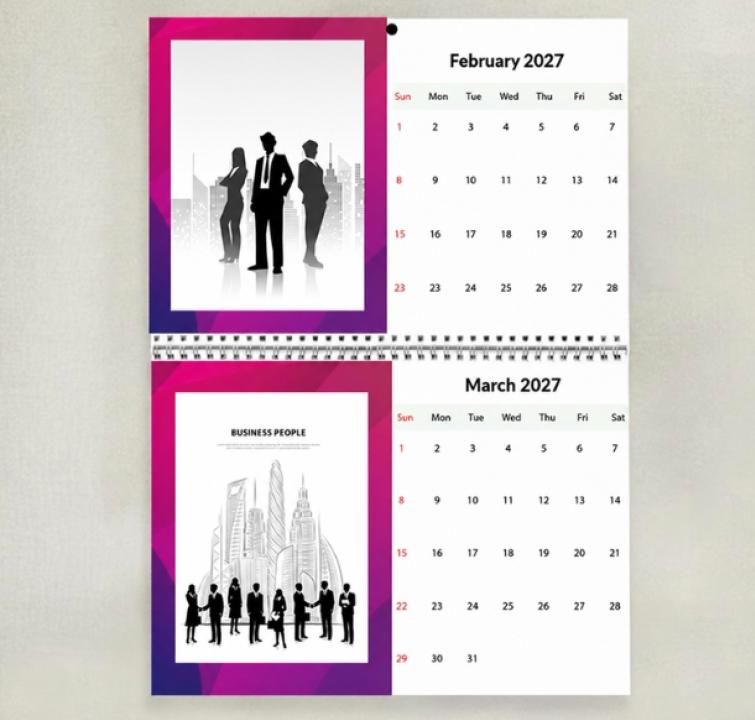
A wall calendar may suit a common area where several family members check dates. Look at the date-grid size, viewing distance and available wall space.
If you want to add handwritten updates, confirm that the paper and finish are suitable. Not every photo calendar has large writable boxes.
A desk calendar for personal planning
A desk calendar can work beside a home workspace or study area. It is useful for checking the month, although it may be less visible to the rest of the household.
A magnetic calendar for a suitable surface
A magnetic format may suit a fridge that accepts magnets. Check the surface before ordering, along with the calendar’s dimensions and readability.
A poster calendar for a broader view
A poster format can help display dates across a longer period, depending on its layout. Check whether it offers a year-at-a-glance view and enough detail for your purpose.
For readers comparing formats, Photojaanic’s personalised calendar printing include wall, desk, poster, wall-hanging and magnetic calendars. Choose according to where your family will use it, then check the individual product’s layout and customisation options.
A photo calendar can provide a personal, visible overview. If you need to record many changing tasks each day, pair it with a dedicated planner or shared digital calendar.
6. Keep the Monthly View Easy to Read
Putting every detail on the printed calendar can make it difficult to scan.
Use short entries that tell the reader what matters:
“School project due.”
“Football pickup — Dad.”
“Grandma’s birthday.”
“Return library books.”
Keep addresses, packing lists and longer instructions in the shared digital event or document folder.
A small number of colours can help distinguish people or activities. Add a simple key, and use names or initials as well so colour is not the only way to understand an entry.
If you include family photographs, keep the design readable. Check that images, decorative text and backgrounds do not compete with the dates.
7. Put the Calendar Where People Will Check It
Choose a position connected to an existing routine.
That might be near the breakfast table, beside the home workspace or in another shared area people use regularly. Make sure family members can read it comfortably.
Avoid placing it behind objects or somewhere only one person visits.
If a visible calendar has been ignored in the past, changing the design alone may not solve the problem. Agree when the household will check it and who will update it.
The calendar needs a routine around it.
8. Hold a Short Weekly Review
Choose a regular time to review the next seven days together.
Ask:
What is happening this week?
Who is handling each pickup or preparation task?
Are any plans missing a time, place or confirmation?
Do two commitments overlap?
What needs to be done before next week?
Then look briefly at the following week for tasks needing more preparation.
Keep the review focused on decisions. If you notice a clash, resolve it or agree who will investigate it. Writing down two overlapping events does not solve the conflict.
9. Make Updates Part of Receiving a Message
A schedule can become outdated when everyone assumes they will update it later.
When a confirmed date arrives, add it to the shared calendar as soon as practical. Include its source if that will help you check details later.
If the message is only a proposal, label it as tentative. When it is confirmed, update the entry.
For last-minute changes, contact the person responsible directly and update the calendar. A changed entry alone may not be enough to alert someone who is already travelling.
Common Family Calendar Problems and How to Fix Them
“I am still the only person managing everything.”
Agree who enters information from each source. For example, one adult may handle school notices while another handles activity schedules.
Share the work of updating and reviewing the calendar, rather than leaving one person to remind everyone.
“The printed calendar is out of date.”
Assign an updater and connect updates to the weekly review. Use digital alerts for changes that need immediate attention.
“We record events but forget what to prepare.”
Add separate preparation tasks with owners and deadlines. Do not rely on the event title to carry the whole plan.
“There is not enough space in the date boxes.”
Keep short labels on the calendar and detailed instructions elsewhere. If you need several daily entries, choose a planner designed for that volume.
“We forget to turn the page.”
Add a recurring end-of-month reminder. Check the next month before changing the page so early-month events do not arrive unexpectedly.
Before Ordering a Custom Family Calendar
Review the preview carefully and confirm:
The correct year and starting month.
Accurate names, birthdays and anniversaries.
Readable dates and labels.
Suitable photograph crops.
Dimensions that fit the intended location.
Whether the format supports your planned annotations.
Total cost and estimated delivery time.
Avoid printing sensitive details on a calendar visible to visitors. Short labels are often enough; private information can remain in your shared digital records.
Frequently Asked Questions
How do I organise school activities in one family calendar?
Collect confirmed dates from school notices and activity messages. Add times, locations and preparation deadlines, assign responsibility, and review the coming week together.
Is a wall calendar better than a digital calendar?
They serve different purposes. A wall calendar offers a visible overview at home. A digital calendar supports shared access, changing details and timed alerts. Choose one or combine them with clear update rules.
Can a personalised photo calendar be used for family planning?
It can display important dates and provide a monthly overview. Check the layout, readability and available customisation. For detailed or frequently changing schedules, use an additional planning tool.
What should I put on the printed calendar?
Prioritise dates the household needs to see: birthdays, school deadlines, activities and family plans. Keep detailed instructions in a separate, agreed location.
What if someone does not check the calendar?
Ask what makes it difficult to use. The location, layout or routine may need adjusting. For essential changes, communicate directly rather than depending only on a calendar entry.
Start With Next Week
You do not have to organise the entire year immediately.
Collect next week’s confirmed plans, add the preparation tasks and agree who owns them. Put the overview somewhere visible and choose a regular review time.
A useful family calendar gives everyone a clearer answer to three questions: what is happening, what needs doing, and who is responsible.
About the author: The Photojaanic team shares practical ideas for creating and using personalised photo products.