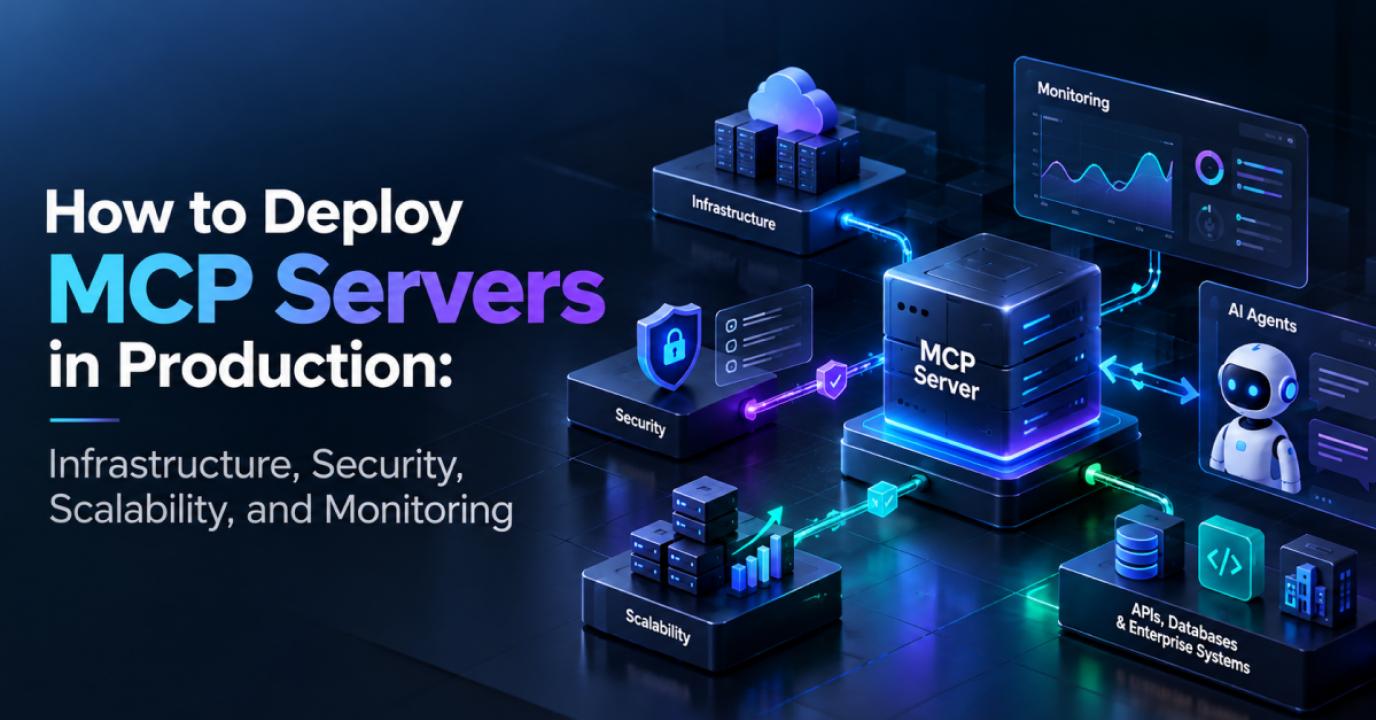
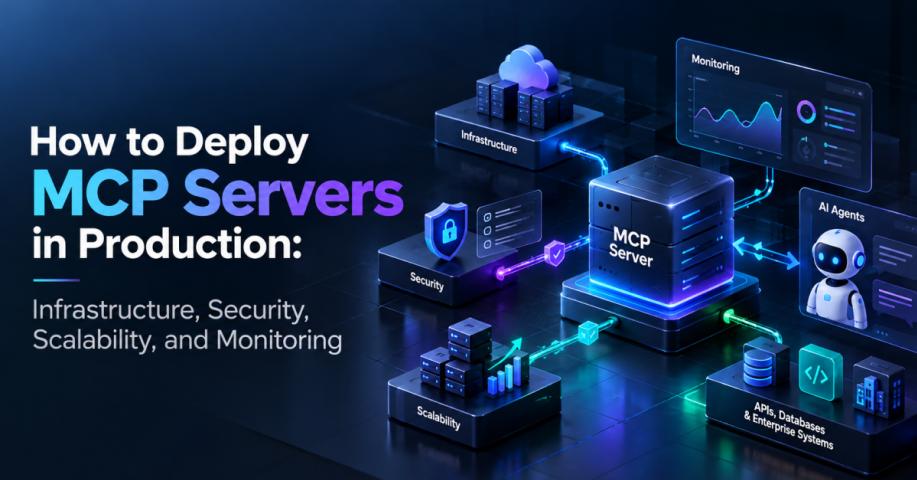
Moving an MCP server from a working prototype to production involves far more than making an endpoint publicly accessible. MCP server deployment requires the right infrastructure, authentication, secrets management, scalability, observability, and release process. With the July 2026 MCP specification moving the protocol toward a stateless architecture, production deployments can make greater use of standard HTTP infrastructure and load-balancing patterns.
If you need to build, secure, and operationalize MCP infrastructure for real-world workloads, MCP server development services can help turn an MCP prototype into a production-ready implementation.
What Does MCP Server Deployment Mean?
MCP server deployment is the process of taking an MCP implementation from development and making it reliably available to authorized MCP clients, AI applications, and agent workflows.
A production deployment typically needs to address:
Hosting and networking
Containerization
Authentication and authorization
Secrets and API key management
Logging and audit trails
Monitoring and alerting
Scalability and availability
CI/CD and version management
Security and failure recovery
The objective is not simply to make the server reachable. It is to make the server secure, observable, scalable, and predictable under real workloads.
From MCP Prototype to Production
An MCP prototype can often run locally with a simple process, development credentials, and a limited number of tools. Production introduces very different requirements.
Development environments may rely on local files, hardcoded configuration, development API keys, and a single server instance. These assumptions create operational and security risks once real users and business systems depend on the server.
A production implementation needs controlled environments, externalized configuration, encrypted secrets, TLS, authentication, automated deployments, structured logs, monitoring, and rollback procedures.
This becomes especially important when MCP servers support production AI-agent workflows. An MCP server can provide AI agents with controlled access to business APIs, databases, SaaS platforms, and operational tools. Organizations building these workflows can combine MCP infrastructure with AI agent development services to support production-grade agent orchestration, tool execution, and integrations.
Local vs Remote MCP Servers
MCP servers can operate locally or remotely depending on the use case.
A local server typically runs alongside the client and communicates through a local transport such as standard input/output. This can work well for individual developers and controlled desktop workflows.
A remote MCP server exposes functionality over HTTP and suits centralized enterprise integrations, shared services, and production AI applications.
Remote deployments introduce additional requirements around:
Network security and TLS
Authentication and authorization
Rate limiting
Traffic management
Monitoring
High availability
For enterprise workloads, a remote MCP server should be treated like any other production API rather than an experimental integration.
MCP Server Hosting Architecture
A typical production architecture can look like:
MCP Client → API Gateway/Load Balancer → MCP Server → Internal Services, APIs, or Databases
The MCP server should normally sit behind appropriate network controls instead of being exposed directly to the public internet.
Containerizing the server with Docker or an equivalent technology makes deployments more consistent across development, staging, and production. It also makes it easier to run multiple instances as demand increases.
Your hosting layer may include managed cloud services, Kubernetes, container platforms, serverless infrastructure, or virtual machines depending on traffic patterns and operational requirements. Organizations building the surrounding cloud infrastructure can also use cloud application development services to design the networking, containers, APIs, and scalable infrastructure that support production MCP workloads.
Containerizing an MCP Server
Containerization separates the MCP application from the underlying host environment.
A production container should generally:
Use a minimal base image
Run as a non-root user where practical
Keep configuration outside the image
Avoid embedding secrets
Expose only required ports
Include health checks
Pin important dependencies
Produce structured application logs
Keep the MCP server image immutable. Environment-specific values such as API endpoints, credentials, and configuration should be injected during deployment rather than baked into the container.
Load Balancing and MCP Scalability
MCP scalability becomes important when moving beyond a prototype.
The July 2026 MCP specification moved the protocol toward a stateless architecture designed to work with ordinary HTTP infrastructure. This allows requests to be distributed across server instances through standard load-balancing mechanisms rather than depending on protocol-level sticky sessions and shared session storage.
For high-volume deployments, you can run multiple MCP server instances behind a load balancer and combine them with:
Health checks
Horizontal scaling
Rate limiting
Request and connection limits
Autoscaling where appropriate
Centralized monitoring
Failure detection
Stateless protocol handling does not mean every business workflow must be stateless. If your application needs state between operations, manage that state explicitly through the application architecture.
MCP Server Security: Authentication and Authorization
MCP server security should be designed before production traffic reaches the server.
Authentication determines who is making a request, while authorization determines what that identity can access or execute.
Depending on the architecture, production deployments may require:
OAuth-based authentication
Short-lived access tokens
Least-privilege scopes
Service-to-service authentication
Role-based access control
TLS
Network restrictions
Request validation
Rate limiting
Audit logging
Do not assume that an authenticated client should automatically have access to every tool. Authorization should be applied according to the sensitivity and purpose of individual tools and resources.
This is especially important when MCP servers connect to enterprise systems because a tool invocation can retrieve sensitive information, call an external API, or perform a business operation.
Secrets and API Key Management
Never place production API keys, database credentials, or access tokens directly inside source code or container images.
Use a dedicated secrets-management solution and inject credentials at runtime. Recommended practices include:
Encrypting secrets at rest
Restricting access by workload identity
Rotating credentials
Using separate credentials for each environment
Preventing secrets from entering application logs
Revoking compromised credentials quickly
This is particularly important when MCP tools connect to SaaS platforms, internal databases, cloud services, or other enterprise
Final Thoughts
Deploying an MCP server to production is no longer simply about running an MCP process on a cloud server. A reliable implementation needs a complete operational foundation covering MCP server development, MCP server implementation, security, scalability, monitoring, and lifecycle management.
The July 2026 specification makes the infrastructure model more familiar by moving the protocol toward stateless HTTP interactions that can work with standard load-balancing infrastructure. However, the protocol itself does not remove the need for strong application architecture, security controls, observability, and operational discipline.
For organizations building AI-powered applications around MCP, production readiness means creating infrastructure that can handle real traffic, protect connected systems, expose only authorized capabilities, and provide enough visibility to diagnose problems quickly. The right combination of MCP architecture, cloud infrastructure, and AI-agent integration can turn an MCP prototype into a dependable production capability.
systems.