
Every device that connects to the internet has an IP address. This string of numbers works like your home address but for your computer or phone. Learning how to find and check IP addresses can help you stay safe online.
What Is an IP Address?
An IP address stands for Internet Protocol address. It's a unique set of numbers that identifies your device when you go online. Think of it as a return address on a letter. It tells websites where to send the information you request.
There are two main types:
- IPv4: These look like 192.168.1.1 and have four sets of numbers.
- IPv6: These are newer and longer, like 2001:0db8:85a3:0000:0000:8a2e:0370:7334.
Your device gets an IP address when it connects to the internet. This address can change if you:
- Restart your router
- Use a new Wi-Fi network
- Travel to a new location
Why You Might Need an IP Address Lookup
There are many reasons to check an IP address:
- Find where website visitors come from
- Block unwanted users or spam
- Fix network problems
- Check if your VPN is working
- See if someone is using your network without permission
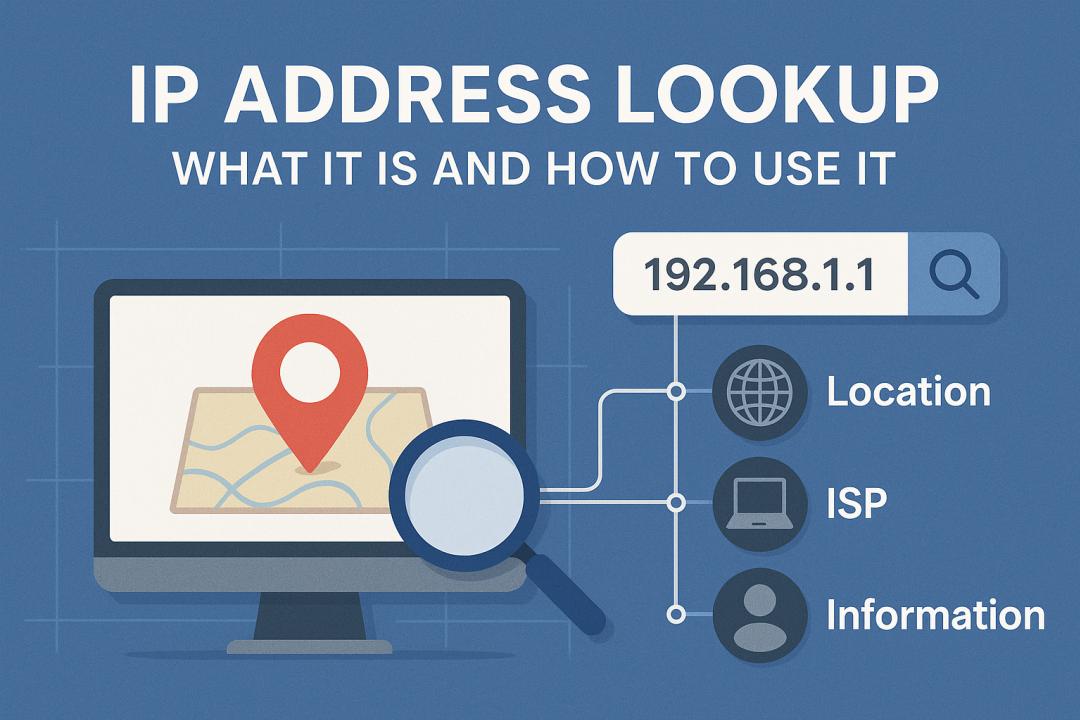
You can use an IP Address Lookup tool to get details about any IP address. These tools can show you the country, city, and internet service provider linked to that address.
How to Look Up an IP Address
Looking up an IP address is simple:
- Find the IP address you want to check
- Go to an IP lookup tool
- Type or paste the address
- View the results
Most IP lookup tools are free and work right away. You don't need to create an account or download any software.
What Information Can You Get?
When you look up an IP address, you can learn:
- Location (country, region, city)
- Internet service provider (ISP)
- Time zone
- Whether it's a home or business connection
- If it's using a proxy or VPN
This information is public and easy to access. Anyone can look up basic details about your IP address too.
Using IP Lookup for Security
IP lookup tools help with online security in many ways:
- Check if emails are from trusted senders
- Spot login attempts from strange locations
- Find out who owns a domain
- Block traffic from countries you don't do business with
According to the Internet Society, knowing how to check IP addresses is a basic internet skill everyone should learn.
Privacy Concerns
While IP lookups are useful, they also raise privacy questions. Your IP address can reveal:
- Your rough location
- Your internet provider
- Sites you visit
This is why many people use VPNs (Virtual Private Networks) to hide their real IP address. A VPN gives you a new IP address and helps keep your online actions private.
Common Uses for IP Lookup Tools
Here are some ways people use IP lookup tools:
For Website Owners
- See where visitors come from
- Block harmful traffic
- Stop comment spam
- Track user behavior
For Home Users
- Check if your IP address has changed
- Find out who owns a website
- Test if your VPN is working
- See if someone is on your network
For Business
- Stop fraud
- Allow only certain countries to access content
- Track employee internet use
- Keep networks safe
How to Protect Your IP Address
If you want to keep your IP address private, try these steps:
- Use a VPN service
- Use the Tor browser
- Connect through public Wi-Fi (with caution)
- Ask your internet provider for a new IP address
Each method has pros and cons. VPNs are the most common way to hide your IP address.
Can IP Addresses Be Faked?
Yes, IP addresses can be hidden or changed. This is called "IP spoofing." Bad actors use this trick to:
- Hide their true location
- Get around blocks
- Pretend to be someone else
- Launch attacks
This is why network experts use more than just IP checks to keep systems safe.
Free vs. Paid IP Lookup Services
Most basic IP lookup tools are free. They show you:
- Country
- City
- ISP
Paid services offer more details like:
- More exact location
- Connection type
- Risk scores
- Past behavior
For most people, free tools work fine. Businesses might need paid options.
FAQ About IP Address Lookup
Is looking up an IP address legal?
Yes. IP lookups use public information that anyone can access.
Can I find someone's name and address from their IP?
No. Regular IP lookup tools only show general location, not personal details. Only law enforcement can get that information with court orders.
How accurate are IP locations?
They're usually accurate to the city level, not to exact addresses. Sometimes they might only show the correct state or region.
Can I see who's using my Wi-Fi through IP lookup?
You can see what devices are on your network, but IP lookup alone won't tell you who's using them. You need to check your router settings.
Will a VPN stop IP tracking?
A good VPN will hide your real IP address. But websites can still track the VPN's IP address.
Can I look up my own IP address?
Yes. Many websites show your current IP address as soon as you visit them.
Do mobile phones have IP addresses?
Yes. Any device that connects to the internet gets an IP address.
Conclusion
IP address lookup tools help you learn more about internet connections. They can show where a website is hosted, check if your VPN works, or help solve network problems.
Using an IP Address Lookup tool is simple and often free. While these tools can't show personal details, they give useful information about connections.
As we share more of our lives online, knowing how to check and protect IP addresses becomes more important. Take time to learn these basic internet skills to stay safe in the digital world.
Remember that your IP address changes based on your location and network. What shows up today might be different tomorrow if you connect from somewhere new.
By understanding IP addresses, you take an important step toward better online privacy and security.