
If your Wi-Fi slows down whenever more than one person connects, or if your movies keep buffering despite a high-speed internet plan, you’re not alone. Many people think their provider is the problem, but often the router is the real issue.
Think of your router as the traffic controller for your home network. Even if you have a fast connection coming into your house, an outdated or weak router can struggle to evenly distribute that speed. This leads to slow downloads, choppy video calls, and uneven streaming.
Choosing the right high-speed internet router can greatly improve your daily Wi-Fi experience, but figuring out which one is best can be tricky. This guide explains everything in simple terms, helping you know what to look for and what to avoid.
Why Your Router Matters More Than You Realize
You might already be paying for a fast internet plan, but your actual experience relies heavily on your router. A modern high-speed Wi-Fi router makes sure:
- Smooth streaming with no buffering
- Lag-free online gaming
- Stable video calls for remote work and classes
- Faster downloads and uploads
- Better coverage across every room
On the other hand, a weak router can cause:
- Random Wi-Fi dropouts
- Slow speed when multiple people are online
- Dead zones in parts of your home
- Choppy audio/video during calls
Before you upgrade your internet plan, consider upgrading your router instead.
Step-by-Step: How to Choose the Right Router
Choosing the right router isn’t just about picking the most expensive option. It involves understanding the features that really improve everyday use.
1. Check the Wi-Fi Standard
Your router’s Wi-Fi standard determines how fast and efficient it is.
- Wi-Fi 6 (802.11ax): The latest standard handles many connected devices efficiently, which is great for modern homes.
- Wi-Fi 5 (802.11ac): There are also affordable options that perform decently but may struggle under heavy usage.
For homes with phones, laptops, TVs, tablets, gaming consoles, and smart devices all running at once, Wi-Fi 6 routers provide noticeably better stability and speed.
2. Think About Your Internet Type
Not everyone has the same internet source.
For example:
- Cable and fiber users benefit from high-throughput routers.
- Rural homes often use LTE or 5G-based internet instead of wired broadband.
In these cases, routers designed for wireless networks become essential. One example is the UbiFi F1 Router, commonly used where LTE or 4G internet is the main connection type. It helps stabilize these networks, leading to smoother Wi-Fi performance. (Important note: This is just an example, not a promotion.)
The takeaway: Choose a router that matches your internet source, rather than just one with the highest speed rating on the box.
3. Match the Router to Your Home’s Size & Layout
Your home’s layout has a huge impact on Wi-Fi performance.
- Small to medium homes: A single fast internet router can work well in a typical home.
- Large or multi-story homes: You might need a router with strong antennas or even a mesh Wi-Fi system to remove dead zones.
If your Wi-Fi weakens in certain areas, like the bedroom or upstairs, focus on improving coverage.
4. Look at the Router’s Speed Rating (But Don’t Get Tricked)
Routers are labeled with numbers like:
- AC1200
- AX3000
- AX5400
These numbers refer to maximum theoretical performance, not what each device will actually receive. Instead of chasing the highest number, consider how your household uses the internet.
If your home mostly:
- Browses the web
- Streams occasional videos
A mid-range router works fine.
If your home:
- Streams 4K
- Joins online work meetings often
- Has multiple smart devices
A reliable high-speed router (Wi-Fi 6) is better.
If your household:
- Plays online games
- Livestreams
- Downloads large files
Look for a router that excels at streaming and gaming, with a powerful processor and good bandwidth management.
5. Check Device Capacity
Every device connected to your Wi-Fi takes up part of your network’s resources. Today’s homes may have dozens of connected devices, including phones, laptops, tablets, TVs, gaming consoles, cameras, smart speakers, and even light bulbs.
Look for features like:
- MU-MIMO (multiple device efficiency)
- OFDMA (better bandwidth sharing)
- Beamforming (stronger directional signal)
These ensure everyone gets stable, reliable internet even during peak usage.
6. Make Sure the Router Has an Easy Management App
Modern routers let you manage your network straight from your phone. Good router apps allow you to:
- Check what devices are connected
- Test speed instantly
- Pause internet on specific devices (great for kids’ bedtime)
- Set up guest Wi-Fi
- Restart or update the router without hassle
Good software makes your Wi-Fi easier to control and troubleshoot.
Signs You Should Replace Your Router
If you're wondering whether upgrading is worth it, look for these signs:
- Your router is older than 3–5 years
- Your Wi-Fi is slow in some rooms
- Streaming buffers when multiple people are online
- Video calls drop or freeze often
- You upgraded your internet speed, but performance didn’t improve
If any of this sounds familiar, your router might be limiting your internet performance.
Conclusion
Choosing the right router doesn’t have to be hard. You don’t need the priciest model, just one that fits your home size, device use, and connection type.
A quality Reliable high-speed router will give you:
- Smooth streaming and browsing
- Stable video calls
- Faster downloads and loading times
- Strong Wi-Fi across your entire home
Once your router meets your real needs, your Wi-Fi should just work without any hassle.
FAQs On Best Internet Router
1. Do I really need Wi-Fi 6?
If you have multiple devices or stream often, yes, Wi-Fi 6 boosts reliability and speed.
2. How often should I replace my router?
Every 3 to 5 years to keep up with new device demands and technology updates.
3. Are mesh systems better?
Mesh systems work well for larger homes or when some rooms have weak signals.
4. Does my internet plan speed matter if I get a better router?
Yes, your router can only share the speed you're paying for, but a better router helps you feel that speed.
5. Can I improve Wi-Fi without buying a new router?
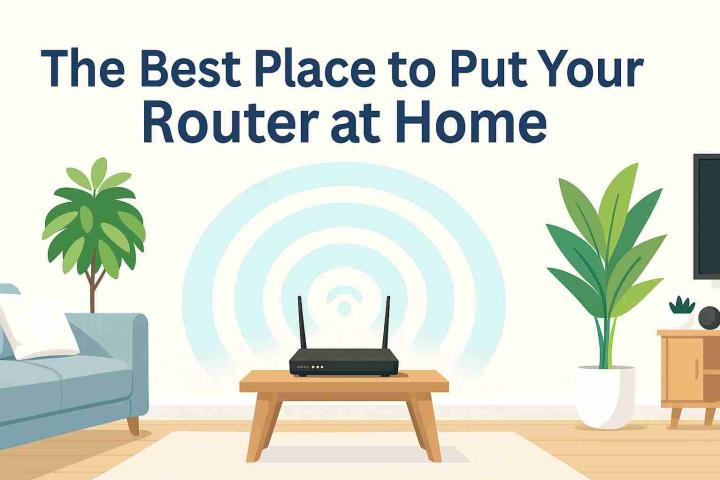
Yes, placing the router in an open, central spot can greatly improve signal strength.