Car insurance is an essential part of owning a vehicle in India. It provides financial protection against accidents, theft, natural disasters, and third-party liabilities. Once you purchase a policy, the next important step is to have your ICICI Lombard Car Insurance Policy Document safely stored. This document is proof of your insurance and contains important information about coverage, terms, and conditions.
In this blog, we will explain in
simple language how to download your
ICICI Lombard Car Insurance Policy Document, why it is important, and
tips to manage it effectively.
What Is an ICICI Lombard
Car Insurance Policy Document?
The ICICI Lombard Car Insurance Policy Document is an official
certificate issued by the insurer that confirms your vehicle is insured. It
contains essential details such as:
- Policy number
- Vehicle details (make, model, registration number)
- Insured Declared Value (IDV)
- Coverage type (comprehensive or own damage)
- Policy tenure and expiry date
- Terms, conditions, and exclusions
- Add-on covers (if any)
- Contact details of the insurer
This document acts as legal proof
while driving and is required during claim settlement, police verification in
case of accidents, and renewing your insurance.
Why Is It Important to
Download Your ICICI Lombard Car Insurance Policy Document?
Downloading and keeping a digital
copy of your ICICI Lombard Car
Insurance Policy Document has many benefits:
1. Legal Proof
It serves as proof of insurance when
driving, during inspections, or in case of accidents.
2. Easy Access
You can access your policy anytime
for claims, renewals, or adding coverage.
3. Secure Backup
Having a digital copy ensures you do
not lose your insurance document in case of misplacement of the physical copy.
4. Hassle-Free Claims
Most claims require you to provide
policy details. A downloaded copy allows you to submit information quickly and
avoid delays.
Methods to Download ICICI
Lombard Car Insurance Policy Document
ICICI Lombard provides multiple ways
to download your Car Insurance Policy
Document, making it easy for policyholders to access their insurance
digitally.
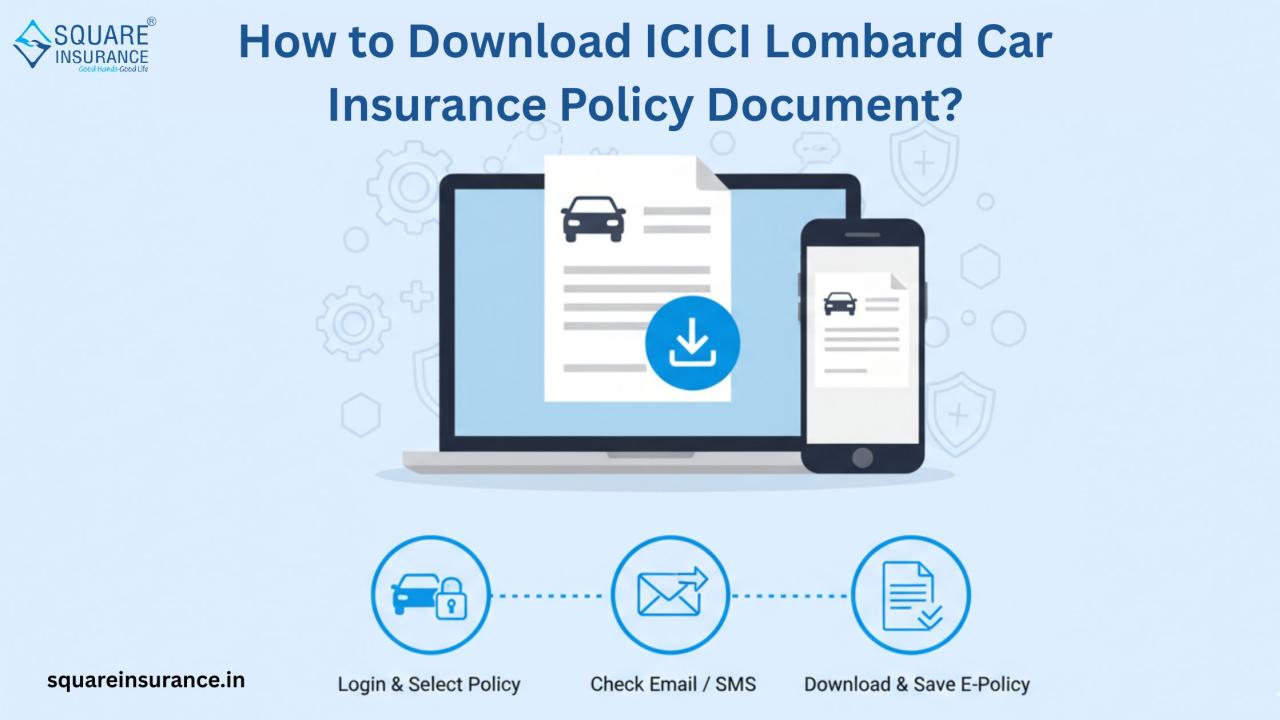
1. Download via ICICI
Lombard Website
Step 1: Visit the official ICICI Lombard website.
Step 2: Navigate to the ‘Car Insurance’ section and select ‘Policy
Document Download’.
Step 3: Enter your policy number or vehicle registration number
along with your registered mobile number or email.
Step 4: Verify your details using the OTP sent to your registered
mobile number.
Step 5: Once verified, your ICICI
Lombard Car Insurance Policy Document will be displayed. You can
download it in PDF format and save it on your device.
2. Download via ICICI
Lombard Mobile App
ICICI Lombard also provides a mobile
app for policyholders to manage their insurance easily.
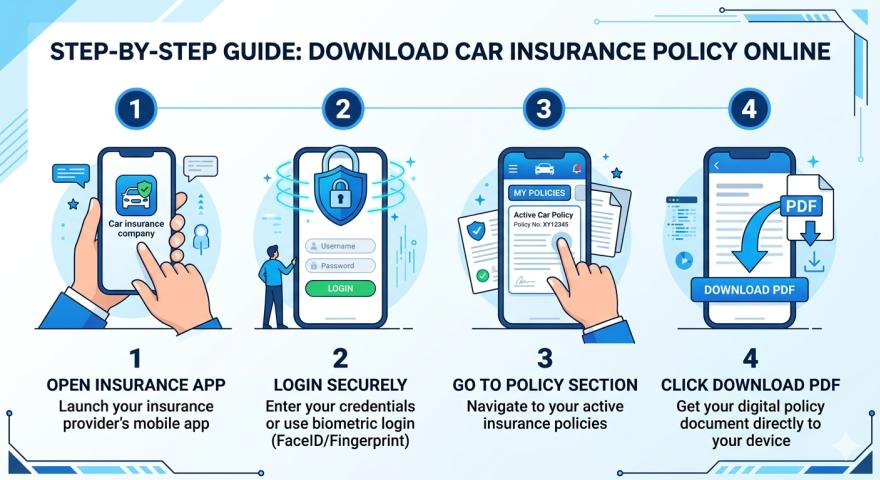
Step 1: Download the ICICI Lombard mobile app from Google Play
Store or Apple App Store.
Step 2: Log in using your registered mobile number or policy
details.
Step 3: Go to the ‘My Policies’ section.
Step 4: Select your car insurance policy and click on ‘Download
Policy Document’.
Step 5: Save the PDF copy on your phone for easy access anytime.
3. Download via Email
When you purchase or renew your
ICICI Lombard car insurance policy, the company sends the policy document via email to your
registered email ID.
- Check your inbox for an email from ICICI Lombard with
the subject line “Policy Document”.
- Download the PDF attachment and save it securely.
- Keep a backup in cloud storage or an external drive for
safety.
4. Contact Customer Care
If you face any difficulty
downloading your ICICI Lombard Car
Insurance Policy Document online, you can contact ICICI Lombard customer
care.
- Provide your policy number and registered details.
- The support team will email or guide you to download the
document online.
What to Check in Your
Policy Document
After downloading the ICICI Lombard Car Insurance Policy Document,
it is important to verify the details:
- Policy Number
– Ensure it matches your records.
- Vehicle Details
– Check the make, model, registration number, and year.
- IDV – Ensure
the Insured Declared Value is correct.
- Coverage Type
– Verify whether it is comprehensive or own damage.
- Policy Period
– Check the start and expiry date.
- Add-Ons
– Confirm any additional covers you opted for.
- Exclusions and Terms
– Read the terms to avoid surprises during a claim.
Benefits of Downloading
Policy Document Online
- Immediate Access
– No need to wait for postal delivery.
- Eco-Friendly
– Reduces paper usage and helps the environment.
- Secure Storage
– Digital copies are easy to back up.
- Ease of Sharing
– Share via email for claims or verification.
- Convenience During Emergencies – Quickly access your policy when needed.
Tips to Manage Your ICICI
Lombard Car Insurance Policy Document
- Always keep a digital
copy saved on your phone, computer, or cloud storage.
- Keep a hard
copy in your car for emergencies.
- Regularly check the expiry date and plan for renewal.
- Update your contact details with ICICI Lombard to
receive policy emails.
- In case of changes to the vehicle, request an updated
policy document immediately.
Frequently Asked Questions
(FAQs)
Q1.
Can I download my policy document anytime?
Yes,
the ICICI Lombard Car Insurance Policy Document can be downloaded anytime
through the website or mobile app.
Q2.
Is the digital copy valid for legal and claim purposes?
Yes,
the PDF version of your policy document is legally valid and accepted during
claims, police verification, and renewals.
Q3.
What if I lose my physical copy?
You
can always download a new copy online or contact customer care for assistance.
Q4.
Can I get help from squareinsurance for policy download?
Yes,
if you purchased your policy through squareinsurance, their team can
guide you to download your ICICI Lombard Car Insurance Policy Document and
ensure you have all the correct details.
Q5.
Can I download a renewed policy document?
Yes,
after renewal, ICICI Lombard sends the updated policy document to your
registered email, and you can also download it from the website or app.
Conclusion
Downloading and storing your ICICI Lombard Car Insurance Policy Document
is an essential step to ensure continuous protection for your car. With digital
copies, you can access your policy anytime, make claims quickly, and avoid
unnecessary delays. Whether through the website, mobile app, or email, ICICI Lombard
makes it simple and convenient for policyholders.
Always verify your policy details,
keep a backup, and update contact information to avoid any issues. A
well-managed policy document ensures peace of mind and smooth claim settlement.
Note
At Square Insurance, we make car
insurance easy and convenient. We guide our customers on downloading and
managing their ICICI Lombard Car
Insurance Policy Document, ensuring all details are accurate and
accessible.
For added convenience, you can also
download our mobile application, “Square
Insurance POS – Apps on Google Play” to manage your insurance policies,
access documents, and stay updated anytime, anywhere.