Introduction
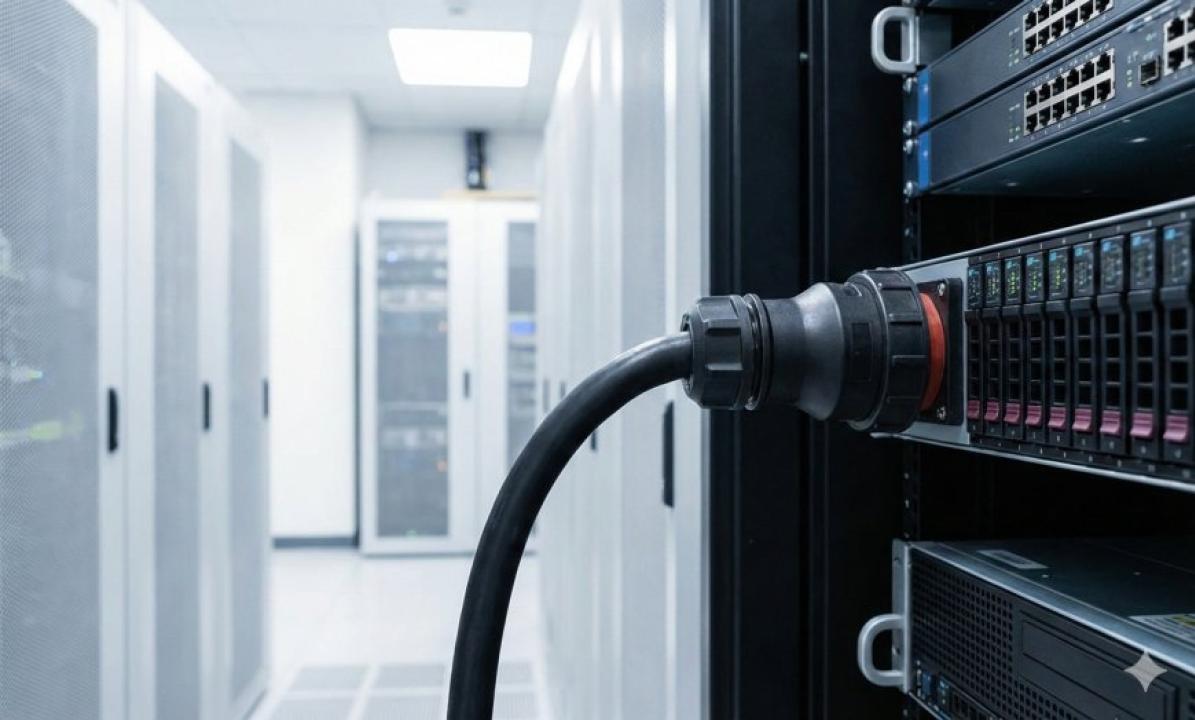
Power Distribution Units (PDUs) are the backbone of any data center power infrastructure. Whether you manage a small server room or a hyperscale facility, choosing the right PDU can make a critical difference in uptime, efficiency, and safety. One element often underestimated in this process is the computer power cord the link between your PDU and every piece of equipment it powers. In this guide, we will walk you through everything you need to know to select the right PDU for your data center power distribution needs.
What Is a PDU and Why Does It Matter?
A Power Distribution Unit is a device designed to distribute electrical power to multiple servers, networking equipment, and storage devices within a rack. PDUs come in several types basic, metered, monitored, switched, and automatic transfer switch (ATS) PDUs each offering a different level of control and visibility. The right choice depends on your facility's power requirements, redundancy goals, and budget. A key consideration often overlooked is how the computer power cord connecting each device to the PDU affects overall performance and safety.
Types of PDUs: Which One Is Right for You?
Basic PDUs simply distribute power with no monitoring capabilities. They are cost-effective and suitable for small environments where manual monitoring is manageable. Metered PDUs offer amperage monitoring at the inlet, giving you a basic view of power consumption. Monitored PDUs take this a step further by providing per-outlet monitoring through a network connection. Switched PDUs allow you to remotely control individual outlets powering devices on or off without physical access. ATS PDUs provide the highest level of redundancy by automatically switching between two power sources if one fails. Each of these PDU types connects to your equipment via a computer power cord, making cord compatibility a critical factor in your selection.
Understanding PDU Form Factors
PDUs are available in several form factors: horizontal (1U or 2U), vertical (0U), and toolless mounting options. Horizontal PDUs mount in standard rack units and are ideal when rack space is not a constraint. Vertical PDUs mount on the side of the rack without consuming any rack unit space, making them popular in high-density environments. Regardless of the form factor, every outlet on your PDU connects to a server or appliance using a computer power cord, so the number of outlets, their orientation, and their socket type must match the plug type on your equipment.
Outlet Types and Cord Compatibility
PDUs come with different outlet types including C13, C19, NEMA 5-15R, NEMA 5-20R, and others. Matching the outlet type to the correct computer power cord and equipment plug type is essential. Mismatched connections can lead to overheating, tripped breakers, or equipment damage. Always verify that the amperage rating on your computer power cord matches or exceeds the draw of the connected device. High-amperage servers typically require C19 outlets and heavier-gauge cords.
Redundancy Planning and Power Feeds
Redundancy is a cornerstone of data center design. Best practices recommend connecting critical servers to two separate PDUs fed from independent power sources (A-feed and B-feed). This ensures that if one PDU or power feed fails, your equipment continues to run. When planning redundancy, include the computer power cord in your review dual-corded servers come with two power supplies, each requiring its own cord and PDU connection. Verify cord lengths to ensure clean routing without unnecessary slack.
Power Capacity and Load Balancing
Overloading a PDU circuit is a leading cause of unplanned downtime. Calculate the total wattage of all equipment connected to each PDU, then leave a 20% headroom buffer to avoid tripping breakers. A quality computer power cord rated for the appropriate amperage ensures safe and efficient power delivery. Regularly audit your load distribution to prevent circuit imbalance, especially as new equipment is added.
Remote Management Capabilities
Modern data centers benefit enormously from PDUs with remote management features. Network-connected PDUs allow administrators to monitor power consumption, set alerts for overload conditions, and reboot individual devices remotely. This reduces the need for physical access, saving time and operational costs. Ensure your computer power cord is properly labeled and documented so that remote power cycling actions target the correct device.
Conclusion
Selecting the right PDU for your data center involves evaluating power requirements, redundancy needs, outlet types, form factors, and remote management capabilities. Throughout this process, the computer power cord plays a fundamental but often overlooked role. By ensuring your cords are rated correctly, compatible with your equipment, and properly managed, you set the foundation for a reliable and efficient power infrastructure. Invest the time upfront to plan your PDU selection carefully your uptime metrics will thank you.
Original Article :- Click Here