How CCIE Security Training Helps Build Enterprise Security Expertise
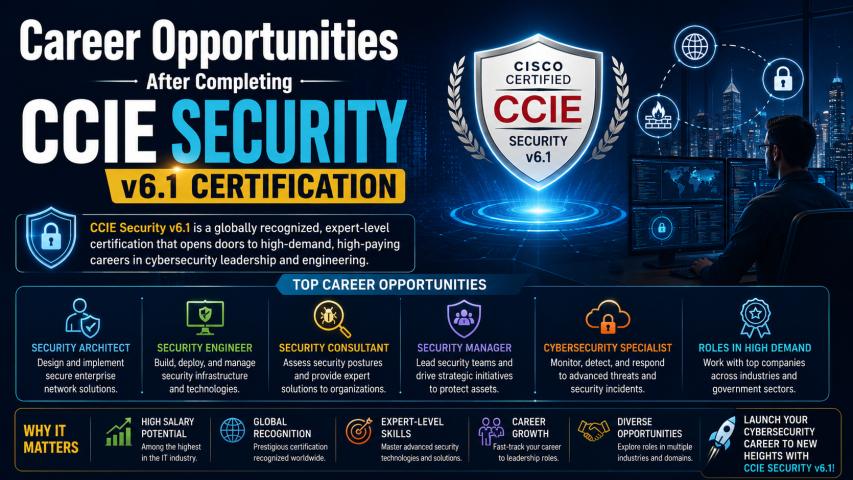
Modern enterprise environments demand highly skilled network security professionals who can manage complex infrastructures, secure enterprise traffic, and troubleshoot advanced security technologies. Professionals pursuing CCIE Security Training in New York often focus heavily on building strong practical skills because theoretical knowledge alone is not enough for handling real-world enterprise security challenges.
Practical learning plays a central role in mastering enterprise security concepts. Candidates preparing for advanced certifications require hands-on exposure to technologies such as firewalls, VPNs, identity services, network segmentation, automation, and threat prevention systems. A well-structured lab environment helps learners understand how enterprise security solutions operate in production environments.
Effective lab strategies can significantly improve technical understanding, troubleshooting abilities, configuration accuracy, and exam readiness. This article explores the best lab strategies that support practical learning in CCIE Security Training and help candidates strengthen their enterprise security expertise.
Importance of Hands-On Learning in Security Training
Enterprise security technologies are highly practical in nature. Engineers must configure devices, analyze traffic behavior, implement policies, and resolve security issues under pressure. Practical learning bridges the gap between theory and real-world implementation.
Hands-on lab practice helps candidates:
Understand enterprise security architectures
Develop configuration and troubleshooting skills
Simulate real-time attack and defense scenarios
Improve confidence in managing complex infrastructures
Strengthen problem-solving abilities
Gain experience with enterprise-grade security tools
Practical exposure also helps candidates become familiar with enterprise workflows used in modern security operations centers and network environments.
Building a Structured Home Lab Environment
A home lab is one of the most effective ways to support continuous practice. Many learners use virtual environments to simulate enterprise security infrastructures without investing heavily in physical hardware.
Selecting the Right Virtualization Platform
Virtualization platforms allow candidates to create multiple devices and security topologies within a single system. Common virtualization tools help simulate routers, switches, firewalls, identity services, and endpoint devices.
A structured virtual lab environment should support:
Multi-device connectivity
Network segmentation
Firewall deployments
VPN configurations
Authentication services
Traffic analysis
Security policy testing
Virtual labs provide flexibility for repeated practice and troubleshooting exercises.
Combining Physical and Virtual Devices
Some candidates prefer hybrid labs that combine physical devices with virtual infrastructure. Physical devices provide deeper operational familiarity, while virtual environments allow greater scalability and flexibility.
This combination can help candidates understand:
Real hardware behavior
Interface configurations
Physical connectivity troubleshooting
Enterprise deployment scenarios
Hybrid environments often provide a more realistic enterprise experience.
Creating Realistic Enterprise Topologies
Lab practice becomes more effective when candidates simulate real enterprise environments instead of isolated device configurations.
Simulating Multi-Zone Security Architectures
Enterprise environments commonly include multiple security zones such as:
Internal networks
DMZ segments
Guest networks
Remote access zones
Data center environments
Cloud-connected segments
Building multi-zone topologies helps learners understand traffic flow, access control, policy enforcement, and segmentation strategies.
Practicing End-to-End Security Deployments
Instead of practicing individual features separately, candidates should create full enterprise scenarios that involve:
User authentication
Firewall rules
VPN connectivity
Threat inspection
Routing integration
Logging systems
End-to-end deployments improve operational understanding and troubleshooting efficiency.
Focusing on Troubleshooting-Based Learning
One of the most important aspects of enterprise security engineering is troubleshooting. Practical labs should include intentional configuration errors and network issues that require systematic analysis.
Developing Troubleshooting Methodologies
Effective troubleshooting practice teaches candidates how to:
Identify root causes
Analyze traffic behavior
Validate security policies
Review logs and alerts
Test network connectivity
Verify authentication flows
Structured troubleshooting exercises improve technical confidence and operational accuracy.
Using Packet Analysis Tools
Traffic analysis tools help candidates understand how security devices process and inspect network traffic.
Practical packet analysis can improve understanding of:
VPN negotiation
Security policy enforcement
Authentication failures
Threat detection behavior
Routing issues
Encrypted traffic inspection
Traffic visibility is essential for modern enterprise security operations.
Practicing Security Automation and Scripting
Automation has become increasingly important in enterprise infrastructure management. Modern organizations use automation to improve consistency, reduce configuration errors, and accelerate deployment processes.
Learning Basic Security Automation Workflows
Candidates should practice automating:
Device configuration backups
Security policy deployment
Log collection
Configuration validation
Monitoring tasks
Automation practice improves operational efficiency and prepares candidates for modern enterprise environments.
Understanding API Integration
Many enterprise security platforms support APIs for centralized management and orchestration.
Lab exercises involving APIs can help candidates learn:
Automated provisioning
Security policy updates
Threat intelligence integration
Monitoring automation
Infrastructure orchestration
API familiarity is becoming a valuable enterprise skill.
Implementing Timed Practice Sessions
Time management is critical during advanced certification preparation and enterprise troubleshooting situations.
Simulating Real Exam Conditions
Timed practice sessions help candidates improve:
Configuration speed
Troubleshooting efficiency
Task prioritization
Accuracy under pressure
Practicing within time constraints also helps identify weak areas that require additional improvement.
Building Operational Discipline
Structured timing exercises teach candidates how to work methodically while maintaining accuracy. This discipline becomes highly valuable in enterprise production environments where downtime and security incidents require rapid resolution.
Maintaining Detailed Lab Documentation
Documentation is an often-overlooked part of practical learning. Enterprise engineers frequently rely on documentation for operational consistency and troubleshooting reference.
Creating Configuration Notes
Candidates should maintain records of:
Topology diagrams
IP addressing plans
Security policies
Routing configurations
VPN parameters
Troubleshooting steps
Well-organized documentation helps reinforce learning and improves revision efficiency.
Tracking Troubleshooting Scenarios
Maintaining troubleshooting journals allows candidates to review:
Common mistakes
Resolution methods
Diagnostic procedures
Traffic analysis findings
Repeated exposure to documented issues improves long-term retention.
Using Scenario-Based Learning Approaches
Scenario-based learning is highly effective for enterprise security preparation because it replicates real operational environments.
Simulating Enterprise Security Incidents
Candidates can practice scenarios involving:
Unauthorized access attempts
VPN failures
Routing conflicts
Malware traffic detection
Segmentation policy issues
Authentication server failures
Scenario-based exercises improve analytical thinking and operational readiness.
Practicing Change Management
Enterprise engineers frequently implement security changes in production environments. Candidates should practice:
Policy modifications
Configuration migrations
Security upgrades
Access control changes
This approach helps build operational discipline and change validation skills.
Joining Collaborative Study and Lab Groups
Collaborative learning can improve technical understanding by exposing candidates to different troubleshooting approaches and deployment strategies.
Participating in Technical Discussions
Study groups often help candidates:
Share lab strategies
Analyze enterprise scenarios
Discuss troubleshooting methods
Review configuration approaches
Collaborative environments encourage deeper technical learning.
Learning Through Peer Troubleshooting
Working with other learners introduces new perspectives and diagnostic techniques that may not emerge during individual practice sessions.
Peer collaboration can improve:
Problem-solving speed
Configuration accuracy
Scenario analysis
Technical communication skills
Keeping Lab Environments Updated
Enterprise security technologies continue evolving rapidly. Lab environments should reflect modern enterprise deployments and updated security practices.
Practicing Modern Security Features
Candidates should regularly explore:
Zero trust architectures
Cloud-integrated security
Identity-based access control
Secure remote access
Advanced threat prevention
Security analytics platforms
Updated labs provide more relevant enterprise exposure.
Reviewing Vendor Documentation
Official technical documentation helps candidates understand:
Feature behavior
Deployment guidelines
Best practices
Troubleshooting procedures
Combining documentation review with hands-on practice strengthens conceptual understanding.
Common Mistakes to Avoid During Lab Practice
Several common issues can reduce the effectiveness of practical learning.
Memorizing Without Understanding
Candidates should focus on understanding traffic flow, policy behavior, and protocol interaction instead of memorizing commands.
Ignoring Troubleshooting Practice
Configuration alone is insufficient. Troubleshooting exercises are essential for developing enterprise-level operational skills.
Using Oversimplified Topologies
Simple labs may not accurately represent enterprise environments. Complex multi-device scenarios provide more realistic learning experiences.
Practicing Inconsistently
Regular practice sessions are more effective than infrequent intensive study periods. Consistency improves retention and technical confidence.
Conclusion
Practical learning is one of the most important components of advanced enterprise security preparation. Effective lab strategies help candidates build technical confidence, improve troubleshooting capabilities, and gain hands-on experience with enterprise-grade security technologies. Structured home labs, realistic topologies, troubleshooting exercises, automation practice, scenario-based learning, and collaborative study approaches all contribute to stronger operational skills.
Professionals pursuing CCIE Security Training benefit greatly from continuous practical exposure because enterprise security environments require deep technical understanding and real-world problem-solving abilities. Well-planned lab strategies not only support certification preparation but also strengthen the practical expertise needed to manage modern enterprise security infrastructures successfully.