What is Markloop?
Markloop is an AI-first collaboration platform that allows teams to review, discuss, and improve live HTML websites and prototypes instead of static screenshots or design mockups.
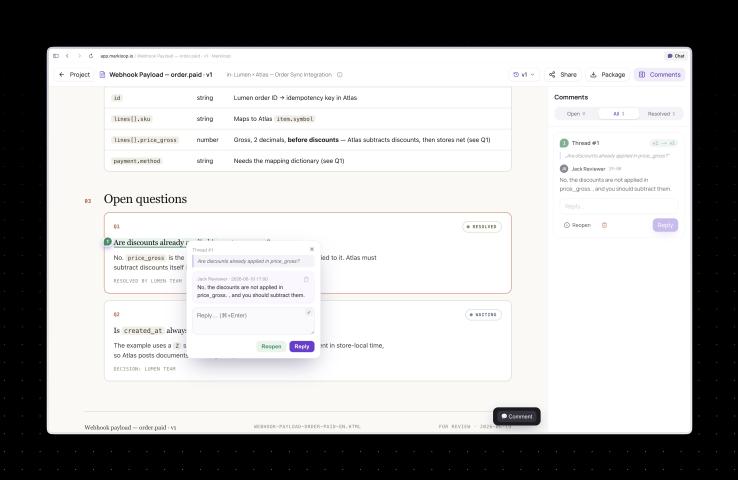
Unlike traditional design review tools, Markloop lets users place comments directly on real HTML elements. Team members can discuss changes in context, while AI coding agents such as Claude Code, Cursor, and other MCP-compatible assistants can automatically apply those changes to the underlying code.
Official website:
https://markloop.tech/
Why Markloop is Different
Traditional design review often looks like this:
- Designer creates a Figma file
- Developer recreates it in HTML/CSS
- Stakeholders leave comments on screenshots
- Developers manually implement every requested change
Markloop removes much of this friction by allowing everyone to collaborate directly on the live HTML version.
The workflow becomes:
- Open the live webpage
- Click any element
- Leave contextual feedback
- Discuss with the team
- AI applies the requested change
- Review and approve the update
This creates a much faster design iteration cycle.
Key Features
1. Live HTML Feedback
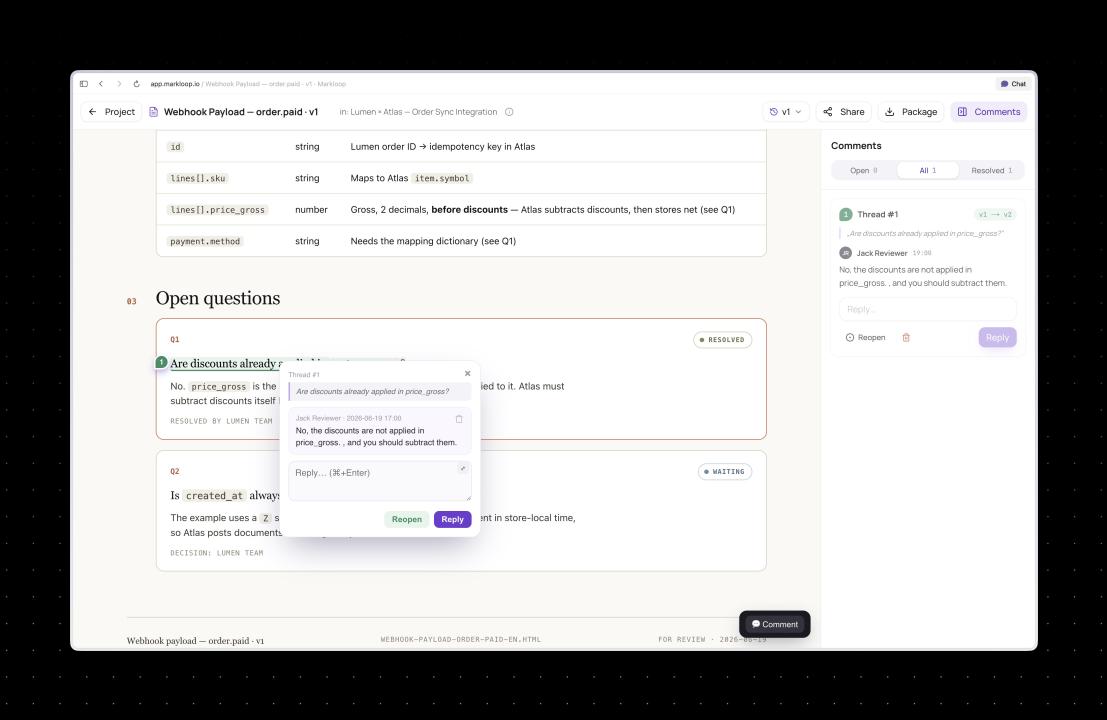
Instead of commenting on screenshots, comments are attached directly to HTML elements.
Benefits include:
- precise feedback
- no confusion about which element is being discussed
- comments remain connected even when layouts change
2. AI-Powered Code Changes
One of Markloop's biggest innovations is its AI integration.
Rather than simply collecting comments, AI agents can:
- read discussion threads
- understand requested changes
- rewrite HTML and CSS
- generate updated versions automatically
This reduces repetitive frontend work while keeping developers in control.
3. MCP Integration
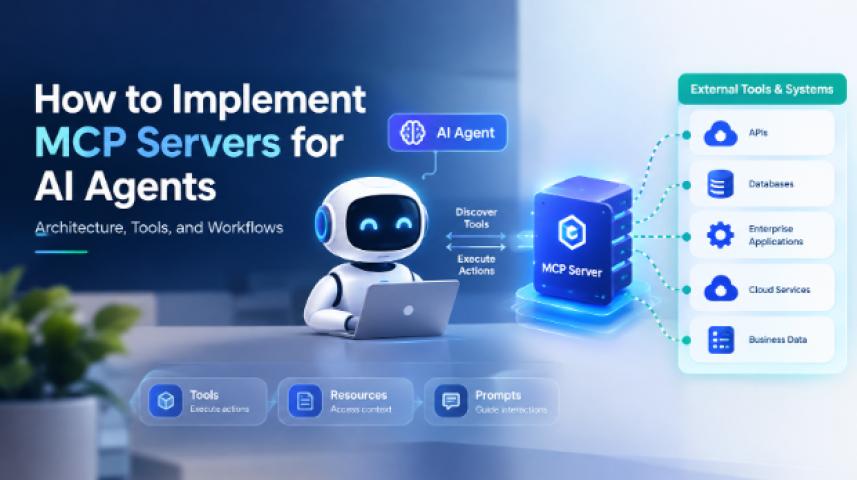
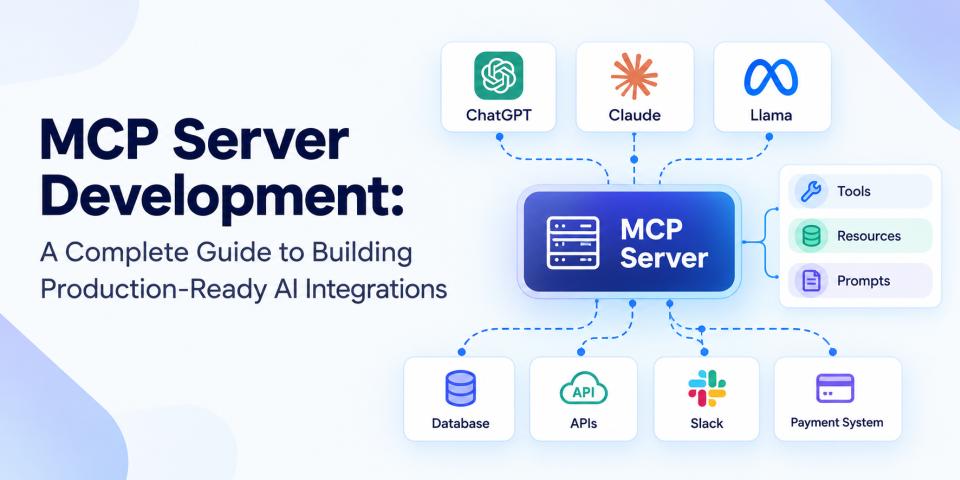
Markloop supports the Model Context Protocol (MCP), allowing AI coding assistants to interact directly with projects.
Compatible AI tools include:
- Claude Code
- Cursor
- other MCP-compatible agents
This enables automated design improvements while maintaining human approval.
4. Version History
Every AI-generated change creates a new version.
Teams can:
- compare revisions
- approve updates
- reject unwanted changes
- restore previous versions
This works similarly to Git but is designed for collaborative design workflows.
5. Threaded Discussions
Each comment becomes its own discussion thread.
Advantages include:
- organized conversations
- easier stakeholder collaboration
- better design decisions
- full history of feedback
6. Team Collaboration
Markloop supports multiple user roles including:
- Owners
- Editors
- Commenters
- Guest reviewers
External stakeholders can review projects without creating an account, making client feedback significantly easier.
Who Should Use Markloop?
Markloop is ideal for:
Web Designers
Collaborate directly on live websites rather than exporting screenshots.
Frontend Developers
Receive precise design feedback tied directly to HTML elements.
Product Teams
Centralize design discussions and approvals.
Agencies
Collect client feedback without endless email chains.
AI-First Development Teams
Integrate AI coding assistants into the review workflow.
Benefits of Using Markloop
Some of the biggest advantages include:
- Faster design reviews
- Better communication
- Reduced developer workload
- AI-assisted implementation
- Contextual comments
- Version tracking
- Improved collaboration
- Faster website iteration
Markloop vs Traditional Design Review
| Traditional Workflow | Markloop |
|---|---|
| Screenshot comments | Live HTML comments |
| Manual code updates | AI-assisted code changes |
| Separate design tools | One collaborative workspace |
| Static mockups | Interactive HTML |
| Long feedback cycles | Faster iteration |
Why AI Makes Markloop Stand Out
Many collaboration platforms stop at collecting feedback.
Markloop goes further by enabling AI to understand comments and generate working HTML and CSS updates.
Instead of copying notes into a coding assistant manually, feedback becomes actionable immediately.
This bridges the gap between design and development.
SEO Benefits for Development Teams
Although Markloop is not an SEO platform, faster website iteration can indirectly improve SEO by helping teams:
- launch pages more quickly
- improve user experience
- optimize layouts faster
- test design improvements efficiently
- reduce production bottlenecks
Pros and Cons
Pros
- Modern AI-first workflow
- Live HTML collaboration
- Precise contextual comments
- MCP integration
- AI-generated code updates
- Version history
- Easy stakeholder reviews
Cons
- Best suited for HTML-based projects
- Teams may need time to adapt to a new workflow
- AI-generated changes still require human review
Final Verdict
Markloop represents a new generation of design collaboration tools built specifically for the AI era.
Rather than separating designers, developers, and AI assistants into different workflows, it creates a single collaborative environment where everyone works directly on live HTML.
For teams building websites, landing pages, SaaS products, or AI-generated interfaces, Markloop can significantly reduce review cycles and improve communication while keeping developers in control of the final code.
If your team already uses AI coding assistants like Claude Code or Cursor, Markloop is especially compelling thanks to its native MCP support and automated feedback loop.
Frequently Asked Questions
What is Markloop?
Markloop is an AI-powered collaboration platform that lets teams review and improve live HTML using contextual comments and AI-generated code updates.
Is Markloop free?
Markloop offers a free plan for small teams, according to its official website.
Does Markloop replace Figma?
No. Markloop focuses on reviewing and improving real HTML rather than replacing visual design tools. Many teams may use both together.
Which AI assistants work with Markloop?
Markloop supports MCP-compatible AI agents, including Claude Code, Cursor, and similar tools.
Can clients review projects?
Yes. Guest reviewers can provide feedback without creating an account.
Does Markloop support version history?
Yes. Every AI-generated update is stored as a separate version that can be reviewed, approved, or rolled back.
Is Markloop suitable for agencies?
Yes. Agencies can use Markloop to streamline client reviews, collect contextual feedback, and accelerate website delivery.
Where can I learn more?
Visit the official website at https://markloop.tech/ for product details, documentation, and getting started information.