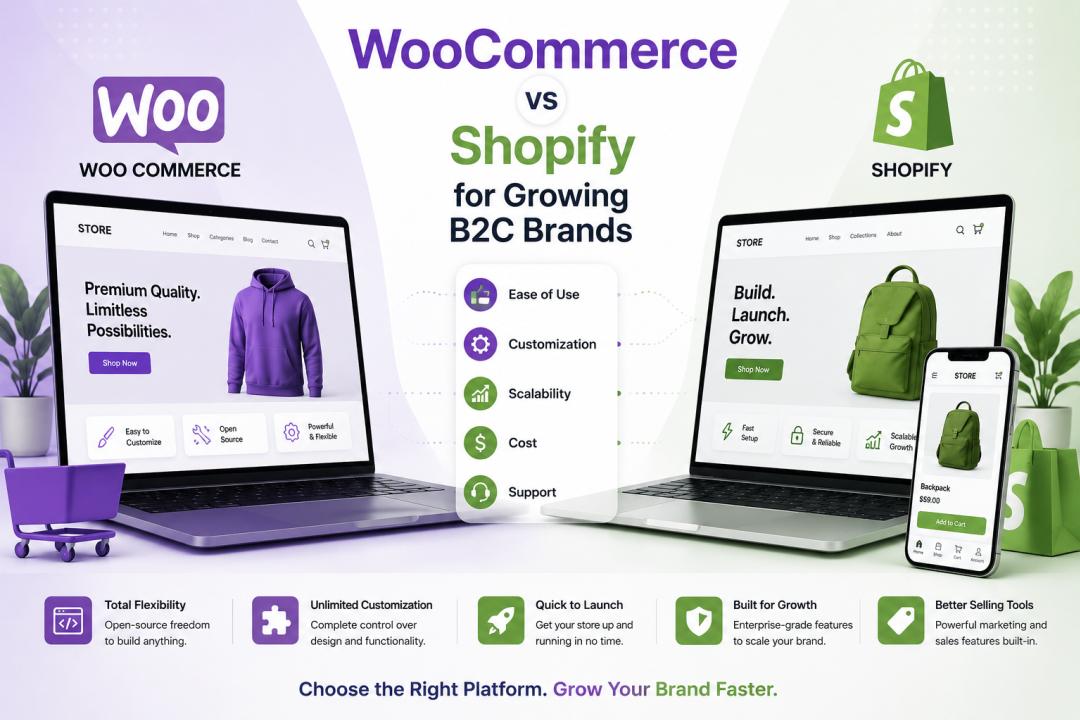
If you're scaling a B2C brand and trying to pick a long-term eCommerce platform, you've almost certainly landed on the same two names as everyone else: WooCommerce and Shopify. Both are capable of running a serious online store. Both have millions of merchants behind them. And both are recommended by people who've only ever used one, which is exactly why so many founders end up choosing the wrong platform for their stage of growth.
This guide skips the surface-level "which is better" debate and instead looks at how each platform actually behaves once a brand moves past its first few hundred orders - where the real costs show up, where each platform starts to strain, and how to match the decision to your business model rather than to whichever tool your developer prefers.
Quick Answer: Which One Should You Choose?
Choose Shopify if you want a managed, all-in-one platform with predictable costs, built-in hosting/security, and a fast path to launch - especially if you don't have an in-house dev team.
Choose WooCommerce if you want full control over your store's code, data, and hosting environment, and you have (or plan to hire) technical resources to maintain it.
Neither answer is universally "right." The correct choice depends on your catalog size, your growth trajectory, your team's technical capacity, and how much customization your customer experience actually needs.
What WooCommerce and Shopify Actually Are
Shopify is a fully hosted, proprietary SaaS platform. You pay a monthly subscription, and Shopify handles hosting, security patches, PCI compliance, uptime, and infrastructure scaling. As of 2026, Shopify's core plans are Basic ($39/month), Grow ($105/month), Advanced ($399/month), and Shopify Plus (starting around $2,300 - $2,500/month on annual terms), according to Shopify's official pricing page. Every paid plan now also includes access to Shopify's "Agentic Storefronts," which let AI shopping assistants like ChatGPT or Gemini surface and complete purchases directly from your catalog, a meaningful shift in how B2C brands are discovered online.
WooCommerce is a free, open-source plugin built on top of WordPress. There's no license fee for the software itself, but you're responsible for sourcing your own hosting, installing an SSL certificate, managing plugin updates, and handling security - either yourself or through a managed WooCommerce host. According to WooCommerce's own documentation, the platform is designed to be extended through thousands of plugins and full theme-level customization, since it inherits WordPress's entire ecosystem.
That single architectural difference - hosted SaaS vs. self-hosted open source - is the root of almost every other difference between the two platforms.
Ease of Setup and Day-to-Day Management
For a B2C brand that wants to get selling quickly, Shopify wins this round decisively. You sign up, pick a theme, add products, connect a payment gateway, and you're live - often within a day. Shopify's admin dashboard is purpose-built for commerce, so inventory, orders, discounts, and shipping all live in one place with no plugin hunting required.
WooCommerce requires more assembly. You (or your developer) need to install WordPress, install the WooCommerce plugin, choose a compatible theme, and typically add several extensions to reach feature parity with Shopify's out-of-the-box functionality - abandoned cart recovery, advanced shipping rules, subscription billing, and the like. This isn't necessarily a downside; it means you only pay for what you actually use. But it does mean a longer runway to launch and more ongoing maintenance, including core updates, plugin compatibility checks, and periodic security audits.
Cost Comparison: The Real Total Cost of Ownership
This is where the comparison gets genuinely interesting, because the "free" platform isn't always cheaper in practice.
Shopify's costs are predictable and bundled. Hosting, SSL, CDN, and PCI compliance are included in your subscription. Your main variable costs are apps and transaction fees - Shopify Payments removes third-party transaction fees, while an external gateway adds a surcharge ranging roughly from 0.2% to 2%, depending on your plan tier.
WooCommerce's costs are unbundled and can add up quietly. You'll typically pay for managed hosting (roughly $20 - $100+/month depending on traffic), an SSL certificate (often free, sometimes a paid add-on), premium extensions for tax, subscriptions, or advanced shipping, and ongoing developer time for updates and troubleshooting.
For a small store with modest traffic, WooCommerce can genuinely be cheaper. But as a B2C brand scales - more SKUs, more traffic, more integrations with ERPs, CRMs, or marketing tools - the "hidden" cost of custom development and maintenance often catches up to, or exceeds, Shopify's subscription-plus-app-fee model. The right way to evaluate this isn't monthly subscription price; it's total cost of ownership over 12–24 months, including your team's time.
Scalability for Growing B2C Brands
This is arguably the most important section for a brand that's actually growing, rather than just starting.
Shopify scales predictably because Shopify owns the infrastructure. Traffic spikes during a flash sale or viral moment are Shopify's problem to manage, not yours. Shopify Plus adds checkout extensibility, native B2B functionality, and support for higher-volume operations, which matters if you're approaching seven-figure annual revenue or plan to run wholesale alongside retail.
WooCommerce scales, but scaling is your responsibility. Because it runs on your own hosting stack, performance under heavy traffic depends entirely on your hosting provider, your theme's efficiency, and how well your plugins are optimized. Many fast-growing WooCommerce stores eventually migrate to specialized high-performance hosting (like managed WooCommerce hosts) or invest in custom caching and server architecture to handle load. Done well, this can outperform a generic Shopify store - WooCommerce sites aren't inherently slower, but it takes deliberate engineering investment to get there.
If your growth plan includes rapid traffic spikes from paid ads, influencer campaigns, or seasonal peaks (Black Friday, holiday launches), Shopify's managed infrastructure removes a significant operational risk. If your growth plan is steadier and you have the technical resources to manage your own stack, WooCommerce gives you more architectural freedom to build exactly what you need.
Customization and Design Flexibility
WooCommerce has the edge here. Because it's built on WordPress and fully open-source, developers have direct access to the codebase, database, and virtually unlimited third-party integrations. If your brand needs a highly specific customer journey - unusual product configurators, complex loyalty programs, or a tightly integrated content/commerce experience - WooCommerce generally offers more room to build exactly what you envision.
Shopify is customizable too, through its Liquid templating language and app ecosystem, and Shopify Plus unlocks deeper checkout customization via Shopify Functions and Checkout UI Extensions. But you're still building within Shopify's guardrails. For most B2C brands, that's a feature, not a limitation - it keeps your store fast, secure, and easy to maintain. For brands with a genuinely unique commerce model, it can start to feel restrictive.
SEO and Marketing Capabilities
Both platforms support solid SEO fundamentals - custom URLs, meta tags, alt text, sitemaps, and structured data. WooCommerce, running on WordPress, has a natural advantage for content-driven SEO strategies, since WordPress is widely regarded as one of the strongest CMS platforms for blogging and content marketing, which matters if organic search and content are core to your acquisition strategy.
Shopify has closed much of this gap over the past few years and, per Shopify's own product updates, now bakes in features like automatic sitemap generation and, more recently, native support for AI-driven shopping channels. For a B2C brand relying heavily on content marketing and blogging as a growth channel, WooCommerce's WordPress foundation still tends to offer more flexibility. For a brand focused primarily on paid acquisition, social commerce, and a clean shopping experience, Shopify's built-in tools are typically sufficient.
Security and Maintenance
Shopify handles PCI DSS compliance, hosting security, and platform updates automatically - you're not responsible for patching vulnerabilities in the core platform. That's a genuine advantage for teams without dedicated security or DevOps resources.
WooCommerce security is your responsibility. Because WordPress is the most widely used CMS in the world, it's also a frequent target for automated attacks, so staying current on core updates, plugin updates, and hosting-level security (firewalls, malware scanning, backups) isn't optional. Reputable managed WooCommerce hosts handle much of this for you, but it's an added cost and vendor relationship to manage.
Which Platform Fits Your B2C Brand?
| Factor | Shopify | WooCommerce |
| Best for | Brands wanting speed, simplicity, and managed infrastructure | Brands wanting full control, content-driven SEO, and custom builds |
| Setup time | Fast (days) | Slower (weeks, depending on customization) |
| Cost structure | Predictable subscription + app fees | Variable - hosting, plugins, dev time |
| Scalability | Managed by Shopify, very reliable under load | Depends on hosting/architecture decisions |
| Customization | Good, within platform guardrails | Excellent, virtually unlimited |
| Maintenance burden | Low (Shopify-managed) | Higher (self-managed or outsourced) |
| Ideal team | Lean teams, no in-house dev required | Teams with developer access or an agency partner |
Making the Right Call for Your Growth Stage
A useful way to frame this decision is by growth stage rather than personal preference:
Early-stage or lean-team brands often do best on Shopify, since it minimizes technical overhead and lets the team focus on marketing and product rather than infrastructure.
Content-first or highly customized brands - those built around blogging, community, or a unique customer journey - often get more long-term value from WooCommerce's flexibility.
Fast-scaling brands anticipating heavy traffic, international expansion, or B2B alongside B2C frequently gravitate toward Shopify Plus for its managed reliability at scale.
Brands with an existing WordPress content engine may find WooCommerce a natural extension rather than a separate system to maintain.
There isn't a single "best" platform in the abstract - only the platform that matches your team's technical capacity, your growth timeline, and the customer experience you're trying to build. Many brands also underestimate how much platform migration costs later; it's usually far cheaper to choose deliberately now than to re-platform after you've scaled.
If you're still weighing the decision, it's worth mapping out your actual requirements - catalog size, integrations, expected traffic, internal technical resources, and 12-month growth plans - before committing to either platform. Working with an experienced partner for B2C eCommerce development services can help you evaluate both options against your specific business model, rather than relying on generic advice that doesn't account for your brand's unique constraints.
Final Thoughts
WooCommerce and Shopify both power serious, high-revenue B2C brands - the platform itself rarely limits a brand's ceiling. What matters more is whether your team has the resources to manage a self-hosted, highly customizable environment, or whether you'd rather trade some flexibility for a managed, predictable, faster-to-launch system. Get clear on your growth plan first, then let the platform choice follow from it - not the other way around.
FAQs
1. Is WooCommerce cheaper than Shopify?
It can be, but only if your traffic and feature needs stay modest. WooCommerce itself is free, but hosting, premium extensions, and developer time add up as you scale. Shopify bundles hosting, security, and infrastructure into one predictable subscription. Compare the total cost of ownership over a year or two, not just the sticker price, before deciding.
2. Can WooCommerce handle high traffic as well as Shopify?
Yes, but it takes deliberate effort. Shopify's infrastructure scales automatically because Shopify manages it for you. WooCommerce can handle the same traffic levels, but only with the right managed hosting, caching, and server architecture in place - that's an added responsibility, not a limitation of the software itself.
3. Which platform is better for SEO?
WooCommerce, running on WordPress, generally has an edge for content-heavy SEO strategies like blogging and long-form guides. Shopify has closed much of that gap with built-in SEO tools and now supports AI-driven shopping channels, so it's a strong choice if your acquisition strategy leans more on paid ads and social commerce than organic content.
4. Do I need a developer to run WooCommerce?
Not strictly, but most growing brands benefit from one. Initial setup, ongoing plugin updates, security patching, and troubleshooting compatibility issues are easier with technical support, either in-house or through an agency. Shopify is more approachable for non-technical teams out of the box.
5. Can I switch from WooCommerce to Shopify (or vice versa) later?
Yes, migrations between the two are common, but they take planning around product data, order history, SEO redirects, and customer accounts. It's usually far less costly to choose the right platform upfront based on your growth plan than to re-platform after you've scaled.