What if you walked to your favorite store, only to find that the door was locked and the entrance was blocked by some stairs, with no ramp in sight? Most people would go to a different store.
That's what happens with a lot of online businesses. Many businesses miss out on a lot of money because they don't take the time to understand their customers’ needs when designing a digital storefront.
Using experienced web design services helps businesses get on the path to building websites with accessibility in mind. When a website is made to be simple and pleasant to use, website visitors are more likely to become repeat customers.
What Is Accessibility-Focused Web Design?
Making a digital space more accessible means finding ways to create barrier-free design that prevents people from getting information and interacting with that digital space. Accessible web design is made from a framework of inclusive web design. Inclusive web design ensures that the digital web spaces that are designed and built can be easily navigated and interacted with regardless of a person’s physical, visual, auditory, cognitive, or situational disabilities.
With an accessibility-first design, a person using a screen-reader, voice-control software, or only a keyboard will be able to experience the same quality piece of design that every other person does; and it will also be the same as if the person were not using assistive design technologies.
Why Accessibility Matters for Your Business
An accessible web design framework is an extremely beneficial asset for any business web presence.
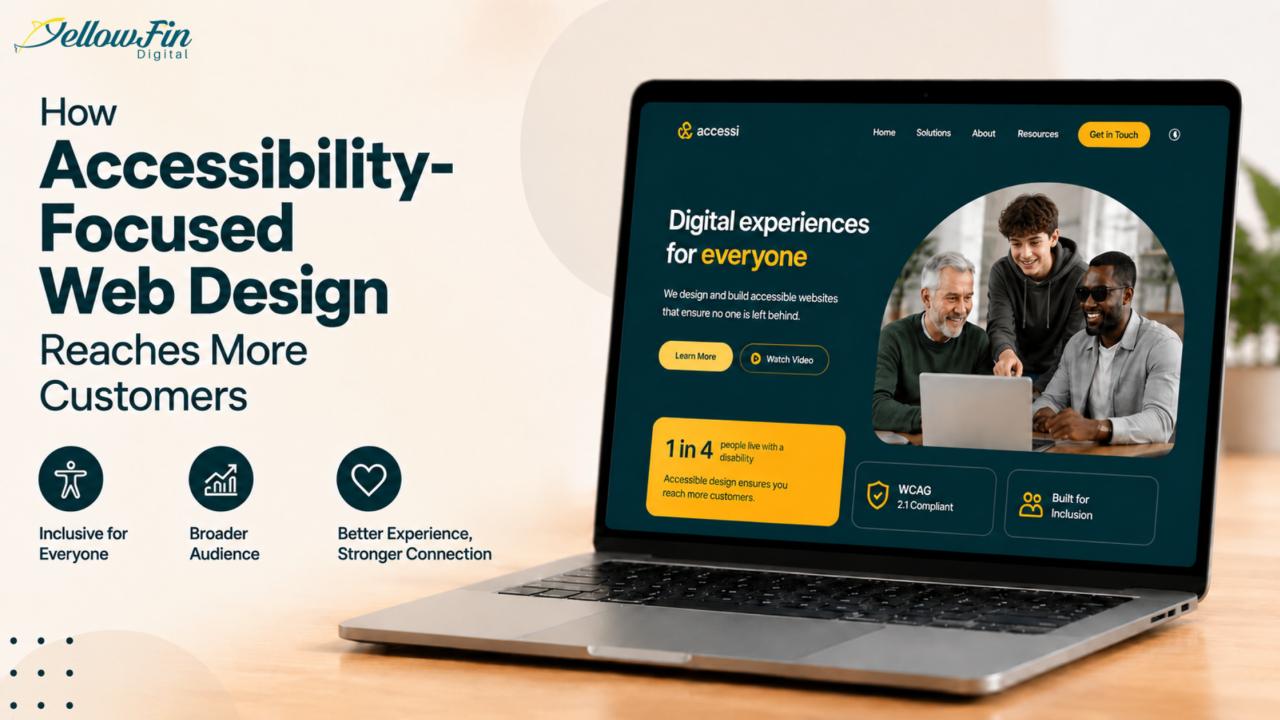
A Vast, Untapped Audience: In the USA, 1 out of every 4 adults is disabled. According to the WHO, 1 in 6 individuals across all countries will experience a significant disability. Building web spaces that cater to the needs of persons with physical disabilities means that customers in each of these major demographic groups will use the spaces, and the businesses that build them will be meeting the significant, previously unmet customer base.
The Universal UX Lift: Accessibility updates do more than help the disabled. The easier the navigation on your site, the better the overall experience is for every visitor.
Brand Loyalty and Trust: When customers know your values align with theirs, they are happier purchasing from you. Creating a website that cares about equity will have consumers feel good about buying from you and create trust in your brand.
Removing Digital Barriers to Drive Business Growth
An effective website brings customers and solves bounce rate problems.
1. Opens the Door to More Users
When a site handles assistive tools correctly, it instantly unlocks access to a highly loyal demographic of shoppers and clients who traditional online businesses have historically underserved.
2. Improves Overall Readability and Navigation
Text that clearly distinguishes different headers, strategically used spacing, and intuitive page layouts make finding the information much quicker and easier. If your content is easily consumable, you help improve your site's conversion rate.
3. Empowers Mobile and Aging Demographics
The global population is rapidly aging. Responsive design and accessibility incorporate usability and design across all devices. Whether users are viewing your website miles away on a new phone, an old phone, a desktop computer, or a laptop, your site will function and be easy to read.
4. Plugs the Leaks in Your Sales Funnel
Many online shopping sites lose potential customers because of difficult checkout experiences, multi-step navigation menus, and inadequate forms. However, removing the digital barriers is a step in the right direction towards reducing customer dissatisfaction while helping retain sales that might otherwise go to more accessible competitors.
Key Features of an Accessible Website
Updating a website's accessibility means looking at visual as well as technical accessibility. An example of a custom website design company can help with accessibility, with some design considerations like:
Logical Contrast & Typography: Someone with color blindness or limited vision needs text elements to have a contrast of at least 4.5:1 against their backgrounds in order to read them.
Descriptive Image Alt Text: Adding specific, descriptive alternative text tags to non-text elements allows screen readers to describe visuals to blind or low-vision users audibly.
Comprehensive Keyboard Operability: Every element of your site needs to be operable with only the keyboard. This includes your most complicated menus and buttons.
Accessible Form Controls: Digital fields should have formalized text labels to describe what information to input in the fields, along with visual representations of how an error will be communicated.
Multimedia Alternatives: Every video should contain captioning that can be activated. Audio files should have full-text transcripts.
Additional Benefits Beyond Customer Reach
There are a ton of other benefits that come to a site that meets the WCAG (Web Content Accessibility Guidelines).
One is improving your SEO efforts because of structural and navigational improvements along with better user experience. Accessibility practices such as the use of headings, alt texts, and semantic HTML help search engines as well as provide a better user experience. Due to its nature, accessibility supports many of the best practices of technical SEO.
Structural accessibility also improves customer perception. Reviewing how websites were designed to meet WCAG accessibility standards and support ADA compliance efforts will help you strengthen your brand and help customers see that you care about all of your users.
Lastly, clean and compliant designs help keep costs down because they are easy to maintain over time and will not break.
Common Accessibility Mistakes to Avoid
Accessibility overlays may address some issues but generally cannot replace accessible design and manual testing. Here are some things to avoid while designing your site so that it is easier to use.
Low Text-to-Background Contrast: Using light text on a light background or text that is super busy on a background and layering the text over the graphics.
Examples of Poor Contrast: Using light text on a light background or text that is super busy on a background and layering the text over the graphics.
Vague Image Descriptions: Not writing image descriptions (alt tags) or naming files with generic names like “product_shot_03.png”.
Heading Hierarchy Broken: Skipping an H3 to an H4. Screen readers have a hard time with multiple ways to interpret the text.
Interactive Elements Without Labels: Using only bare icons (i.e., a bare shopping cart) for buttons without an aria-label.
Mouse-Only T-traps: Windows, such as a pop-up or banner for cookie consent, which cannot be closed using a keyboard.
How to Get Started with Accessibility-Focused Web Design
Achieving a truly accessible digital space does not have to happen overnight. It is an iterative, ongoing process.
Get to Know Your Layout (Use automated digital accessibility compliance tools to identify accessibility barriers.)
Address the biggest issues your website has (Alternate text for images, broken form fields, and contrast issues).
Test Accessibility (Use a screen reader and reach out to current or past users to help verify the barriers have been removed.)
Make Accessibility Part of Your Process (Accessibility testing will be a priority for all content and design alterations.)
Design for Everyone, Grow Everywhere
Using the WCAG guidelines when developing ADA-compliant websites helps you look good and provide your business with a great growth tool. Seamless digital barriers will help convert and retain customers.
Are you ready for sales with an easy-to-use website? You should consider hiring professional website marketing services to help you adjust your design for marketing optimization, so you're compliant and can market your services.