Title
What I Learned Turning One 2048 Game Into a Reusable Theme System
Article
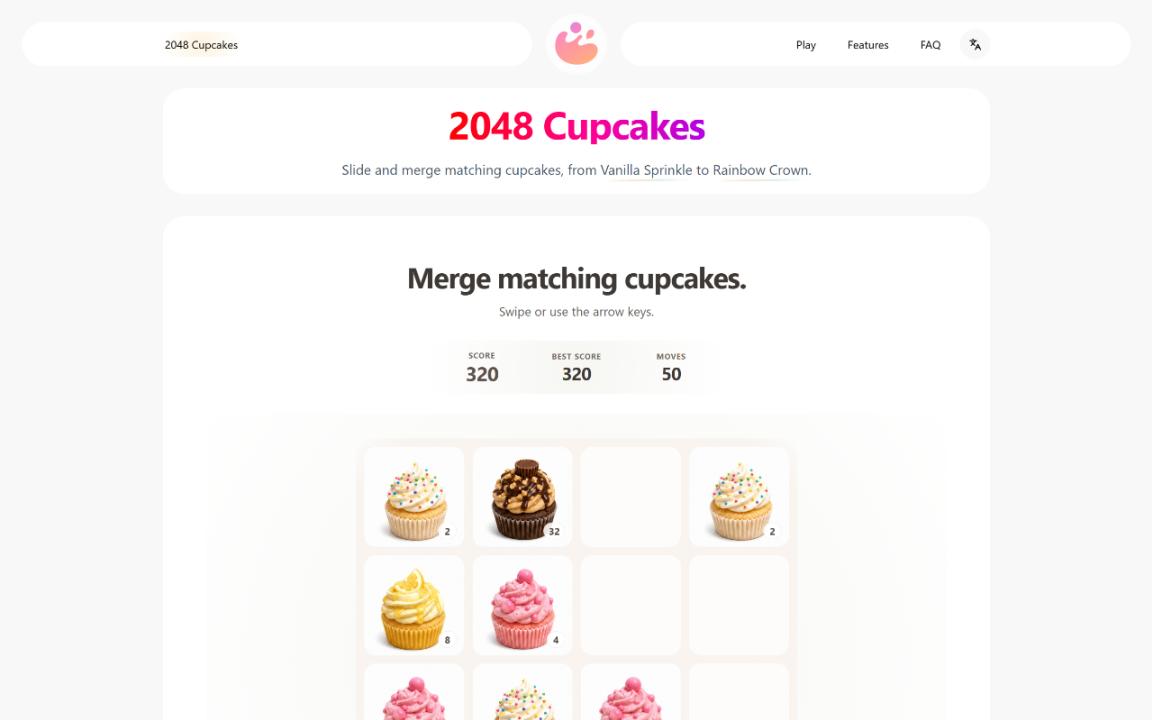
I started this project with a very small idea: take the familiar 2048 puzzle and replace the number tiles with cupcakes.
2048 itself is a wonderfully simple game. The rules are easy to understand, there are only four directions to move, and the whole game fits naturally into a small browser window. The original 2048 source code is also available on GitHub:
https://github.com/gabrielecirulli/2048
What interested me was not changing those rules. I wanted to see how different the game could feel when the progression was represented visually instead of only through larger numbers.
That became 2048 Cupcakes.
At first, I treated it as a single game. There was a 4×4 board, cupcake images for each level, keyboard and touch controls, score tracking, animations, and local game progress.
That approach worked well until I wanted to build a second theme.
The second version exposed the real architecture
The obvious way to make another version would have been to copy the project, replace the images, change a few strings, and publish it.
That would also have created two copies of almost everything.
Every improvement to movement, touch controls, animations, saving, sound, or game-over detection would need to be applied twice. A third theme would make the problem even worse.
So instead of copying the game, I started separating the rules from the theme.
The game engine should not care whether a tile is a cupcake, a dog, a princess character, or a number.
It only needs to understand things such as:
- the current 4×4 board
- which direction the player moved
- which tiles can merge
- what value a merged tile becomes
- how the score changes
- where a new tile appears
- whether another legal move exists
The theme layer can handle everything else:
- the game name
- tile images
- level names
- theme-specific text
- storage keys
- visual details
Once I made that separation, adding another theme became much less about programming the game again and much more about providing a new set of assets and configuration.
That is eventually how one cupcake game turned into a small collection containing Cupcakes, Doge, and Princess themes.
A browser game does not always need a backend
Another decision I made early was to keep the project completely browser-based.
There is no account system and no database just for storing a player's current board.
Instead, the game saves its state in the browser using localStorage.
MDN has a useful overview of how localStorage works:
https://developer.mozilla.org/en-US/docs/Web/API/Window/localStorage
For this type of game, local storage is a good tradeoff. It can preserve the board, current score, best score, move count, and a few preferences between browser sessions.
It also means a player can open the page and immediately start playing.
There is an obvious limitation: progress does not automatically move between different devices. But solving that would require accounts, authentication, server-side storage, and considerably more infrastructure.
For a small casual puzzle game, I did not think that complexity was justified.
This was a useful reminder that architecture should follow the actual needs of a product. A backend is not automatically an improvement.
Touch controls changed how I thought about input
Keyboard controls were straightforward.
Arrow keys and WASD can map directly to four possible moves.
Touch controls looked equally simple at first: record where a touch starts, record where it ends, calculate the direction, and make a move.
In practice, small details mattered.
If the swipe threshold was too low, normal taps could become accidental moves.
If it was too high, deliberate short swipes could feel unresponsive.
Mobile browsers also have their own scrolling and gesture behavior, which means the game has to distinguish between interacting with the board and interacting with the page.
It made me realize that input is not just a technical event handler. It is part of how responsive a game feels.
Two implementations can produce exactly the same game state while one still feels noticeably better to play.
Building a move guide was a different problem
Later I experimented with a move guide.
The simplest implementation would be to evaluate the four possible directions and choose the move that immediately produces the highest score.
That turns out not to be particularly useful.
A good 2048 move is often about preserving future options rather than maximizing the next merge.
So the evaluation needs to look at more than the immediate score. Useful signals can include the number of empty cells, the arrangement of larger tiles, board smoothness, and how many useful moves remain afterward.
Once the search becomes deeper, another issue appears: computation time.
Doing a larger search directly on the browser's main thread can compete with animation and user input.
That was a good use case for Web Workers.
Mozilla's documentation explains how Web Workers allow JavaScript to perform work in a background thread without blocking the page's main execution thread:
https://developer.mozilla.org/en-US/docs/Web/API/Web_Workers_API/Using_web_workers
The UI can send the current board to a worker, let the worker evaluate possible moves, and receive a suggested direction afterward.
For what looks like a very small browser game, this ended up being one of the more interesting technical parts of the project.
The third theme became much easier
The real test of the architecture was not the first theme.
It was the third.
After the shared game logic and configuration boundaries were in place, creating another theme no longer required rebuilding movement, scoring, saving, touch controls, or the move guide.
Most of the work moved toward the parts that actually should be different: artwork, progression, naming, and presentation.
The current version of the project can be seen here:
It currently uses the same underlying game system for 2048 Cupcakes, Doge 2048, and Princess 2048.
What I like about the structure now is that adding another theme does not mean creating another independent application.
It means extending the existing one.
I still prefer keeping it small
The project could easily become more complicated.
I could add a frontend framework, user accounts, cloud saves, an API, a database, leaderboards, multiplayer features, or a large build system.
Some of those might eventually make sense.
Right now, they do not.
The core experience still works with HTML, CSS, and vanilla JavaScript. The browser already provides many of the APIs a small interactive project needs.
That has made the project easier to understand and easier to change.
The goal is not to use as little technology as possible. It is to avoid adding technology before there is a problem that actually requires it.
The main lesson
The biggest thing I learned was not to design the reusable system too early.
When there was only one game, I could guess which parts might eventually need to change, but they were still guesses.
The second theme exposed the real duplication.
That was the right time to extract configuration and shared logic.
By the third theme, it was possible to see whether those abstractions were actually useful.
That pattern applies well beyond browser games:
Build one real version.
Build a second variation.
Pay attention to what repeats.
Then extract the parts that genuinely need to be reusable.
Sometimes the second implementation tells you more about the architecture than the first one ever could.