Clear Audio Is a Business Communication Issue
Growing teams produce a surprising amount of audio and video: customer interviews, product demos, remote meetings, training material, social clips, and internal voice updates.
These recordings do not need to sound like a studio production, but they do need to be easy to understand. Wind, fans, air conditioners, traffic, room reflections, and nearby conversations all increase the effort required from the listener.
Audio cleanup is therefore more than a post-production task. It affects communication efficiency, accessibility, and how consistently a team presents its work. The practical goal is not absolute silence, but less distraction while preserving a natural voice.
Where Background Noise Appears in Growing Businesses
Background noise often appears when teams work without a dedicated recording environment:
- Product demos recorded at home
- Customer interviews in shared offices
- Interviews captured in cafes or at events
- Voice notes recorded on a phone
- Remote meetings with keyboard, fan, or traffic noise
- Old meeting recordings being turned into training material
Those recordings may contain valuable business information. Rebooking an interview or asking a customer to repeat an answer can cost more than expected. A sensible first step is often to improve the existing recording before deciding whether a more involved production workflow is necessary.
A Simple Workflow for Cleaner Spoken Content
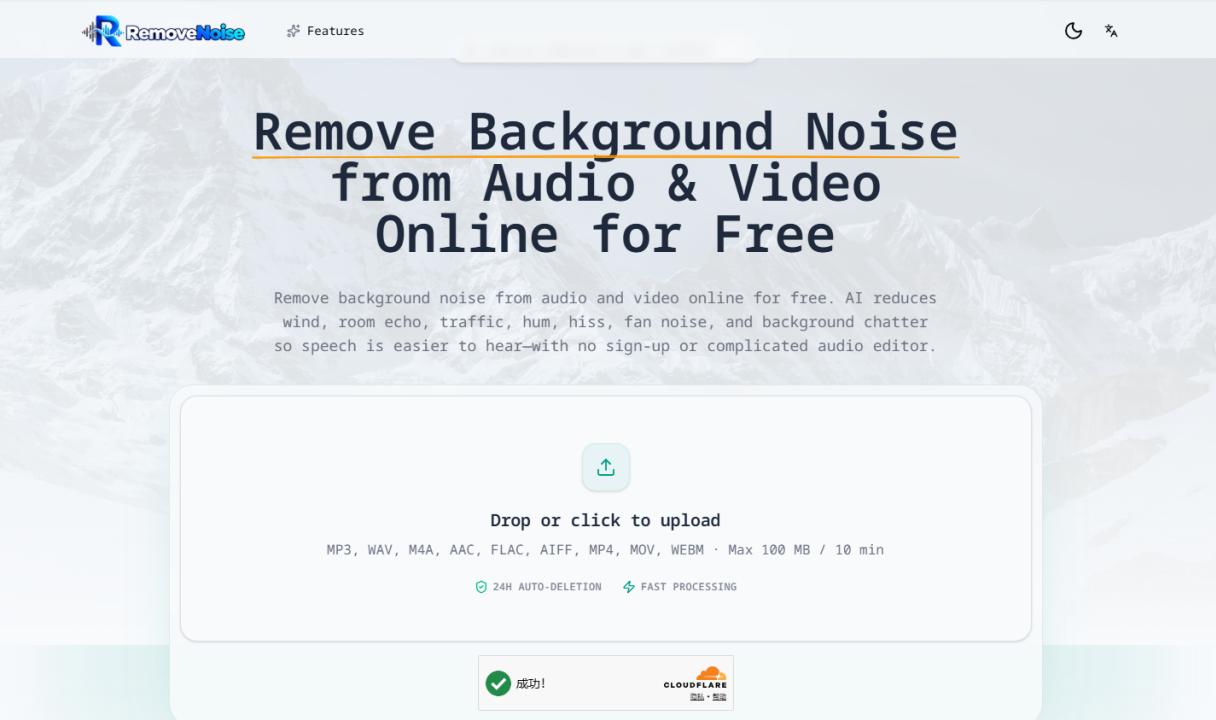
3. Run a first cleanup. Upload the spoken audio or video to Remove Background Noise for AI-assisted background-noise reduction.
Choose the Right Quality and File Format
File format affects processing, compatibility, and the next publishing step.
WAV is often useful as an editing intermediate because it preserves more detail, but it creates larger files. MP3 is compact and broadly compatible, although repeated lossy exports can reduce speech detail. M4A is common on phones and modern recorders; its actual quality depends on the codec and bitrate inside the file.
If the final deliverable is a video, process the audio before the final export when possible. Compressing the video, extracting audio, processing it, and compressing it again can introduce avoidable quality loss.
For speech, recording technique and microphone distance often matter more than simply choosing a higher sample rate. A closer microphone, fewer reflections, and less direct wind give an automated processor a stronger source to work with.
What Noise Removal Can and Cannot Do
AI noise removal is generally useful for steady fan or air-conditioner noise, electrical hum, light hiss, moderate traffic ambience, and mild room echo.
It cannot guarantee a perfect repair. A second speaker may completely cover the target voice; clipping may have destroyed the waveform; a gust may cover an entire syllable; and background music can overlap speech frequencies. These cases may require manual editing or a better source recording.
After processing, listen to three samples: a relatively quiet passage, the noisiest section, and a passage containing names, numbers, or specialized terms. If only the quiet passage sounds good while the difficult section develops strong artifacts, reduce the processing intensity or return to a better source file.
Improve the Recording Before Using AI
Tools can help rescue existing material, but prevention is still the most effective step.
Before recording, turn off nearby fans and air conditioners when possible, move the microphone closer to the speaker, avoid rooms with strong hard-surface reflections, and record a short test clip. For outdoor interviews, use a windscreen and keep the microphone out of the direct wind path.
These small changes improve the voice-to-noise ratio, making it easier for automated processing to preserve natural tone and phrasing.
A Practical Rule for Teams
If a team needs a quick improvement to an interview, lesson, demo, or voice update, start with a workflow that accepts a file, processes it automatically, and provides a preview.
If a project needs precise control over frequency bands, compression, dynamics, and reverb, use a full local audio editor. An online AI tool can be a fast first cleanup, but it does not necessarily replace professional post-production.
The final test is straightforward: Is the content easier to understand? Does the voice still sound natural? Is the file ready for editing, transcription, captions, or publication?
For a growing team, clear audio is not just polish. It reduces communication friction and extends the useful life of the content the team is already creating.