If you walk into any school office on a busy morning, you will see the same thing happening everywhere. The phone is ringing, a parent is standing at the desk asking about admission, and someone is trying to remind other parents about pending fees. All of this is happening at the same time, and honestly, it gets messy very fast.
Now think about this — almost every parent already has WhatsApp on their phone, and they check it many times a day. So instead of using calls, SMS, or emails that often go unread, schools are slowly shifting to WhatsApp for daily communication. This is not just a trend. It actually solves a real problem that schools face every single day.
In this blog, we will talk about how WhatsApp for schools works, how a school can set it up, and what kind of messages actually work well when talking to parents.
Why WhatsApp Works Better Than Other Methods
Let's be honest, phone calls get missed. Parents are busy with work, and they can't always pick up. SMS often looks like spam these days, so people don't even open it. Emails are worse — many parents don't check their inbox regularly, especially for school updates.
WhatsApp solves this simply because people already trust it and use it for their personal conversations too. When a school sends a message on WhatsApp, it feels more direct and personal compared to a plain SMS. Parents can also reply back instantly if they have a question, which is something SMS never allowed.
This is also why more schools are now searching for a good whatsapp api service provider who can help them set this up properly, instead of just using a normal phone number.
Setting Up a WhatsApp Business Account for School
Before jumping into automation and bulk messages, every school needs to know how to make whatsapp business account the right way. It's actually simpler than most people think.
Here are the basic steps:
Download the WhatsApp Business app or apply for WhatsApp Business API access if the school is big.
Register using the school's official phone number.
Fill in the business profile with the school name, address, website, and email.
Add a proper profile picture, usually the school logo.
Set up a clear and simple whatsapp business description for education so parents immediately understand who they are talking to.
A good description could be something like: "Official WhatsApp of [School Name] for admissions, fee updates, and parent communication." Keeping it short and clear helps build trust from the very first message.
Why the First Message Matters So Much
When a parent messages a school for the first time, whether it's about admission or a general query, the reply they get sets the tone for everything after that. This is why having a good introduction message on whatsapp is so important.
A simple and warm introduction message could be:
"Hello and welcome! Thank you for reaching out to [School Name]. We are here to help you with admissions, fee details, or any other questions you may have. How can we assist you today?"
This one message does a lot of work. It tells the parent they reached the right place, it sounds friendly, and it opens the door for a real conversation instead of leaving them confused about what to do next.
Using WhatsApp Groups the Right Way
Many schools also create WhatsApp groups for each class, so teachers can share updates with all parents at once. But here's something schools often forget — the group description matters a lot too.
A good whatsapp group description for education should include basic rules and purpose, so the group stays organised. Something like:
"This group is for Class 5 official updates only — homework, circulars, and announcements. Please avoid personal messages here. For queries, contact the school office directly."
This small step avoids a lot of confusion later, especially when parents start asking personal questions in a group meant for announcements only. It keeps things clean and professional.
What Schools Actually Use WhatsApp For
Once the basic setup is done, schools usually start using WhatsApp for a few common things first, and slowly expand from there.
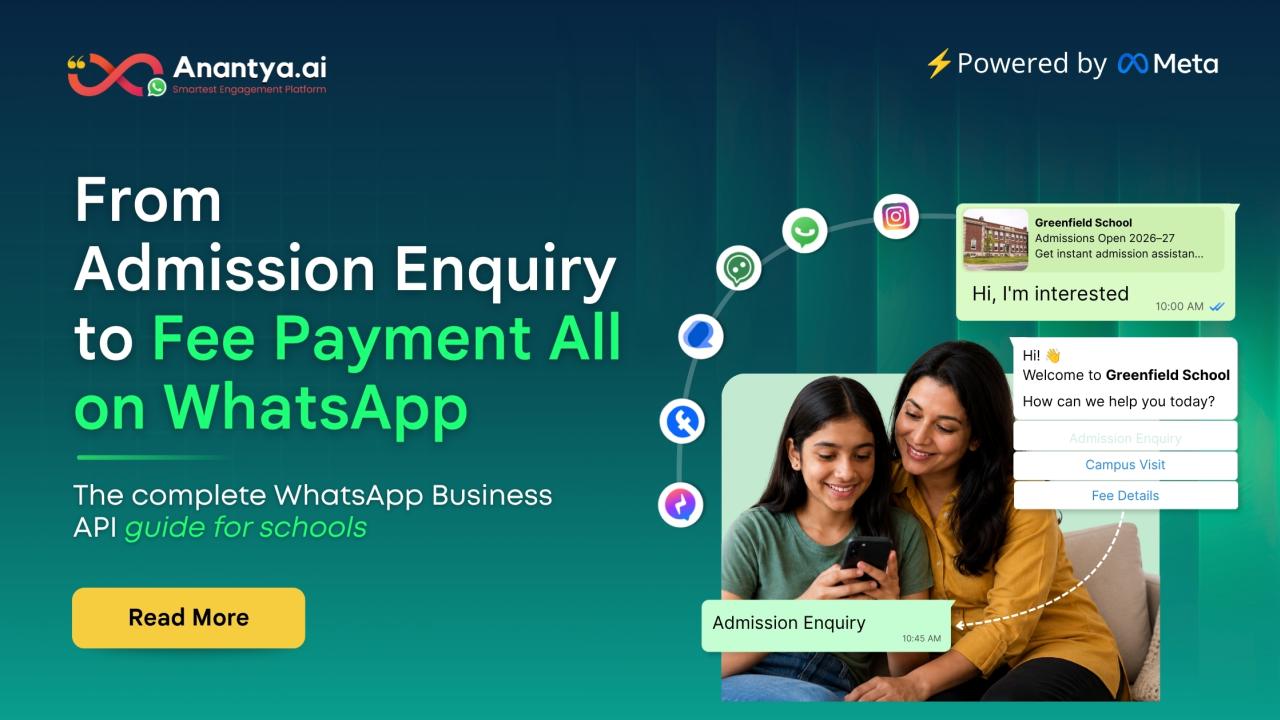
Admission enquiries — Instead of a parent waiting for a callback, a quick WhatsApp reply confirms that the school has received their enquiry and someone will follow up soon.
Fee reminders — This is probably the most useful one. A gentle reminder a few days before the due date, and another one on the day itself, saves the accounts team so much manual calling.
Attendance updates — If a child is marked absent, an instant message to the parent removes any confusion, especially for younger kids.
Circulars and holidays — Instead of printed notices getting lost in school bags, a direct WhatsApp message makes sure every parent actually sees it.
PTM reminders — A simple reminder message a day before the parent-teacher meeting genuinely improves attendance, because let's face it, people forget dates easily.
The idea is not to move everything to WhatsApp overnight. Most schools start with just one use case, like fee reminders, and once everyone gets comfortable with it, they slowly add more.
Choosing the Right WhatsApp API Service Provider
If a school is small, the free WhatsApp Business app might be enough for now. But once the number of students grows, and the school wants automation, multiple staff logins, or integration with their student records system, that's when they need a proper whatsapp api service provider.
A good provider should offer:
Support for multiple staff members using the same number
Pre-approved message templates for fee reminders, admissions, and alerts
The option to build a simple chatbot for common questions
Basic analytics to see if messages are actually being read
Choosing the right provider early on saves a lot of headache later, especially once the whole school starts depending on this system daily.
A Few Small Things That Make a Big Difference
While setting all of this up, a few small details often get ignored, but they really shouldn't be.
Keep your messages short. Parents are also busy, and long paragraphs on WhatsApp rarely get read fully.
Always add the student's name and class in messages like fee reminders or attendance alerts. It feels more personal, and it also avoids confusion if there are multiple children in one family.
Don't send too many messages in one day. If every small update becomes a WhatsApp message, parents will eventually start ignoring them, just like they ignored SMS.
Keep the tone friendly but clear. There's no need for overly formal language — a warm, simple message usually works better than a stiff one.
Final Thoughts
At the end of the day, WhatsApp for schools is not about replacing the personal connection between a school and a family. It's simply about making sure important information actually reaches parents on time, without staff having to repeat the same message over and over.
A clear business description, a warm introduction message, organised group descriptions, and the right provider — these small pieces together build a communication system that genuinely makes daily school life smoother, both for the staff and for the parents waiting to hear back.
Starting small, testing what works, and slowly expanding is usually the best way to go about it. Once parents see that the school replies quickly and clearly on WhatsApp, trust builds naturally, and that's really the whole point of good communication in the first place.
Frequently Asked Questions
How to make a WhatsApp Business account for a school?
It's a simple process. Download the WhatsApp Business app, register with the school's official number, and fill in details like the school name, address, and website. Once done, add a clear profile photo and a short business description so parents know they've reached the right place.
What should the WhatsApp business description for education look like?
Keep it short and to the point. Something like "Official WhatsApp of [School Name] for admissions, fee updates, and parent support" works well. It should tell parents exactly what the account is for, so there's no confusion when they message.
What is a good introduction message on WhatsApp for a school?
A good introduction message should be warm and helpful, not robotic. For example: "Hello and welcome to [School Name]! We're here to help with admissions, fees, or any other questions. How can we assist you today?" This kind of message makes parents feel heard right from the start.
How should a WhatsApp group description for education be written?
It should clearly state the purpose of the group and a small rule or two. For instance: "This group is for Class 3 official updates only — homework and circulars. For personal queries, please contact the school office." This keeps the group organised and avoids unnecessary chatter.
How do I choose the right WhatsApp API service provider for a school?
Look for a provider that supports multiple staff logins, offers pre-approved templates, allows basic chatbot setup, and gives simple analytics. It's also worth checking if they can grow with the school as the number of students and use cases increases over time.