As businesses continue to adapt to the rapidly changing landscape of networking technologies, Software-Defined Networking (SDN) has emerged as a crucial tool for simplifying and automating network management. Cisco SDN solutions, with their robust set of tools and capabilities, allow organizations to create flexible, scalable, and secure networks. In this blog post, we'll focus on configuring and managing Cisco SDN training controllers, providing an in-depth understanding of network address configuration, best practices, and essential management techniques. Whether you're just starting with Cisco SDN training or looking to enhance your existing skills, this guide will help you navigate through key concepts and practical approaches.
What is Cisco SDN and Why is it Important?
Cisco SDN is an approach to networking where the control plane is decoupled from the physical hardware and centralized in a software-based controller. This architecture allows administrators to manage the network through programmable interfaces, providing greater flexibility, scalability, and control. The ability to program and automate network behavior is a key advantage of SDN, making it essential for modern enterprises that require efficient network management.
Cisco offers a range of SDN solutions, including Cisco Application Centric Infrastructure (ACI), Cisco SD-WAN, and the Cisco Digital Network Architecture (DNA). These solutions aim to optimize and automate network operations, streamline network troubleshooting, enhance security, and support cloud integrations.
For network professionals and engineers looking to enhance their skills, Cisco SDN training is a great way to gain hands-on experience with Cisco’s advanced SDN tools and technologies.
Configuring Cisco SDN Controllers: The Basics
Cisco SDN controllers are responsible for managing the control plane of a network. In an SDN-based network, the controller communicates with the network’s data plane devices (such as switches and routers) to implement policy decisions, manage traffic flows, and optimize network performance. Below, we will discuss the essential steps involved in configuring a Cisco SDN controller.
1. Choosing the Right Cisco SDN Controller
Before diving into configuration, it's important to choose the appropriate Cisco SDN controller based on your network's requirements. Cisco offers various SDN controllers, including:
Cisco APIC (Application Policy Infrastructure Controller): Used for managing Cisco ACI deployments, providing centralized management and policy enforcement.
Cisco vBond, vSmart, and vManage for SD-WAN: These controllers work together to manage SD-WAN deployments, ensuring optimal connectivity, security, and performance across multiple sites.
Cisco DNA Center: A platform for managing and automating networks based on Cisco's Digital Network Architecture (DNA).
Each controller has its unique features and interfaces, so choosing the right one will depend on your organization’s needs.
2. Setting Up the Cisco SDN Controller
The first step in configuring a Cisco SDN controller is setting it up in your network. This typically involves the following steps:
Install the Controller: Depending on the Cisco SDN solution you're using, this may involve deploying the controller as a virtual appliance, a physical appliance, or a cloud-based solution.
Access the Controller's Web Interface: Cisco SDN controllers come with intuitive web-based interfaces. Once the controller is installed, log in to the web interface to begin the configuration.
Connect the Controller to Your Network: The controller must be connected to the network's data plane devices (e.g., switches, routers). This involves configuring the necessary IP addresses and network settings on the controller.
3. Configuring Network Addressing on Cisco SDN Controllers
Network address configuration is critical to ensuring that the SDN controller can effectively communicate with the network's devices. Below are the key steps involved:
Assign Static IP Addresses: Assign static IP addresses to the controller's management interfaces. This will ensure stable communication between the controller and network devices.
Configure VLANs and Subnets: Depending on the network topology, the controller may need to communicate with devices across different VLANs or subnets. You will need to configure these settings to allow for proper routing and segmentation of network traffic.
Set Up Routing Protocols: In some cases, you may need to configure routing protocols (e.g., OSPF, BGP) on the SDN controller to enable communication between devices across different parts of the network.
4. Defining Network Policies and Rules
Once your Cisco SDN controller is set up and connected to the network, you can begin defining network policies. These policies help dictate how traffic flows across the network and ensure that your network behaves as intended.
Create Security Policies: Define security policies for firewall rules, intrusion prevention, and traffic inspection. This will ensure that only authorized traffic can pass through the network.
Set Traffic Prioritization: Configure Quality of Service (QoS) settings to prioritize certain types of traffic, such as voice or video, over less critical traffic.
Configure Load Balancing and Failover: Ensure network resilience by setting up load balancing and failover policies, which allow traffic to be rerouted in case of a device or link failure.
5. Managing the SDN Network
Effective management of Cisco SDN controllers involves ongoing monitoring, troubleshooting, and performance optimization. Here are some best practices for managing a Cisco SDN network:
Monitor Network Performance: Use Cisco’s monitoring tools, such as Cisco DNA Center or Cisco vManage, to track key performance metrics like bandwidth utilization, packet loss, and latency.
Use Automation and Orchestration: Leverage automation features to configure devices, apply policies, and provision network services. This reduces manual effort and ensures consistency across the network.
Conduct Regular Firmware and Software Updates: Keep the SDN controller and network devices up to date with the latest firmware and software patches to ensure security and stability.
Troubleshoot Network Issues: Use diagnostic tools built into Cisco SDN controllers to troubleshoot network problems. Common tools include real-time traffic analysis, log aggregation, and flow analytics.
6. Ensuring Security in Cisco SDN
Security is a top concern in SDN environments, and Cisco provides various tools and features to help secure SDN networks. These include:
Segmentation: Use Cisco’s segmentation capabilities to isolate different parts of the network, ensuring that sensitive data or applications are not exposed to unauthorized devices.
Encryption: Implement encryption protocols such as IPsec to secure traffic between the SDN controller and data plane devices.
Identity and Access Management (IAM): Use Cisco’s IAM tools to control who can access and configure network devices, ensuring that only authorized personnel can make changes to the network.
Conclusion:
Cisco SDN controllers provide a powerful and flexible way to manage and automate network operations. By understanding how to configure and manage these controllers, network professionals can unlock the full potential of SDN technologies, improving network performance, scalability, and security. Whether you are implementing Cisco ACI, Cisco SD-WAN, or Cisco DNA Center, the ability to configure network addresses, define policies, and manage the SDN environment is crucial for optimizing network resources and ensuring a seamless user experience.
If you are looking to deepen your expertise and practical skills in Cisco SDN technologies, Cisco SDN training is an excellent investment. With hands-on experience, you’ll gain the knowledge necessary to implement and manage Cisco SDN solutions effectively, making you a valuable asset in today’s rapidly evolving networking landscape.
Configuring and Managing Cisco SDN Controllers: A Comprehensive Guide
Written by
maheshmitta2525
615 days ago
Related articles:
What Is Cisco ISE? A Complete Beginner’s Guide
In modern enterprise networks, security has become more complex due to cloud adoption, remote work, and the increasing number of connected devices. Organizations need centralized systems to manage who can..
How Cisco ISE Supports Strong Identity-Based Access Control
Introduction to Modern Identity-Based SecurityEnterprise networks today are more distributed and complex than ever before, with users accessing resources from multiple devices, locations, and cloud environments. This shift has made..
Cisco VPN Explained: Types, Features, and Use Cases
In today’s connected business environment, secure remote access is essential for employees, branch offices, and mobile users. Organizations increasingly rely on Virtual Private Networks (VPNs) to protect sensitive data while..
SD-Access Architecture Explained: Fabric, Control Plane, and Policy Plane
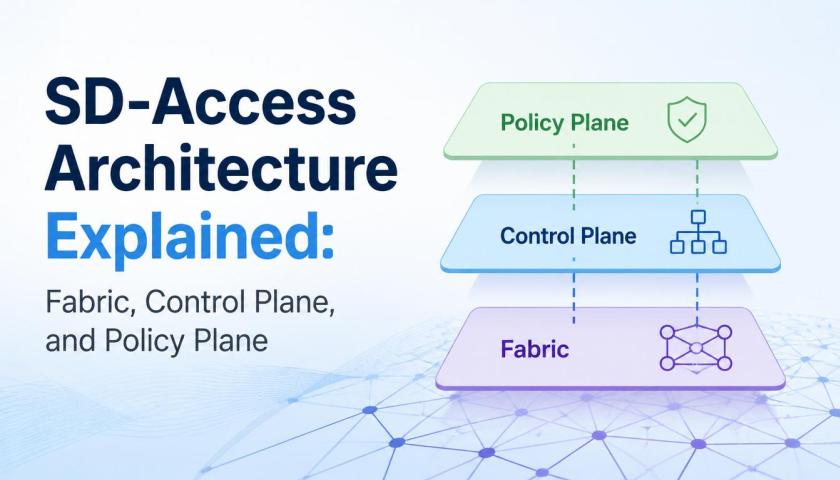
Modern enterprise networks require agility, automation, scalability, and security. Traditional network architectures often struggle to meet these demands due to manual configurations and complex management processes. This is where Software-Defined..
What Is Cisco ISE? A Complete Beginner’s Guide to Network Access Control
In today’s connected world, organizations need stronger ways to secure their networks while ensuring seamless access for authorized users and devices. As businesses adopt hybrid work environments, cloud applications, and..
Benefits of Implementing Cisco ISE in Enterprise Networks
Enterprise networks have become increasingly complex as organizations adopt cloud services, remote work models, and connected devices. Managing user access, maintaining security, and ensuring compliance across these environments can be..
What Is Cisco ISE and How Does It Strengthen Enterprise Network Security?
Modern enterprise networks require strong identity-based security controls to protect users, devices, and applications from evolving cyber threats. As organizations expand across cloud, hybrid, and remote environments, many professionals pursue..
How Cisco ISE Enhances Enterprise Network Access Control
How Cisco ISE Enhances Enterprise Network Access ControlModern enterprises are increasingly adopting identity-driven security frameworks to protect users, devices, and applications across distributed networks. Organizations looking to strengthen access control..
Cisco ISE Integration with Active Directory Explained
Cisco ISE Integration with Active Directory ExplainedOrganizations today require stronger identity-based security to protect enterprise networks from unauthorized access and cyber threats. Businesses implementing secure authentication systems often choose Cisco..
How Automation Is Changing the Cisco CCIE Security Lab
How Automation Is Changing the Cisco CCIE Security LabThe networking and cybersecurity industry is evolving rapidly as organizations adopt automation to simplify operations, improve security, and reduce manual workloads. Professionals..
Career Benefits of Cisco SDN Training for New IT Graduates

Stepping into the IT industry after graduation brings both excitement and pressure. With so many new technologies and career paths to explore, it can be tough to decide where to..
The Benefits of Cisco SDN Training for IT and Network Teams

As businesses grow and rely more on technology, the demand for smarter, faster, and more flexible networks is also growing. Traditional ways of managing networks are starting to fall behind...
Cisco SDN Lab Setup: Hands-on Training for Beginners
Software-Defined Networking (SDN) is revolutionizing modern networks by offering centralized control, automation, and scalability. For IT professionals and network engineers looking to master this technology, Cisco SDN training provides essential..
Cisco SDN Labs & Simulators: Best Tools for Hands-On Learning
The growing demand for Cisco SDN training has made hands-on labs and simulators an essential part of the learning process. Software-Defined Networking (SDN) is transforming network management, and Cisco’s SDN..
Using Cisco DNA Center for Network Automation and Intent-Based Networking
In today's rapidly evolving networking landscape, organizations are increasingly turning to Cisco SDN Training to stay ahead. Cisco DNA Center is a powerful platform that simplifies network automation, ensuring seamless..
Practical Guide to Cisco SDN Controllers: APIC, APIC-EM, and DCNM
Software-Defined Networking (SDN) is transforming how modern networks operate, bringing agility, scalability, and centralized control to network management. Cisco’s SDN controllers—APIC, APIC-EM, and DCNM—are at the forefront of this transformation,..
Achieving Scalability with Cisco SDN in WAN Environments
In today's fast-evolving digital landscape, organizations are facing increased pressure to scale their networks to meet the growing demands of data traffic, security, and application delivery. Cisco SDN (Software-Defined Networking)..
Cisco SDN vs Traditional Networking: A Comprehensive Comparison
In the ever-evolving world of networking, the way networks are designed and managed has undergone a significant transformation. Traditional networking, which relies on hardware-driven configurations, has been the standard for..