Introduction
In today’s data-driven world, the ability to turn raw data into meaningful insights has become a valuable skill across industries. Whether you’re in healthcare, finance, retail, or manufacturing, organizations are using business intelligence tools to make smarter decisions. Microsoft Power BI stands out as one of the most widely used tools for this purpose.
According to Gartner’s Magic Quadrant, Microsoft has been named a leader in analytics and business intelligence platforms for several consecutive years. That’s why Power BI training is not just recommended—it’s essential for professionals looking to advance in data analytics, business intelligence, or even project management roles.
But with so many training options available online, which Power BI training course or resource is truly worth your time and money? In this guide, we’ll explore top-rated Power BI courses, break down the types of training available (including Power BI crash courses, Power BI server training, and more), and help you choose the right learning path based on your goals.
What Is Power BI?
Before diving into training resources, let’s briefly revisit what Power BI actually is.
Power BI is a business analytics service by Microsoft. It allows users to connect to multiple data sources, transform and model that data, and build interactive dashboards and reports. It integrates seamlessly with Excel, SQL databases, SharePoint, and many other services. With cloud-based sharing through Power BI Service, teams can collaborate, publish, and share reports across an organization.
Whether you’re a beginner or an experienced analyst, Power BI offers something for every level.
Why Power BI Training Matters
Power BI is intuitive but to truly leverage its full capabilities, structured learning is key. Here’s why Power BI training is important:
Accelerates Learning: Instead of spending months trying to figure things out, you can build skills in weeks.
Improves Job Readiness: A Power BI course often includes case studies and real-world projects.
Enhances Decision-Making Skills: Learn to generate insights from data that influence strategic business outcomes.
Helps You Stay Competitive: Companies are looking for data-savvy employees with credentials in tools like Power BI.
What to Look for in a Power BI Course
Before enrolling, assess what makes a Power BI course or training program truly effective. Consider these factors:
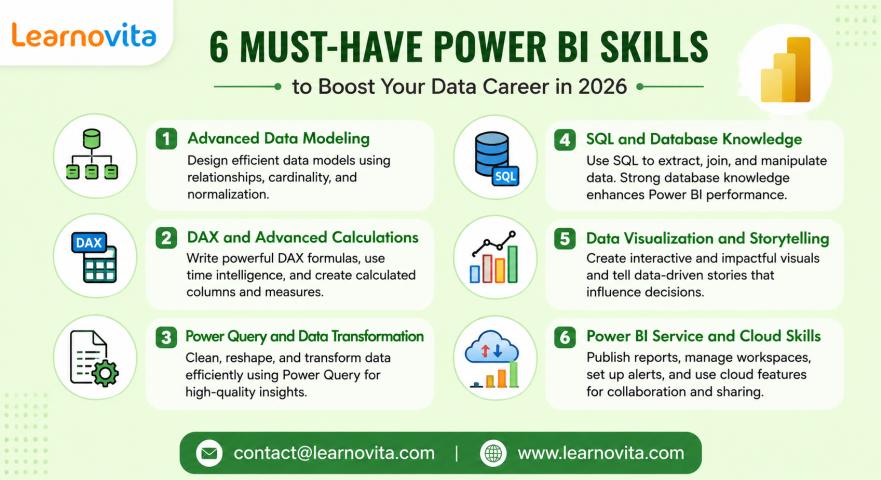
Content Depth: Does it cover basics like importing data as well as advanced features like DAX (Data Analysis Expressions) and Power Query?
Hands-On Learning: Are there assignments, quizzes, or practical projects?
Instructor Experience: Is the course taught by a Power BI expert or certified trainer?
Course Format: Self-paced, live, or hybrid?
Targeted Level: Is it a beginner Power BI crash course, or is it advanced server training?
Certification: Does the course prepare you for Microsoft’s PL-300 certification or similar?
Top Recommended Power BI Training Paths
1. Power BI Crash Course – Best for Beginners
Who it’s for: New learners or professionals transitioning into analytics.
This is ideal if you're starting from scratch and want to get up to speed fast. A Power BI crash course typically covers:
Introduction to Power BI interface
Connecting to Excel and databases
Building first dashboards
Publishing and sharing reports
Basics of Power Query and DAX
Key Features:
Easy-to-follow modules
Short lessons under 20 minutes
Real-world datasets for practice
Often available in both video and reading format
Why it works: Crash courses eliminate the fluff. In just a few hours, you learn how to build reports and create visuals using real data.
2. Power BI Server Training – Best for IT Professionals
Who it’s for: System administrators, database engineers, and DevOps teams.
Unlike Power BI Desktop training that focuses on report creation, Power BI server training teaches how to deploy, manage, and secure Power BI on-premises using Power BI Report Server.
What you’ll learn:
Installing and configuring Power BI Report Server
Integrating Power BI with Active Directory
Managing report access and security
Optimizing server performance
Why it works: For organizations with strict compliance or data privacy rules, Power BI Report Server is a must. This training equips you to manage such environments confidently.
3. Comprehensive Power BI Training – Best All-in-One Solution
Who it’s for: Professionals seeking end-to-end Power BI expertise.
This course format covers everything from basic to advanced topics:
Data modeling with Power Query
Advanced DAX for custom calculations
Time intelligence and KPI metrics
Report design principles
Power BI Service and mobile reports
Row-level security and role-based access
Why it works: A full Power BI course offers layered learning. Beginners can start with the basics, while advanced learners can deepen their expertise with complex topics.
4. Specialized Power BI Course by Industry
Who it’s for: Business users in domains like healthcare, finance, or marketing.
Some Power BI training programs are industry-specific, such as:
Finance: Financial dashboards, cash flow models, profit/loss analysis
Healthcare: Patient tracking, admission metrics, claims analysis
Marketing: Campaign performance, lead tracking, ROI dashboards
Why it works: Industry-focused courses provide relevant datasets and business problems, which makes the learning practical and applicable to real jobs.
Real-World Success Stories
1. Healthcare Insights Through Power BI
A healthcare company implemented a Power bi server training program for its analysts. They used Power BI to create dashboards tracking ER wait times, patient discharge rates, and billing efficiency. The result: a 30% improvement in response time and a 15% reduction in billing errors.
2. Financial Forecasting for CFOs
A financial services firm enrolled their team in a Power BI crash course to accelerate adoption. Within weeks, they built revenue projection dashboards using DAX and time intelligence. These dashboards became a staple in the CFO’s monthly reports.
Step-by-Step Guide: Getting Started with Power BI
Want to get started right now? Follow this 6-step beginner's plan.
Step 1: Download Power BI Desktop
It’s free. Install from Microsoft’s official site.
Step 2: Connect to Sample Data
Use an Excel sheet or Power BI’s built-in sample datasets.
Step 3: Build a Simple Report
Drag and drop visuals like bar charts, pie charts, and slicers.
Step 4: Clean Data with Power Query
Use the editor to remove nulls, filter rows, and rename columns.
Step 5: Add Calculations with DAX
Start with simple measures: total sales, average quantity, etc.
Step 6: Publish to Power BI Service
Upload reports to the cloud for easy sharing and dashboard creation.
How to Choose the Right Training Based on Your Goals
Career Goal | Recommended Course | Key Focus |
Business Analyst | Power BI crash course | Reporting & dashboard creation |
Data Engineer | Power BI server training | Data architecture & deployment |
Project Manager | Power BI overview course | High-level insights & KPIs |
Developer | Full Power BI training | Advanced DAX & APIs |
Key Features to Look for in a Power BI Course
Certifications: Look for Microsoft-certified training or PL-300 prep.
Lifetime Access: Courses that offer content updates are more valuable.
Downloadable Resources: Excel files, datasets, cheat sheets.
Interactive Quizzes: Reinforce learning with immediate feedback.
Community Access: Forums or mentor support can be a bonus.
The Future of Power BI: Why You Should Learn It Now
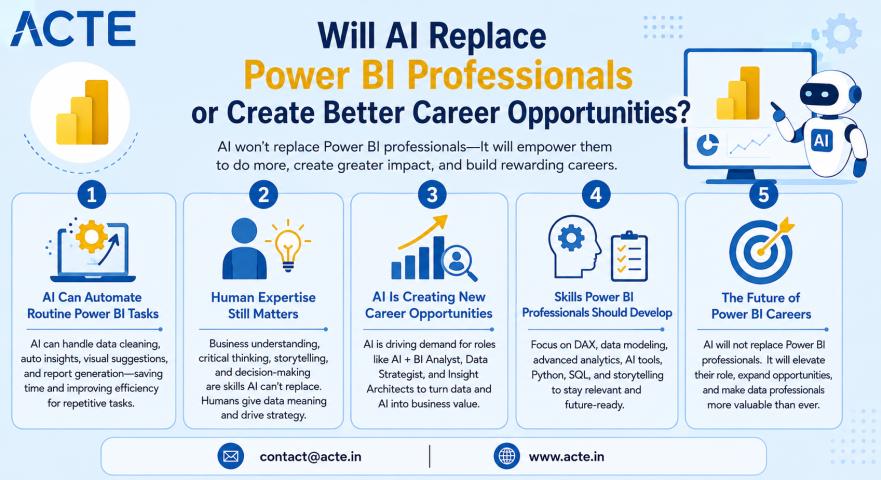
Power BI is evolving rapidly. With the rise of AI integration, users can now write DAX formulas using natural language and generate visuals automatically through Copilot. The demand for Power BI skills is not only growing it’s transforming.
Whether you're in HR, operations, or software development, Power BI training enables smarter decision-making and increased job value. It's more than just another software skill it’s a gateway to becoming a strategic contributor in any organization.
Conclusion: Take the First Step Today
Power BI is more than just a visualization tool it’s a career accelerator. Whether you choose a Power BI crash course, dive into Power BI server training, or enroll in a full Power BI course, the skills you gain will open doors to exciting roles in analytics and business intelligence.
Start learning Power BI today and take control of your data-driven future.
Key Takeaways:
Power BI training boosts analytical skills and job readiness.
Choose training based on your career goals and current skill level.
Look for hands-on projects, expert instructors, and certification prep.
Power BI crash courses are ideal for beginners.
Server training suits IT professionals and system architects.
Comprehensive courses offer in-depth knowledge for advanced users.