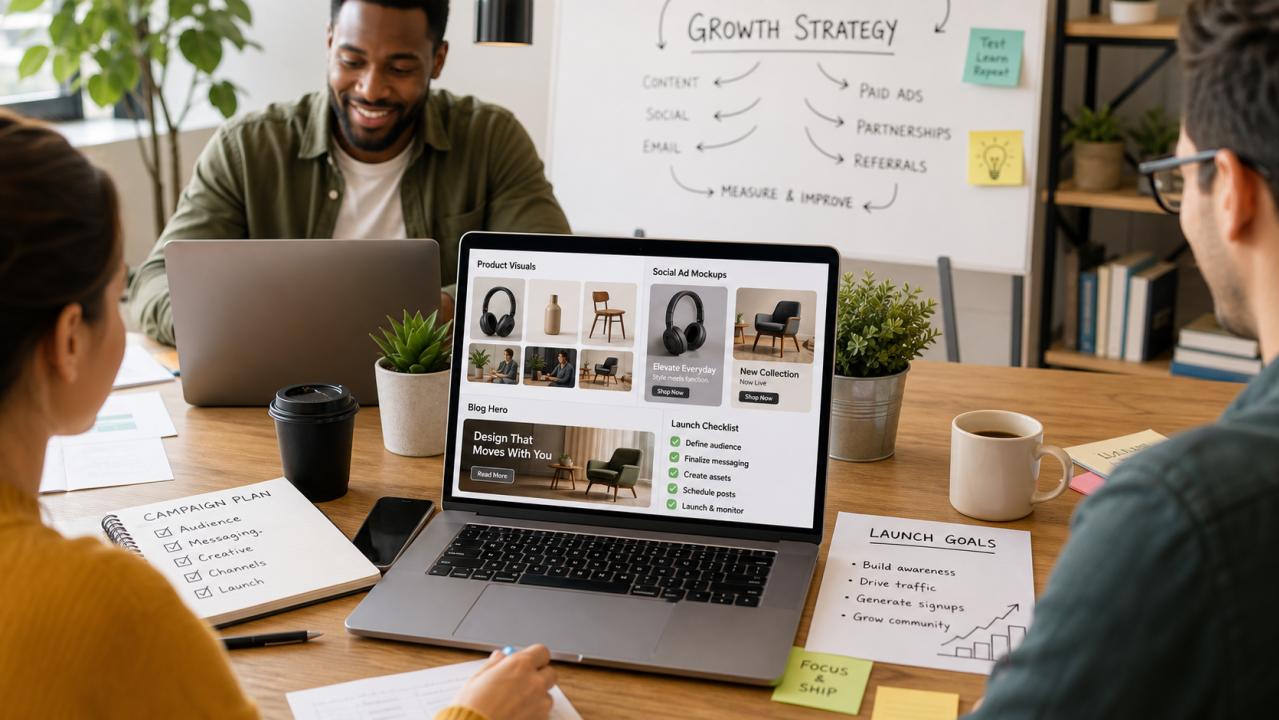
Startups need a surprising amount of visual content.
A founder may think they only need a logo, a landing page, and a few screenshots. Then the real work begins. The product needs a hero image, feature graphics, onboarding illustrations, social posts, blog covers, pitch deck visuals, ad creatives, product mockups, comparison images, newsletter headers, launch images, and maybe a few visuals for Product Hunt, LinkedIn, X, Reddit, or community posts.
Large companies can spread that work across brand teams, designers, agencies, product marketers, and performance creative teams. Early-stage startups usually cannot. One founder, one marketer, or one generalist often carries the entire visual workload.
That is why AI image generation is becoming useful for startups. Not because it replaces design strategy, but because it helps small teams create more visual drafts, test more ideas, and build a repeatable visual content engine before they can afford a full creative department.
## The problem is not only design cost
The obvious problem is budget. Good design costs money, and startups need to spend carefully.
But the deeper problem is speed. Startups learn by testing. A landing page headline might change three times in a week. A product positioning angle might shift after five customer calls. A feature screenshot might be outdated after one sprint. A paid ad concept might need ten variations before one version performs.
If every visual asset requires a full custom design cycle, the startup slows down.
The solution is not to publish low-quality AI images everywhere. That damages trust. The better solution is to separate visual work into stages:
- Fast exploration
- Usable drafts
- Human-reviewed assets
- Final design polish for the highest-value pages
AI image workflows are strongest in the first three stages.
## Step 1: Build a visual asset map
Before creating images, list the assets the startup actually needs. A simple asset map might include:
- Landing page hero
- Product feature graphic
- Blog hero image
- Social launch post
- Founder announcement image
- Ad creative
- App or dashboard mockup
- Comparison graphic
- Newsletter header
- Pitch deck concept image
Then mark each item by importance:
- Critical: must be polished and accurate
- Useful: should look professional but can be updated often
- Experimental: used for testing ideas
This prevents overdesigning temporary assets and underinvesting in important ones.
## Step 2: Turn product positioning into visual briefs
A useful visual starts with a message.
Instead of asking, "Can we make a cool image?" ask, "What should this image help a visitor understand?"
For example:
- This product saves time for solo founders
- This tool turns prompts into reusable visual workflows
- This app helps ecommerce teams create better product images
- This dashboard gives marketers a clearer view of campaign performance
- This service helps local businesses create professional content faster
Each message can become a visual brief.
Example:
```text
Create a horizontal landing page hero image for a startup tool that helps founders create visual content faster. Show a laptop with organized image thumbnails, prompt cards, and a simple launch checklist on a clean desk. Leave negative space on the left for headline copy. Use bright natural light, modern SaaS styling, and a calm productive mood. Do not add fake logos, random text, or clutter.
```
The prompt works because it connects the visual to the startup's message.
## Step 3: Create reusable prompt templates
The biggest productivity gain comes from reusable prompts.
Instead of writing from scratch every time, create templates for common startup needs:
### Landing page hero
```text
Create a horizontal landing page hero image for [product category]. Show [main subject] in a realistic modern workspace. Place the main visual on [left/right/center] and leave clean negative space on [side] for headline copy. Use [brand mood] lighting and a professional SaaS editorial >
```
### Product feature visual
```text
Create a clean product feature graphic for [feature]. Show a realistic software dashboard or workflow panel that communicates [benefit]. Use simple UI cards, clear hierarchy, and a modern product marketing >






```
### Social launch image
```text
Create a square social launch image for [startup/product]. Show [main product idea] as a polished visual concept. Use bold composition, clear focal point, and a modern startup launch mood. Leave room for a short headline to be added later. No random text, no fake logos, no watermarks.
```
An [AI image workflow tool](https://gptimg2.art) can help a founder turn these templates into draft assets quickly, but the real advantage is the template itself. Once a startup finds a structure that works, it can reuse that structure across launches, blog posts, and ads.
## Step 4: Generate sets, not single images
One image is useful. A set of related images is much more useful.
For example, from one product message, generate:
- One landing page hero
- One square social image
- One vertical ad
- One blog cover
- One pitch deck slide background
This creates consistency across channels and saves time. It also helps the startup learn which visual angle works best. Maybe the clean dashboard image performs better on LinkedIn. Maybe the founder->
The point is to test visual direction, not just text.
## Step 5: Review for trust
Startups cannot afford to look careless. A weak image can make a good product feel unreliable.
Review every AI-generated image for:
- Distorted interfaces
- Random unreadable text
- Fake logos
- Misleading product claims
- Inconsistent >
- Busy composition
- Visual details that contradict the product
For product screenshots, be especially careful. If the generated UI implies features that do not exist, use it only as a conceptual illustration or revise it until it is clearly abstract.
Trust matters more than decoration.
## Step 6: Use designers where they matter most
AI image generation should not become an excuse to avoid design quality. Instead, it should help a startup spend design resources more intelligently.
Use AI-generated visuals for:
- Early concept exploration
- Temporary campaign drafts
- Blog images
- Social variations
- Internal pitch directions
- Visual brainstorming
Use human design work for:
- Brand identity
- Core website design
- Final product screenshots
- Investor deck polish
- High-performing ad variations
- Important launch assets
This hybrid workflow gives founders speed without abandoning quality.
## A simple weekly workflow
Here is a practical routine for a small startup:
Monday: Choose one content theme and one product message.
Tuesday: Write three visual briefs and generate draft directions.
Wednesday: Select the best direction and create format variations.
Thursday: Review, edit, and prepare assets for the website, blog, and social channels.
Friday: Publish, measure response, and save the best prompt for future use.
In a few weeks, the startup begins building a library of prompts, images, layouts, and lessons. The process gets faster because the team is no longer starting from zero.
## The founder advantage
Founders are often close to the product and the customer. That gives them a strong sense of what the visual should communicate. The challenge is translating that intuition into a usable image brief.
AI image generation rewards clear thinking. If the founder can explain the audience, message, use case, and constraints, the output improves. Over time, this makes the founder a better creative director, even without becoming a designer.
That is the real advantage for startups. AI images are not just cheaper pictures. They are a faster way to think visually, test positioning, and communicate product value.
## Final takeaway
Small startups do not need to copy the creative departments of large companies. They need a system that matches their speed.
Start with a visual asset map. Turn product messages into briefs. Save reusable prompt templates. Generate sets instead of isolated images. Review everything for trust. Use human designers where quality matters most.
Done well, AI image generation becomes more than a shortcut. It becomes a visual content engine for the startup.
Written by
huangcftt
146 days ago
Related articles:
DALL·E 3 Retired on August 30. Here's How Our Two-Person Team Migrated 40,000 Monthly Images in a Weekend.
If you run a small SaaS that generates images for users, the end of August was uncomfortable. OpenAI retired DALL·E 3, and like a few thousand other bootstrapped products, ours..
Mastering GPT Realtime 2: A Comprehensive Guide to Low-Latency AI Conversations
The landscape of Conversational AI has shifted dramatically with the introduction of GPT Realtime 2. Unlike traditional LLMs that rely on a text-in, text-out loop, the GPT-Realtime-2 model is designed..
Complete Guide to GPT Image 2 Prompts: Tips, Examples & Best Practices
# Complete Guide to GPT Image 2 Prompts: Tips, Examples & Best PracticesGPT Image 2 has revolutionized how we interact with AI-powered image generation. Understanding how to craft effective prompts..
Einführung: Ein intelligenter Partner für den Büroalltag
In der heutigen Arbeitswelt ist Effizienz das Herzstück eines erfolgreichen Unternehmens. Die Zeit ist knapp, die Aufgabenliste lang – und genau hier kommt ChatGPT ins Spiel. Dieses KI-gestützte Tool ist..
Why Magento 2 GPT is a Game-Changer for Online Businesses
Magento 2 GPT is an advanced AI solution for online stores that helps
improve customer experience and increase sales. The tool offers
features like chatbot integration, product recommendations, and
automated..
New AI Search Tool Bagoodex Reboots the Joy of Web Surfing
SAN FRANCISCO, CALIFORNIA, JUNE 20, 2024 // Bagoodex – a new search engine designed to deliver high-quality and relevant results without the hassle of sifting through numerous sites – celebrated..
What Are the Key Drivers Shaping the Global Organic CMOS Image Sensor Market from 2025 to 2033?
Organic CMOS Image Sensor Industry Outlook:Straits Research has added a report titled “Global Organic CMOS Image Sensor Market Professional Report 2025-2033” to its database of research reports. The study provides..
How to Convert Images into Pixel Art (100% free)
Pixel art has gone from a hardware limitation of 1980s consoles to a a >Image to Pixel Art Converter, you can turn any picture or photo into pixel art in..
aiMakeVideo: A Practical Look at Unified AI Video and Image Creation
Short-form video has become the default language of product demos, beauty campaigns, and social storytelling. The tooling, however, is still fragmented: one tab for text-to-video, another for image-to-video, a third..
Your AI Image to Video Clips Look Broken Because of the Prompt, Not the Model
Most people testing an AI image to video tool write something like this:“cinematic, beautiful, dynamic, 4k, professional lighting, amazing camera movement, highly detailed”Then the subject melts, the camera drifts nowhere,..
How to Describe a Picture Clearly: A Practical Guide with AI
Describing a picture sounds simple, but creating a useful image description requires more than listing the objects you can see. A good description should explain what is happening, identify the..
DALL·E 3 Retired on August 30. Here's How Our Two-Person Team Migrated 40,000 Monthly Images in a Weekend.
If you run a small SaaS that generates images for users, the end of August was uncomfortable. OpenAI retired DALL·E 3, and like a few thousand other bootstrapped products, ours..
AI Image and Video Tools: A Practical Workflow Guide
AI creative work rarely ends after a single prompt. A useful image may still need a new background, a wider canvas, cleaner text, a different camera angle, or an animated..
A Privacy-First Workflow for Resizing Images in the Browser
Why browser-local image resizing mattersTeams often need to prepare photos, signatures, screenshots, and application documents for upload portals. The usual workflow sends the original file to an online service, waits..
A Privacy-First Workflow for Combining Images in the Browser
Combining screenshots, reference photos, receipts, or design drafts is a common task, but the usual workflow often creates unnecessary friction. A person opens a desktop editor, imports several files, adjusts..
HereImg: One Home for All Your AI Image Generation and Editing Needs
If you've ever bounced between five different tools just to generate an AI image, tweak its colors, resize it for Instagram, and strip the background — HereImg was built to..