Markdown to PDF Converter: The Free Browser Tool That Renders Mermaid Diagrams and LaTeX Correctly
Most "convert markdown to PDF" tools fall apart the moment your file has anything more complex than plain text — a Mermaid diagram turns into a broken code fence, a LaTeX equation prints as raw symbols, and a code block gets sliced in half across a page break. The
How It Works
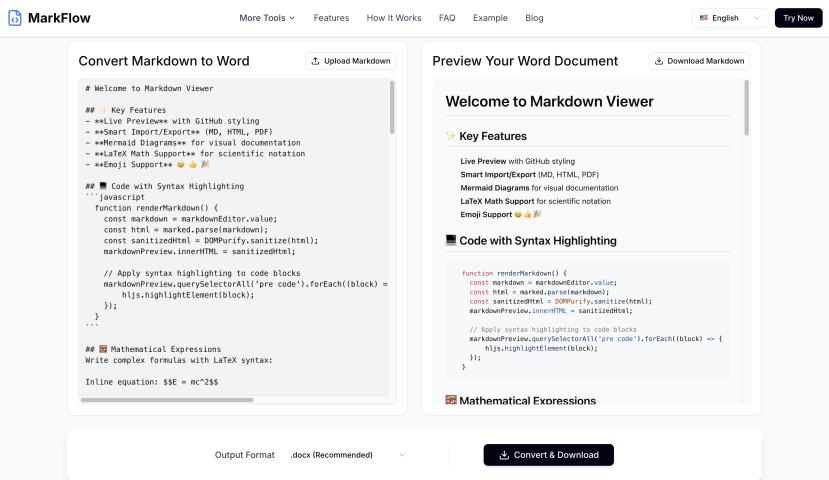
You paste Markdown directly into the workspace or drop a .md file, and a live preview renders alongside it as you type. When you're ready, "Export to PDF" opens your browser's native print dialog, where you choose "Save as PDF" as the destination.
Because the rendering happens before the page reaches the print engine, the output uses vector text throughout, keeping diagrams, equations, and typography crisp and — unlike a flattened image export — still selectable and searchable in the final PDF.
Mermaid Diagrams Rendered as Real Vector Graphics
This is the standout feature. Fenced ```mermaid code blocks — flowcharts, sequence diagrams, Gantt charts, and state diagrams — are parsed and rendered to actual inline SVG before export. They appear in the finished PDF exactly as they would on GitHub, instead of showing up as raw, unrendered code text. For anyone documenting system architecture, engineering reports, or technical specs in Markdown, this alone solves a problem that derails most free converters.
LaTeX Math via KaTeX
Both inline math ($...$) and block math (
) are rendered through KaTeX. Equations like a latency budget constraint or a throughput formula appear as properly typeset mathematical notation rather than literal dollar-sign-wrapped text. Because the output is vector-based, equations stay sharp at any zoom level and remain selectable text in the PDF.
Page Breaks That Actually Respect Your Content
Markdown itself has no concept of a "page," which is why naive converters frequently cut a code block, table, or diagram in half right at the page boundary. This tool applies break-inside: avoid automatically to:
Code blocks
Tables (table headers also repeat across every page a table spans)
Diagrams
Headings also stay attached to the content beneath them instead of getting orphaned at the bottom of a page — small details that make a noticeable difference in document readability.
Four Built-In Print Themes
Instead of forcing every export into a single GitHub-README look, the export panel offers four distinct layouts with no CSS editing or template files required:
Clean: A neutral, standard default theme.
Report: A tightened, corporate >
Resume: Designed for compact, high-density layouts.
Academic: A traditional serif, paper->
Page size (A4 or Letter) and margin width (Narrow, Normal, Wide) are also adjustable directly from the export panel.
Supported Markdown Syntax
The converter supports standard CommonMark plus GitHub Flavored Markdown:
Headings, tables, and task lists
Fenced code blocks with syntax highlighting
Blockquotes, images, and links
Full Mermaid and KaTeX support
Privacy: Nothing Leaves Your Browser
Parsing, diagram rendering, and PDF export all happen client-side. The file you paste or upload is never sent to a server — something you can verify yourself by opening your browser's DevTools Network tab while converting, or simply by disconnecting from the internet and confirming the tool still works.
For documentation, engineering reports, or any Markdown file with diagrams and equations that other tools mangle, the