Ecommerce and startup teams often need more short-form product video than their production calendar can support. The tempting answer is to generate dozens of clips from a broad prompt. The more reliable answer is narrower: begin with one approved product image, decide what one motion should communicate, and test a few controlled variations.
That is where Sea Imagine can be useful. Its Seedance 2.0 workspace gives a team a low-friction way to test image-to-video directions before treating any idea as a finished ad. The goal is not to replace a product shoot with imaginary claims or fake UI. It is to learn which visual direction makes the real product easiest to notice.
Why This Works Better Than a Long Prompt
Product clips usually fail for a simple reason: too many instructions compete at once. A prompt asks for a new location, a complex camera move, changing lighting, a model, readable packaging, and a promotional story in a few seconds. The model has to make choices, and the product identity is often the first thing to drift.
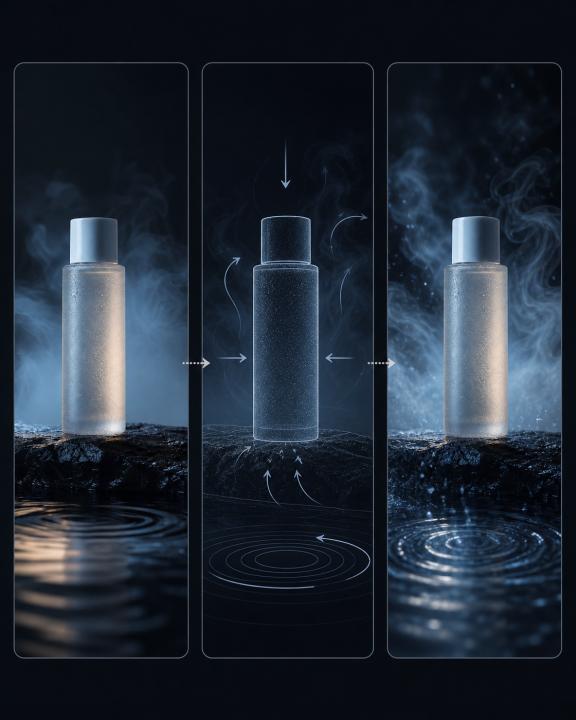
Seedance 2.0 is most useful here when the reference image does the anchoring. Keep the object and its distinctive packaging in the source image. Then ask for one visual action: a slow orbit, a gentle push-in, condensation moving across a bottle, or a hand placing the product on a counter. This gives the model a smaller, more concrete job.
The Three-Variant Test
Use one product image, one aspect ratio, and one duration. Generate only three variants:
- Movement test: Keep the background still and test a subtle camera push-in.
- Context test: Keep the camera identical and add one background action, such as light moving through a window.
- Hook test: Keep the setting identical and change the opening composition for a social-feed first frame.
Do not improve all three at once. Compare them next to the landing-page headline or offer. The winning clip is the one that makes the product and its intended use clearer, not the one with the most dramatic effect.
A Practical Prompt Structure
Use a brief with clear constraints instead of a long wish list:
Subject: the supplied product image; preserve its shape, label placement, and color.
Action: a slow 10-degree clockwise turn on a dark stone surface.
Camera: gentle push-in, no cuts.
Lighting: soft cool side light with a restrained reflection.
Background: minimal atmospheric movement only.
Avoid: added text, replacement labels, extra products, hands, or rapid motion.
Format: vertical 9:16, short social clip.
The phrasing matters less than the discipline: one product, one action, one camera idea, and explicit exclusions. When a result drifts, simplify further rather than adding more decoration.
What a Real Production Reference Can Teach Us
A Volcengine-hosted case article describes an unnamed snack ecommerce brand that reportedly created more than 120 video variants for 20+ SKUs in three days. It reported lower production cost and lifts in average views and conversion. This is a platform-published case, not an independent audit or a promise of the same result. Still, it illustrates the value of variant testing: short, structured experiments can give a team more creative options than trying to perfect one clip in isolation. Read the source.
Start Free, Then Scale the Direction That Works
Sea Imagine currently presents a free tier with daily check-in credits, so a team can validate a small test before budgeting for a larger run. Check the live product page for the current allowance and model availability.
Once a prompt and reference setup have proved useful, that is the right moment to operationalize it. Developers can use Flaq's Seedance 2.0 image-to-video API to move an approved recipe into a programmatic workflow. The related Flaq image-to-video guide explains the broader model and API workflow.
The practical order is simple: establish a truthful product image, run three intentional tests, select a clear direction, then scale only what has earned more production effort. Start the first test in Sea Imagine.