
A founder can know what a demo video should feel like and still leave a teammate with an unusable request. “Make it cinematic” or “give it more energy” describes a reaction, not a decision. A music brief template for video production turns that instinct into a small set of choices the editor, music contributor, and reviewer can discuss without guessing.
This is a tool-agnostic handoff method for a short demo video. Its job is to make the next conversation specific; it does not predict how any music draft will sound.
Disclosure: I am the founder of MusicMaker.
Build the music brief template for video production around an edit decision
Begin with the point in the video that needs attention. The brief should name the scene, the viewer response the team is trying to support, and the editorial constraint around it. That is more useful than asking for a genre before anyone knows what the music must do in the cut.
For a product-demo opening, the decision might be: “Introduce a new visual without competing with the first spoken sentence.” For a transition, it might be: “Mark the change from setup to payoff without making the scene feel abrupt.” These are not musical promises. They are decisions the team can test against the edit.
Write four things before adding descriptive language:
- Video moment: Identify the exact scene or transition, plus the nearby dialogue, on-screen action, or silence.
- Viewer job: State what the viewer should understand or notice at that moment.
- Constraint: Name what the music must leave room for, such as speech, a pause, a cut, or a quiet visual.
- Decision owner: Say who can resolve a disagreement when the first interpretation does not fit the edit.
A small brief gives a teammate a bounded problem. It also gives the founder a way to tell the difference between a useful response and a response that merely sounds plausible in isolation.
Define the music role in edit before asking for >
The music role in edit is the practical function of sound at a particular point in the video. It may be to create a gentle entry, hold back during dialogue, bridge two visual beats, or make room for a final line. Write that role before you write mood words such as “warm,” “bold,” or “minimal.”
This order matters because mood language can mean different things to different people. A teammate can reasonably read “warm” as instrumentation, pacing, or the relationship between sound and narration. A clear role narrows the interpretation:
- “Enter after the speaker finishes the opening line.”
- “Stay secondary while the screen recording is visible.”
- “Create a short transition into the feature reveal.”
- “Leave the final frame without a new competing cue.”
Teams that separate words from musical direction can keep that distinction in the brief as well. For a visual reference, MusicMaker and MiniMax Music 3 shows lyric and prompt inputs separately on the referenced page. Use that visible separation as a reminder to keep spoken or sung words apart from direction about the video moment; it is not a promise about a particular result.
Turn the request into a short music brief template
A useful music brief template should fit on one screen. If it takes several paragraphs to explain the request, the team probably has not yet decided which question needs an answer first.
1. Use case and scene
Describe the video production moment in plain language. Include the scene’s purpose, what comes immediately before it, and what comes after it. A teammate should be able to locate the moment without translating a vague mood into an editing decision.
2. Music role and exclusions
State what the music is meant to do in that scene, then name what it should not do. For example, “support the transition without covering the closing voiceover” is more actionable than “make it emotional.” The exclusion matters because it gives reviewers a shared reason to reject an interpretation that does not fit.
3. Timing cues
List entry and exit cues from the video rather than pretending the brief can settle every timing choice in advance. Use the first spoken line, a cut, a product close-up, a title card, or a silent beat as the reference point. The editor can then relate comments to something everyone can find.
4. Language and direction
If the video includes words that need special handling, put those words in their own field. Put music-direction language in a separate field. This separation keeps the handoff readable and prevents the team from treating one sentence as both a script and a production instruction.
5. Review question
End with one question that the next reviewer can answer. Examples include: “Does the entry leave enough room for the opening sentence?” or “Does this transition fit the change in visual pace?” A review question keeps feedback tied to the edit rather than turning into a list of unrelated preferences.
6. Deliverable and listening focus
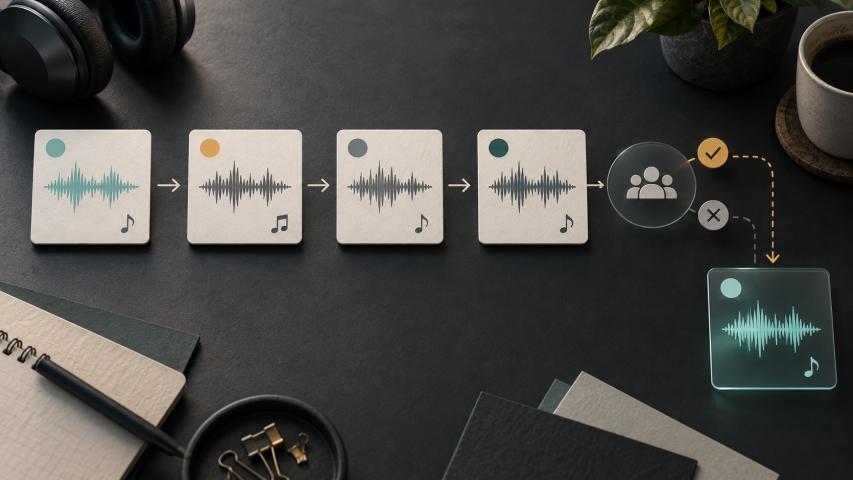
State the deliverable in operational, reviewable terms. A scene-labeled brief, timing-cue list, and short decision log give a teammate something concrete to return to the founder; do not assume a particular audio file, export, or product capability.
Then name the listening focus for the next human review. It can ask whether the entry and exit fit the video moment, whether dialogue or silence still has room, and whether the stated music role still fits the scene. These are review questions, not quality claims.
Assign ownership before anyone works from the brief
A founder does not need to make every music decision. The handoff is stronger when each person knows which decision they own and which decision they only inform.
One simple division is:
- Founder: supplies the viewer goal, message, and non-negotiable constraints.
- Editor: identifies timing, dialogue, visual transitions, and the points where a change would affect the cut.
- Music contributor: interprets the written direction and flags anything that is too broad to act on.
- Reviewer: checks the work against the original scene decision and records the next unresolved question.
The same person can hold more than one role in a small team. What matters is that a comment has an owner. “It feels wrong” becomes more useful when the commenter can say whether the issue is the video moment, the intended role, the timing cue, or the missing constraint.
Keep review comments anchored to the video
A brief is most useful when it gives reviewers a stable vocabulary. Ask comments to point back to one of the written fields: the scene, the intended role, an exclusion, a timing cue, or the review question.
For example, instead of “the opening is too much,” a reviewer can write, “The opening competes with the first spoken line, which conflicts with the stated constraint.” Instead of “the middle is flat,” they can ask, “Does the transition mark the move from setup to reveal that the brief identifies?” The goal is not to make feedback formal. It is to preserve why a change is being requested.
Keep a short decision log alongside the brief when a team revises it. Record the question, the person responsible for the next answer, and the video moment being reconsidered. Do not turn the log into a history of every opinion; it should preserve only decisions that affect the next handoff.
Run a handoff checklist before the next review
Use this handoff checklist when the brief is about to move from the founder to the person who will work with the edit:
- Is the exact video moment named?
- Is the viewer goal clear without relying on a genre label?
- Is the music role in edit stated in one sentence?
- Are dialogue, silence, cuts, or other constraints written down?
- Are words and music-direction notes kept in separate fields where relevant?
- Does one person own the next decision?
- Does the reviewer have one concrete question to answer?
- Does the brief avoid implying a result, license, availability, or technical capability that nobody has confirmed?
If any answer is “no,” revise the brief before asking a teammate to interpret it. A shorter, clearer request is easier to review than a larger document full of unranked preferences.
Use the music brief template for video production as a decision record
A good music brief template for video production does not replace judgment. It gives the team a shared record of what the video needs, who can make the next call, and what should be reviewed when the work returns. That makes the founder’s initial instinct easier to hand off without turning it into an unsupported promise.