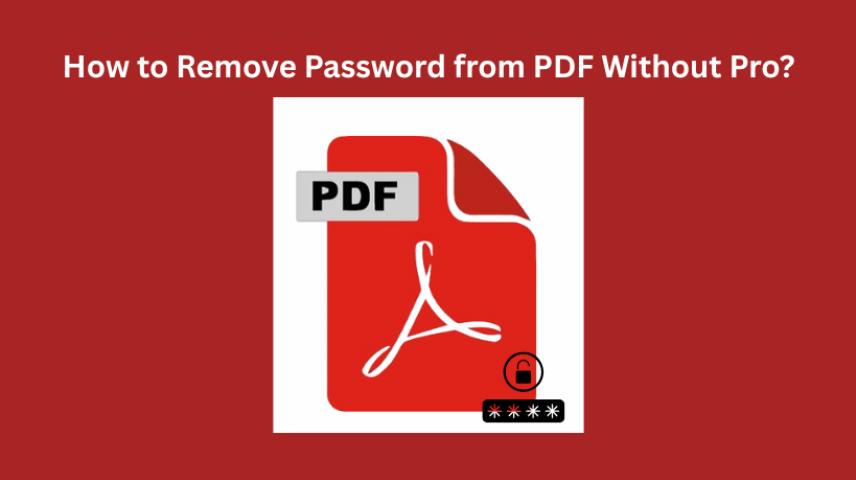
PDF files are used for sharing important documents such as bank statements, invoices, contracts, tax records, e-books, and confidential business reports. To prevent unauthorized access, many PDF files are protected with passwords. While password protection enhances document security, it can become a problem when you forget the password yourself.
If you are unable to access a password-protected PDF because you've forgotten the password, don't panic. Follow this guide to discover how to retrieve forgotten PDF password using legitimate and reliable methods. So, let’s dive into it.
Understanding PDF Password Protection
Before attempting password recovery, it's important to understand how PDF security works.
What is a PDF Password?
A PDF password is a security mechanism used to restrict access to a document. Users must enter the correct password before performing certain actions such as opening, printing, editing, or copying content.
PDF passwords are commonly used to protect sensitive information from unauthorized access.
Types of PDF Passwords
User Password (Open Password)
A User Password, also known as an Open Password, prevents anyone from opening the PDF without entering the correct password.
If you forget this password, you will not be able to view the document contents.
Owner Password (Permissions Password)
An Owner Password restricts actions such as:
Editing the document
Printing the file
Copying text or images
Adding annotations
Unlike an Open Password, the document can usually still be viewed, but certain functions remain restricted.
What are the Reasons of Forgotting PDF User Password?
A PDF user password (also known as an open password) is used to prevent unauthorized access to a document. However, many users eventually forget the password they created or received. Below are some common reasons why forgot PDF password:
Infrequent Use of the PDF File: Many password-protected PDFs are accessed only occasionally, such as tax documents, bank statements, contracts, or archived records. If the file remains unused for months or years, users may forget the password.
Complex Password Creation: To improve security, users often create strong passwords containing uppercase letters, lowercase letters, numbers, and special characters. While secure, these passwords are harder to memorize and are more likely to be forgotten.
Password Was Auto-Saved Elsewhere: Many users rely on password managers, browsers, or note-taking applications to store passwords. If the stored information is lost, deleted, or inaccessible, recovering the PDF password can become difficult.
Receiving Password-Protected PDFs from Others: Organizations often send confidential PDFs through email. Since the password is usually shared separately via SMS, email, or another communication channel, users may lose or forget the password after some time.
These are the common scenarios where you forgot the document password. Now, let’s find out the legitimate methods to recover the forgotten password.
Things to Check Before Attempting Password Recovery
Many users recover their PDF passwords without using advanced tools simply by reviewing information they already have.
Search for Stored Passwords
Check Email Communications
Contact the PDF Creator
Try Common Password Combinations
If you remember the document source, these clues can help significantly.
How to Retrieve Forgotten PDF Password
If basic methods do not work, you can proceed with dedicated password recovery techniques.
Method 1: Use Adobe Acrobat Password Hint (If Available)
Some PDF creators include password hints that can help authorized users remember the password.
Steps to Check for Password Hints
Open the protected PDF.
Attempt to enter the password.
Look for available hints or password-related notes.
Use the hint to recall the correct password.
Limitations
Not all PDFs include hints.
Hints may be too vague to be useful.
Method 2: Use Dictionary Attack Recovery
A Dictionary Attack attempts passwords using a predefined list of commonly used words and phrases.
How Dictionary Attack Works
The software compares thousands or millions of commonly used passwords against the protected PDF.
Examples include:
Password123
companyname
Dictionary attacks work well when:
Simple passwords are used.
The password contains common words.
The creator follows predictable naming patterns.
Disadvantages: May fail if the password is highly complex
Method 3: Use Brute Force Password Recovery
Brute Force Recovery systematically tries every possible character combination until the correct password is found.
What is Brute Force Recovery?
This method does not rely on password clues.
Instead, it generates all possible combinations of:
Letters
Numbers
Symbols
Uppercase characters
Lowercase characters
Recovery time depends on:
Password length
Complexity
Computer hardware
Encryption strength
Simple passwords may be recovered quickly, while complex passwords can take significantly longer.
How to Retrieve Forgotten PDF Password Ethically & Fastely?
To retrieve the PDF user password, you need a professional tool named SysTools PDF Password Recovery software. The tool is designed for a Windows or macOS interface, making it easier to download the solution on a separate OS. Moreover, it is among the most powerful and trustworthy tools tested by experts or software-recommended platforms like CNET, Microsoft Marketplace, and more. The tool has two major recovery modes, i.e., Brute Force and Mask attack. Using these methods, you can recover an unknown or partially known password up to 15 characters.
Compared to manual methods, this is fast and protects the formatting during the process. Most importantly, the tool automatically tests all the combinations without your effort. This way, you can freely access the document password for opening or unlocking. Below are the working steps to retrieve the forgotten PDF password:
Download the software listed above on your machine.
Navigate to Browse to upload the locked PDF document.
Under the Recovery Mode, pick Brute Force attack.
Finally, hit the Recover button to get the password in seconds.
Final Words!
In the above guide, we have listed the 4 ways on how to retrieve forgotten PDF password. Using the manual and automated techniques, you can easily find the password of your locked PDF. Compared to all the methods, SysTools listed software is tested and minimizes the efforts or stress at once. So, download this automated solution to retrieve the correct password of your locked PDF file.