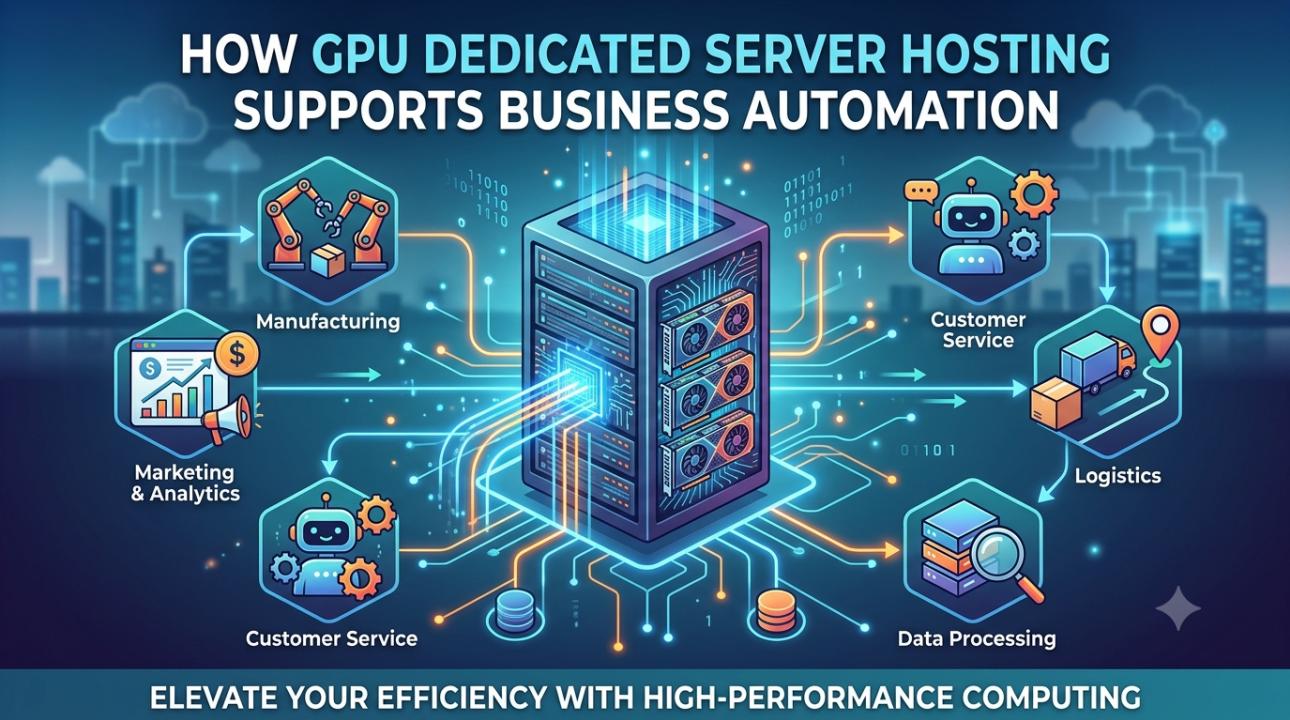
GPU dedicated server hosting supports business automation by accelerating the AI steps that are difficult for a CPU to handle efficiently. These steps can include model training, real-time inference, OCR, image and video analysis, document classification, forecasting, and predictive maintenance. Because the physical GPU is reserved for one customer, businesses get more predictable performance, greater control over software and data, and a clearer path to running automation workloads at scale.
A GPU is not required for every automation. Traditional workflow automation, database queries, webhooks, and simple scripts may run perfectly well on a CPU server. A dedicated GPU becomes useful when an automation must process large datasets, images, video, documents, language models, or many AI requests at the same time.
What is a GPU Dedicated Server?
A GPU dedicated server is a physical server with one or more graphics processing units reserved for a single customer. Unlike a standard dedicated server, it is designed to run workloads that can divide a large calculation into many smaller operations and execute them in parallel.
That design is valuable for machine learning and other AI workloads. Training a model, generating an embedding, classifying an image, or producing an AI response can require a large number of mathematical operations. Frameworks such as CUDA allow compatible applications to use NVIDIA GPUs for this type of accelerated computing. NVIDIA also documents multi-GPU techniques that combine GPU memory, bandwidth, and arithmetic performance for workloads that can be distributed across more than one device.
The server still needs a capable CPU, sufficient RAM, fast storage, and a stable network. The GPU is an accelerator, not a replacement for the rest of the infrastructure.
Why business automation increasingly needs GPU compute
Many modern automations are no longer limited to moving a value from one application to another. They first have to understand information that is unstructured or visually complex.
For example, an accounts-payable workflow may need to read an invoice, identify the supplier, extract line items, compare the total with a purchase order, and send exceptions to a human reviewer. A manufacturing workflow may need to examine camera frames for defects. A customer-service workflow may classify incoming messages, search a blog, and generate a response.
In each example, the business process is automated by rules and integrations, but the interpretation step may be powered by an AI model. That interpretation is where GPU acceleration can reduce processing time and increase the number of jobs handled by the same server.
Six ways dedicated GPU hosting improves automation
1. Faster AI model training and fine-tuning
Automation teams often need to train, fine-tune, or evaluate models against company data. This can apply to demand forecasting, fraud detection, document classification, recommendation engines, image inspection, and natural-language processing.
A GPU can process many suitable mathematical operations in parallel. As a result, a training run that is impractical on a CPU-only machine may become manageable on a GPU server. Faster experiments also help development teams test more versions of a model, identify errors earlier, and move a successful model into production sooner.
The benefit depends on the model, framework, batch size, dataset, and software configuration. GPU hosting is not a guarantee that every training job will be faster. The code must be able to use the GPU, and the workload must contain enough parallel work to justify it.
2. Higher-throughput AI inference
Inference is the stage where a trained model makes a prediction or generates an output from new data. It can happen when a customer uploads a document, a camera captures a product, or an employee asks an internal AI assistant a question.
A dedicated GPU inference server can process more complex models and concurrent requests than a CPU-only system in many scenarios. This is useful when an automation must respond quickly or process a large queue of jobs, such as:
•
Classifying thousands of support tickets.
•
Creating embeddings for a company knowledge base.
•
Summarizing calls, emails, and meeting transcripts.
•
Detecting objects or defects in video frames.
• Running a private large language model for internal users.
The practical measure is not simply GPU model name. Businesses should track response time, requests per second, queue length, GPU memory use, error rate, and cost per completed job.
3. Automated document processing and OCR
Optical character recognition, or OCR, converts printed or handwritten text in images and documents into machine-readable text. It can remove or reduce manual data entry from invoices, applications, forms, shipping documents, claims, and identity records. Microsoft describes OCR as a foundation for intelligent document processing, where extracted text is combined with document structure, key-value pairs, entities, and other insights.
A GPU-backed document workflow can help when the process includes more than basic text extraction. Examples include layout analysis, table recognition, handwriting recognition, image cleanup, document classification, and large-volume processing.
A typical workflow looks like this:
1
A document arrives through email, an upload portal, or
a business application.
2
The automation sends the file to an OCR or document AI
service running on the GPU server.
3
The system extracts text, fields, tables, and
confidence scores.
4
Business rules validate the results against an ERP,
CRM, or accounting system.
5 High-confidence records continue automatically, while exceptions go to a reviewer.
This approach improves speed without removing human review where the model is uncertain.
4. Computer vision and video analytics
Computer vision automations inspect images or video instead of relying on a person to review every frame. Common uses include manufacturing quality checks, inventory counting, safety monitoring, traffic analysis, agriculture, and retail analytics.
A GPU dedicated server hosting can run vision models with lower processing delay and higher throughput, particularly when several camera feeds or high-resolution images are involved. In a manufacturing example, a GPU may analyze production-line images for defects and return an alert to the control system. In a warehouse, it may identify products, read labels, or flag unsafe events.
Where the server is placed matters. If video must travel to a distant cloud region before analysis, network delay and bandwidth costs can undermine the benefit. On-premises or nearby dedicated GPU hosting can keep sensitive video closer to the operation and reduce the amount of data sent over the public internet. Edge deployments are especially relevant for low-latency industrial automation.
5. Predictive maintenance and operational forecasting
Predictive maintenance uses sensor, machine, or historical operating data to estimate when equipment may fail or require attention. An automation can collect time-series data, run a model, detect an unusual pattern, and create a maintenance ticket before a breakdown occurs.
GPUs are most useful when the workflow uses deep-learning models, large datasets, or many streams of data. The complete process still depends on reliable sensors, clean historical data, good model design, and an action system that can create alerts or work orders. A GPU cannot compensate for poor input data or an unclear maintenance rule.
For organizations operating industrial equipment, a dedicated server may also make it easier to keep operational data within a controlled environment. That can be important when the data is commercially sensitive or when sending every raw data stream to a public cloud is undesirable.
6. Private AI assistants and knowledge-base automation
Businesses are using language models to search internal documentation, draft responses, summarize records, classify requests, and assist employees. A dedicated GPU server can host an open-source or privately deployed model when the organization needs more control over data, model configuration, and network access.
A private AI assistant commonly includes:
•
A language model for generation or classification.
•
An embedding model for semantic search.
•
A vector database or search index.
•
Document ingestion and OCR.
•
Access controls and audit logs.
• An application or workflow platform that triggers actions.
The GPU usually accelerates the model-serving portion. The database, API, authentication, and workflow engine still need to be designed and monitored separately.
Dedicated GPU hosting versus shared cloud GPU resources
Both approaches can be valid. The right choice depends on workload shape, data requirements, and operating preferences.
A shared or on-demand cloud GPU is attractive for short experiments, irregular demand, and teams that do not want to manage infrastructure. It can be economical when a GPU is used only occasionally. Costs may become harder to predict when workloads run continuously or when data transfer is significant.
A dedicated GPU server is often a better fit when a business needs consistent access to the same hardware, stable performance, persistent storage, private networking, root-level configuration, or predictable monthly capacity. It can also simplify planning for production automations that run every day.
The comparison should include more than the hourly GPU price. Consider storage, outbound traffic, backups, operating-system support, monitoring, software licensing, data-transfer time, setup fees, and the engineering cost of moving a workload between environments.
Hardware considerations for an automation server
GPU memory matters
GPU memory, often called VRAM, limits the size of the model and the amount of data that can be processed at once. A larger or more capable GPU is not automatically the best choice. The correct selection depends on model size, precision, batch size, concurrent users, and whether training or inference is the main task.
CPU and system RAM still affect performance
Data preparation, API requests, database operations, video decoding, and workflow coordination often run on the CPU. Insufficient system RAM can cause swapping and slow the entire pipeline even when the GPU is powerful.
Fast storage reduces pipeline delays
AI automation frequently reads large datasets, model files, images, and documents. NVMe storage can reduce loading and staging time. RAID-1 can provide storage redundancy, but it is not a substitute for an independent backup.
Multi-GPU systems require software support
A server with two or more GPUs can increase aggregate memory and compute capacity for applications that support distributed execution. NVIDIA notes that multi-GPU programming requires the application to manage devices and distribute work; adding a second GPU does not automatically double performance.
ECC memory, cooling, and power are operational features
Error-correcting code (ECC) memory can help detect and correct certain memory errors, which is useful for long-running analytics and AI workloads. GPUs also produce substantial heat and consume significant power. Reliable cooling, adequate power delivery, remote management, and hardware monitoring should be part of the hosting decision.
GPU server configurations listed by OwnWebServers
The following table summarizes the plans displayed on the referenced page. The “Suitable automation workloads” column is a practical interpretation for readers; it is not a performance guarantee. Actual suitability depends on the model, software stack, workload volume, and concurrency requirements.
|
Plan shown on the page |
GPU |
CPU |
RAM |
Storage |
Suitable automation workloads |
|
EPYC 7502 + RTX 3090 |
NVIDIA RTX 3090 |
AMD EPYC 7502, 32 cores |
128 GB |
2 TB NVMe RAID-1 |
OCR, document processing, computer vision, model
inference, and development workloads |
|
EPYC 7K62 + RTX 4090 |
NVIDIA RTX 4090 |
AMD EPYC 7K62, 48 cores |
128 GB |
2 TB NVMe RAID-1 |
Higher-throughput inference, image analysis, AI
assistants, and model experimentation |
|
EPYC 7502 + RTX A4000 |
NVIDIA RTX A4000 |
AMD EPYC 7502, 32 cores |
128 GB |
2 TB NVMe RAID-1 |
Business inference, document classification, OCR
pipelines, and visualization |
|
EPYC 7702 + RTX 5090 |
NVIDIA RTX 5090 |
AMD EPYC 7702, 64 cores |
256 GB |
2 TB NVMe RAID-1 |
Larger models, demanding computer vision, high-volume
inference, and AI development |
|
EPYC 7502 + RTX 5080 |
NVIDIA RTX 5080 |
AMD EPYC 7502, 32 cores |
128 GB |
2 TB NVMe RAID-1 |
Generative AI, image processing, inference, and
data-intensive automation |
|
Dual EPYC 7502 + RTX 5090 |
NVIDIA RTX 5090 |
Dual AMD EPYC 7502, 64 cores |
256 GB |
4 TB NVMe RAID-1 |
Multi-GPU workloads, larger datasets, concurrent AI
services, and advanced model training |
The plan names and hardware specifications above are taken from the OwnWebServers GPU server page. Pricing, availability, included services, and exact hardware revisions can change, so verify those details with the provider before publishing a commercial comparison or placing an order.
These specifications should be treated as starting points rather than a universal recommendation. Before ordering, confirm current availability, exact GPU memory, driver and CUDA support, network limits, backup options, data-center location, service-level terms, and whether the selected plan matches the model you intend to run.
How to plan a GPU automation project
Start with the business process, not the GPU. Define what the automation must do, how much data it will process, how quickly it must respond, and what happens when the model is uncertain.
Next, create a small benchmark using representative data. Measure CPU-only performance and compare it with the proposed GPU configuration. Include the full workflow rather than measuring model inference in isolation. Upload time, preprocessing, database calls, model execution, post-processing, and human review can all affect the final result.
Then decide where sensitive data should live. Review access controls, encryption, retention, audit logs, backup procedures, and any contractual or regulatory requirements. A dedicated server provides control, but the customer still needs to configure and operate security correctly.
Finally, define operational safeguards. Use queues for bursty jobs, rate limits for shared applications, model versioning, health checks, alerting, scheduled updates, and a fallback path when the GPU service is unavailable. Automation should fail safely instead of silently producing incorrect records.
Common mistakes to avoid
Buying the largest GPU before benchmarking. A high-end GPU may be unnecessary if the bottleneck is a database, network, CPU preprocessing, or poorly optimized code.
Assuming every RPA workflow needs a GPU. Browser automation, scheduled scripts, API integrations, and straightforward data transformations are often CPU-oriented. Add a GPU when the workflow includes a genuine AI or parallel-computing bottleneck.
Ignoring model compatibility. Check supported drivers, CUDA versions, framework versions, GPU memory, container images, and inference libraries before deployment.
Treating redundancy as backup. RAID-1 can protect against a disk failure, but it does not protect against accidental deletion, malware, or a bad deployment. Keep separate backups and test restoration.
Forgetting the human exception path. OCR and AI systems can return confidence scores, but they can still misunderstand poor scans, unusual documents, or ambiguous instructions. A reliable workflow routes low-confidence cases to a person.
Measuring only speed. A useful automation also needs accuracy, traceability, security, predictable cost, and a process for correcting errors.
Is a dedicated GPU server right for your business?
A dedicated GPU server is a strong candidate when your business needs to run AI models continuously, process visual or document data at volume, serve a private model, or maintain predictable access to GPU resources. It is particularly relevant for computer vision, intelligent document processing, predictive maintenance, generative AI, and high-volume inference.
A CPU-only dedicated server may be the better choice when automation is mostly rule-based, the data volume is small, or the application cannot use GPU acceleration. Many production systems use both: CPUs handle application logic and orchestration, while GPUs handle the model workloads that benefit from parallel processing.
The most reliable decision comes from a workload benchmark and a complete cost comparison, not from GPU specifications alone.
Frequently asked questions
What business processes can run on a dedicated GPU server?
AI model training and inference, OCR, intelligent document processing, computer vision, video analytics, predictive maintenance, forecasting, recommendation systems, private AI assistants, and other parallel workloads can run on a dedicated GPU server. Traditional web applications and simple rule-based automations may not need one.
Does a GPU server make all automation faster?
No. It accelerates compatible AI and parallel-computing tasks. Workflow logic, database queries, network calls, file transfers, and poorly optimized code may remain CPU- or I/O-bound.
Is GPU hosting useful for OCR and invoice automation?
It can be useful when OCR is combined with image preprocessing, layout analysis, handwriting recognition, classification, or high document volume. Basic OCR for occasional documents may not require a dedicated GPU.
Can I run a private AI chatbot on a dedicated GPU server?
Yes. A suitable configuration can host a language model, embedding service, document-ingestion pipeline, vector search, and an application layer. The required GPU memory depends on model size, quantization, context length, and the number of concurrent users.
Is one GPU enough for business automation?
Often, yes. One GPU may support inference, OCR, or moderate model workloads. Multi-GPU systems are more appropriate when the model does not fit in one GPU, the workload requires higher throughput, or several jobs must run concurrently.
What should I check before renting a dedicated GPU server?
Confirm the exact GPU model and VRAM, CPU, RAM, storage type, RAID level, network capacity, data-center location, operating-system options, driver and CUDA support, root access, backup policy, monitoring, support response, billing terms, and service-level agreement.
Does dedicated hosting improve data security automatically?
No. Dedicated hardware can reduce resource sharing and provide more control over the environment, but security still depends on patching, identity management, firewall rules, encryption, backups, logging, and correct application configuration.
How do I estimate the right GPU configuration?
Benchmark the real workload with representative data.
Record model memory use, batch size, latency, throughput, concurrency, CPU
utilization, system RAM, storage performance, and cost per completed
automation. Use those measurements to choose the smallest configuration that
meets the required service level.