Most growing businesses hit the same wall eventually: too many spreadsheets, too many disconnected tools, and nobody quite sure which numbers to trust. ERP software exists to fix exactly that problem — but knowing what it actually does, and whether you need it yet, isn’t always obvious.
Here’s a straightforward breakdown.
What ERP Software Actually Means
ERP stands for Enterprise Resource Planning. At its core, it’s a system that connects different parts of a business — finance, inventory, sales, HR, procurement — into one shared platform instead of scattered, disconnected tools.
Instead of your finance team working off one spreadsheet and your warehouse working off another, everyone pulls from the same data. That alone eliminates a huge chunk of the errors and delays businesses deal with daily.
Core Modules Most ERP Systems Include
- Finance and accounting — invoicing, expense tracking, financial reporting
- Inventory and supply chain — stock levels, purchase orders, vendor management
- Sales and CRM integration — order tracking tied directly to inventory and billing
- Human resources — payroll, attendance, employee records
- Procurement — purchase requests, approvals, vendor communication
Not every business needs all of these on day one. A good system lets you start with what matters most and add modules as you grow.
Signs Your Business Might Need ERP
- You’re maintaining the same data in multiple spreadsheets or tools
- Reports take hours (or days) to compile accurately
- Departments don’t have visibility into what other teams are doing
- Manual data entry errors keep creating downstream problems
- Scaling means hiring more people just to manage existing processes
If two or three of these sound familiar, it’s worth exploring further.
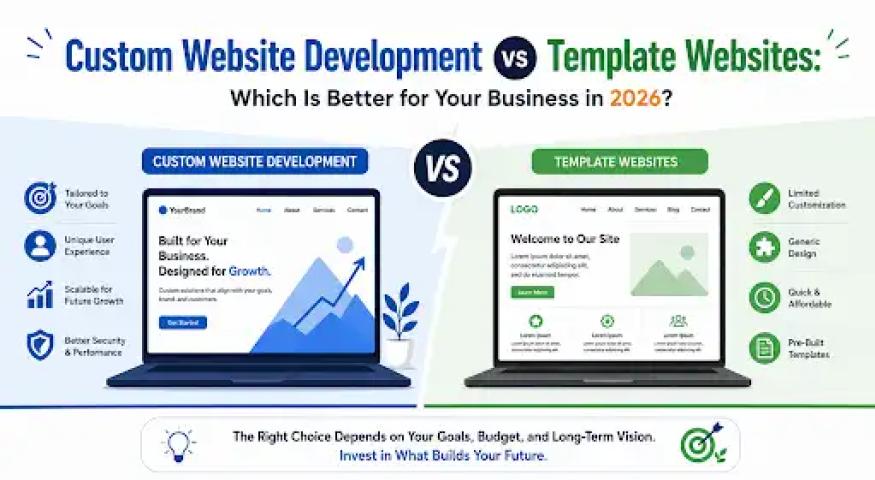
Off-the-Shelf vs Custom ERP
Generic ERP platforms work fine for standard processes. But many growing businesses have workflows that don’t fit a template — specific approval chains, industry-specific compliance needs, or unique reporting requirements.
Custom erp software development solves this by building the system around your actual operations instead of forcing your business to adapt to someone else’s template. That usually means:
- Fewer workarounds after launch
- Better adoption, since the system matches how people already work
- Integrations with tools you already use, instead of starting from scratch
What a Good ERP Partner Should Offer
Erp software development services worth considering should include:
- A proper discovery phase to understand your actual workflows, not just a feature checklist
- Clear data migration planning so existing records transfer accurately
- Role-based access and security built in, not bolted on later
- Ongoing support after launch, not just a handoff and goodbye
An established erp development company in India will walk you through each of these before quoting a price — if a vendor skips straight to numbers, that’s worth noticing.
Getting Started the Right Way
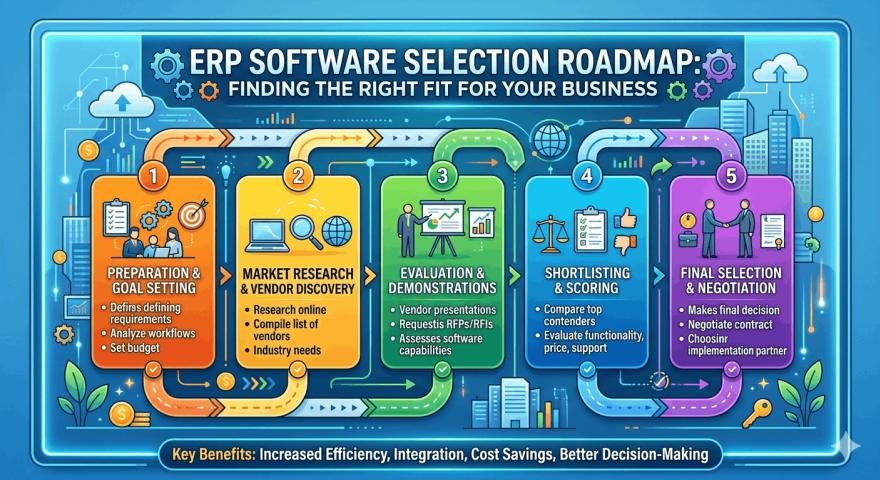
ERP isn’t just software — it’s the backbone connecting how your business actually runs. The businesses that get the most value typically start with a clear picture of their current pain points, then build or choose a system around those, rather than picking whatever’s popular.
Arobit works with growing businesses to map out exactly which modules matter first and builds from there, rather than pushing a one-size-fits-all package. If you’re exploring custom erp software development or comparing erp software development services, a short conversation about your current workflow is a useful starting point.
FAQs
What’s the difference between ERP and CRM software?
ERP manages internal operations — finance, inventory, HR, procurement. CRM focuses specifically on customer relationships and sales. Many businesses eventually need both, sometimes integrated together.
How long does ERP implementation usually take?
It depends on scope and complexity. A focused, modular rollout can take a few months, while larger systems with multiple integrations and data migration take longer.
Is ERP only for large enterprises?
No. Growing SMBs often benefit the most, since manual processes that worked at a smaller scale tend to break down first as the business expands.
Can ERP software integrate with tools we already use?
Yes, a well-built system — especially a custom one — should integrate with your existing accounting, communication, and industry-specific tools rather than replacing everything at once.
What’s the biggest mistake businesses make when choosing an ERP system?
Picking based on price or popularity without mapping actual workflows first. This usually leads to heavy customization later, which costs more than planning properly from the start.