QuickBooks is one of the most widely used accounting software tools globally. It's trusted by millions of small businesses, accountants, and enterprises for managing financial data. However, like any other software, QuickBooks is not immune to technical glitches and errors. That’s where the QuickBooks File Doctor Tool comes into play.
The QuickBooks File Doctor Tool is an essential utility designed to automatically diagnose and resolve a wide range of QuickBooks-related errors, including data corruption, network issues, and installation problems. This article will guide you on how to use the tool, its features, and its benefits in resolving QuickBooks issues.
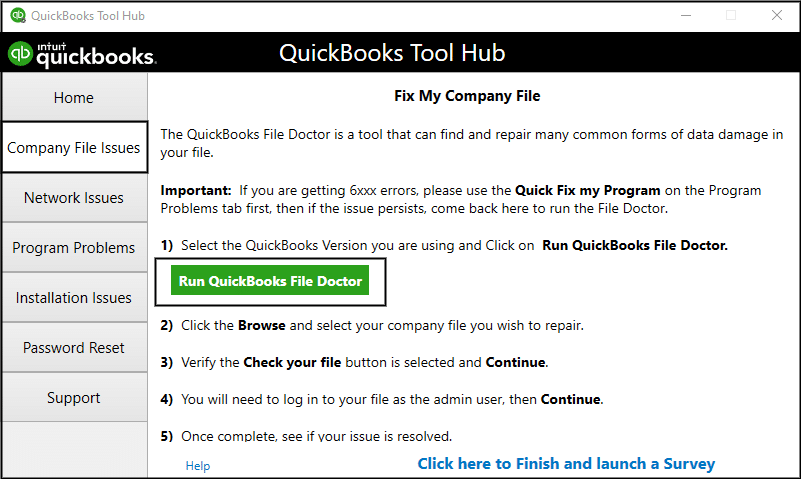
What Is QuickBooks File Doctor Tool?
QuickBooks File Doctor Tool is a free tool provided by Intuit, the creators of QuickBooks, to help users troubleshoot and resolve common issues with QuickBooks files. The tool is specifically designed to fix errors related to:
-
Data corruption: It helps repair damaged or corrupted company files, which are common sources of issues in QuickBooks.
-
Network problems: If your QuickBooks cannot access the company file across a network, the tool diagnoses and resolves these connectivity issues.
-
Error codes: It helps in resolving various error codes (like 6000 series errors) that prevent QuickBooks from functioning correctly.
-
File corruption during backup: The tool can repair backup file corruption issues that occur when trying to create a backup of your QuickBooks company file.
Common QuickBooks Errors That File Doctor Can Fix
QuickBooks File Doctor Tool is effective in resolving several critical errors, such as:
-
Error Code 6000: This error occurs when QuickBooks is unable to open the company file. It’s usually caused by incorrect file permissions or network issues.
-
Error Code 6210: It indicates a problem in multi-user mode, especially when QuickBooks cannot access the company file over the network.
-
Error Code 6144, 82: This is a network-related issue and occurs when users try to open a company file stored on a server from a remote system.
The File Doctor tool can automatically detect and correct these errors, allowing users to return to normal operations without manual troubleshooting.
How to Download and Install the QuickBooks File Doctor Tool?
Before using QuickBooks File Doctor, make sure that you have the correct version of the tool installed on your system. Here's how to download and install it:
-
Download QuickBooks File Doctor Tool:
-
Go to the official Intuit website to download the latest version of the tool.
-
-
Install the Tool:
-
After downloading the setup file, open it and follow the on-screen instructions to install the tool.
-
Once installed, launch the QuickBooks File Doctor Tool from the desktop shortcut.
-
How to Use the QuickBooks File Doctor Tool?
Using the QuickBooks File Doctor Tool is easy, thanks to its straightforward interface. Here’s a step-by-step guide to using the tool:
-
Launch the QuickBooks File Doctor Tool:
-
Open the tool by double-clicking its icon on the desktop.
-
-
Choose Your Company File:
-
In the tool’s interface, select the company file that is experiencing issues. You may need to browse to the location of the company file.
-
-
Run the Diagnosis:
-
Click on "Diagnose File" to start the diagnosis. The tool will automatically scan the file for errors and corruption.
-
-
Fix Errors:
-
Once the scan is complete, the tool will automatically attempt to fix any issues it detects, such as file corruption, network issues, or access permission errors.
-
-
Restart QuickBooks:
-
After the repair process is complete, restart QuickBooks and check if the issue has been resolved.
-
What Are the Benefits of Using QuickBooks File Doctor?
Here are some compelling reasons why QuickBooks File Doctor is an essential tool for QuickBooks users:
-
Saves Time and Effort:
-
Instead of manually troubleshooting complex QuickBooks errors, the File Doctor Tool automates the process, reducing the time spent on fixing issues.
-
-
Fixes a Range of Errors:
-
The tool can resolve multiple types of errors, including company file corruption, network errors, and installation issues. It eliminates the need for multiple solutions for different issues.
-
-
User-Friendly Interface:
-
QuickBooks File Doctor Tool is designed to be easy to use, even for non-technical users. The step-by-step process ensures that users can fix issues without needing advanced knowledge.
-
-
Free to Use:
-
Unlike some other third-party diagnostic tools, QuickBooks File Doctor is completely free to download and use, making it a cost-effective solution for QuickBooks users.
-
-
Prevents Data Loss:
-
QuickBooks File Doctor Tool is designed to fix issues without causing data loss, so your financial records remain safe during the repair process.
-
When Should You Use the QuickBooks File Doctor Tool?
While QuickBooks File Doctor is a powerful tool, it’s important to know when to use it. Here are some scenarios where you should consider running the tool:
-
When experiencing frequent crashes or performance issues in QuickBooks.
-
When you're unable to open the company file due to errors like the 6000 series or 6144.
-
When you cannot connect to the company file in multi-user mode.
-
When you encounter network-related issues that prevent QuickBooks from functioning.
Conclusion
The QuickBooks File Doctor Tool is a vital asset for any QuickBooks user facing errors, corruption, or connectivity issues. It’s an easy-to-use, time-saving tool that helps fix a variety of QuickBooks problems without requiring extensive technical knowledge. If you run into common QuickBooks issues, it’s always a good idea to give the QuickBooks File Doctor Tool a try before seeking professional help.
By resolving issues quickly, you can get back to focusing on your business’s financial health rather than dealing with software malfunctions. So, make sure to keep QuickBooks File Doctor in your troubleshooting toolkit!
What types of QuickBooks errors can the QuickBooks File Doctor Tool fix?
Answer:
The QuickBooks File Doctor Tool can resolve a wide variety of errors, including:
-
Data corruption in your company files.
-
Network issues when QuickBooks is unable to access a company file over a network.
-
Error codes such as 6000 series, 6144, and 82 that prevent QuickBooks from functioning correctly.
-
File corruption during backup creation.
-
Multi-user mode errors where QuickBooks cannot connect to a company file on a server.
The tool automatically diagnoses and repairs these issues, saving you time and effort in troubleshooting.
FAQ 2: Can I use QuickBooks File Doctor if I have QuickBooks installed on a networked system?
Answer:
Yes, the QuickBooks File Doctor Tool is specifically designed to handle network-related issues. If you're using QuickBooks in a multi-user setup and encounter problems like being unable to open or access your company file over the network, QuickBooks File Doctor can help.
You can run the tool on both the system where the company file is stored (server) and the remote systems accessing it. The tool will diagnose and fix network connectivity issues, allowing QuickBooks to function normally again.
FAQ 3: Is QuickBooks File Doctor free to use?
Answer:
Yes, the QuickBooks File Doctor Tool is completely free to download and use. It is provided by Intuit as a solution to help users quickly diagnose and fix common QuickBooks errors, saving you from costly technical support or third-party software. Simply download it from the official Intuit website, install it, and use it to troubleshoot your QuickBooks issues without any charges.
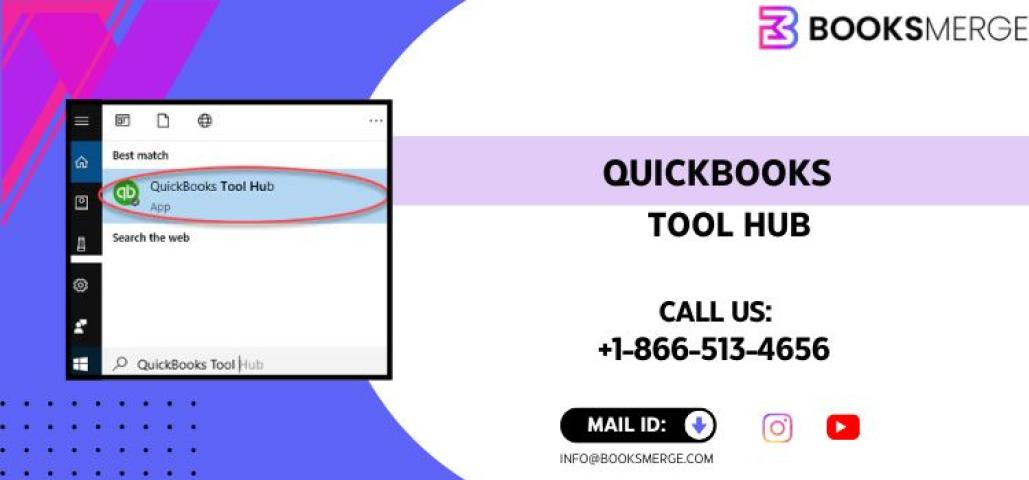
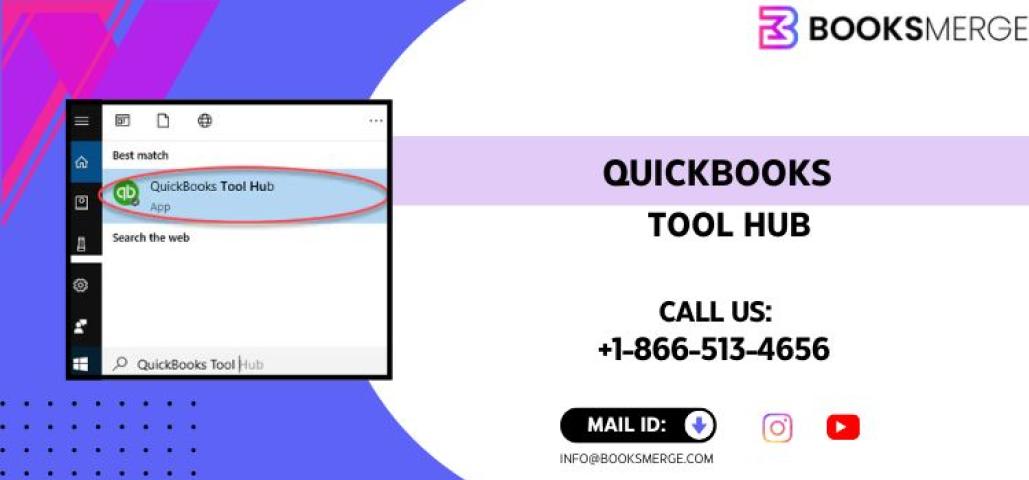
Read More:- QuickBooks Tool Hub