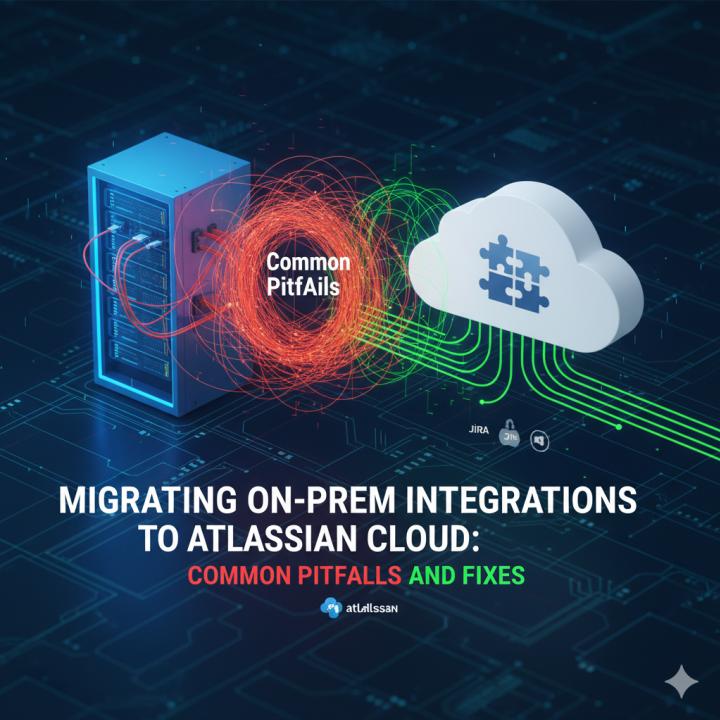
Many enterprises are transitioning from on-prem Atlassian tools to the cloud to leverage improved scalability, security, and seamless updates. With this shift, integrations between tools like Jira, Confluence, Bitbucket, and other systems must also migrate effectively to maintain workflow continuity. Organizations often face challenges during this process, which can lead to broken workflows, data inconsistencies, and reduced productivity.
Using Atlassian integration services, companies can ensure a structured approach to migration, mitigate risks, and maintain operational efficiency. This blog explores common migration pitfalls and provides practical fixes to ensure a smooth cloud transition.
1 . Why Enterprises Are Moving from On-Prem to Atlassian Cloud
The adoption of Atlassian Cloud offers multiple advantages for enterprises seeking flexibility, better collaboration, and reduced IT overhead. Cloud deployments automatically receive updates, ensuring organizations are always on the latest versions of Jira, Confluence, and other Atlassian tools.
Integrations become more flexible, allowing enterprises to connect cloud-native apps and third-party systems efficiently. Cloud adoption trends in 2025 indicate that enterprises prioritizing remote work, scalability, and digital transformation increasingly favor Atlassian Cloud.
Key Benefits:
Automatic updates and reduced IT maintenance
Global access for remote teams
Easier integration with cloud-based third-party tools
Enhanced security and compliance
2 . Common Challenges in Migrating On-Prem Atlassian Integrations
Migrating integrations to the cloud is not without challenges. Many workflows and custom automation scripts built on on-prem platforms may break or require reconfiguration in the cloud environment. Data migration can also be complex, especially for large volumes of historical data, attachments, and comments.
Additionally, APIs and plugins may behave differently in the cloud, necessitating adjustments to maintain functionality. Enterprises often struggle to synchronize data with third-party tools post-migration, which can impact reporting and team productivity.
Common Migration Issues:
Broken workflows and automation scripts
Data migration inconsistencies (attachments, comments, history)
API and plugin incompatibilities
Integration failures with external tools
3 . Pre-Migration Checklist for a Smooth Transition
Preparation is key to minimizing migration risks. Enterprises should conduct a thorough audit of existing workflows, integrations, and customizations before starting the cloud migration process. Backing up all critical data, including Jira projects and Confluence spaces, is essential to prevent data loss.
Defining KPIs and success criteria ensures that post-migration performance can be accurately measured. Testing in a sandbox environment before full deployment helps identify potential issues early and allows for corrective actions.
Checklist for Migration Preparation:
Audit all integrations, add-ons, and custom workflows
Backup Jira projects, Confluence spaces, and attachments
Identify critical workflows and integrations for testing
Define KPIs and success metrics for migration success
4 . Step-by-Step Migration Approach
A systematic approach ensures a smooth transition to Atlassian Cloud. Start with an assessment and planning phase, where workflows and integrations are mapped and analyzed. Next, create a sandbox environment to test migration and validate critical processes before full execution.
The execution phase should be incremental, migrating critical projects and integrations first to minimize downtime. Post-migration validation ensures that all workflows and integrations are functioning as intended and that users can operate without disruption.
Migration Steps:
Assessment & Planning: Map workflows and integrations
Sandbox Testing: Migrate a test environment for early detection
Execution: Perform incremental migration to reduce downtime
Validation: Test integrations and workflows post-migration
5 . Common Pitfalls and How to Fix Them
Even with careful planning, enterprises can encounter several issues during migration. Broken integrations can be resolved by leveraging Atlassian Connect apps or custom Forge apps. Data loss or mismatches can be prevented by running validation scripts and conducting thorough audits.
Performance issues post-migration can often be addressed by optimizing add-ons, workflows, and automation rules. User adoption challenges may arise, which can be mitigated through proper training, documentation, and change management.
Pitfalls & Fixes:
Broken integrations → Use Atlassian Connect or Forge apps
Data loss or mismatch → Implement validation scripts and audits
Performance issues → Optimize add-ons and workflows
User adoption challenges → Provide training and documentation
6 . Best Practices for Post-Migration Success
Ensuring continued success post-migration requires ongoing monitoring and optimization. Teams should regularly track workflow performance and integration efficiency. Automating repetitive tasks with Atlassian automation and APIs reduces manual effort and minimizes errors.
Maintaining documentation of all integrations and gathering user feedback helps in iterative improvement. Continuous monitoring allows enterprises to proactively address issues and optimize workflows for maximum productivity.
Post-Migration Best Practices:
Monitor workflows and integration performance regularly
Automate routine tasks using Atlassian automation
Maintain documentation for all integrations
Gather feedback and optimize workflows iteratively
Conclusion
Migrating on-prem Atlassian integrations to the cloud can transform enterprise workflows, offering scalability, flexibility, and improved collaboration. While challenges such as broken integrations, data inconsistencies, and user adoption issues are common, a structured approach ensures minimal disruption.
Partnering with experts helps mitigate risks, streamline workflows, and unlock the full potential of cloud-based Atlassian tools. For organizations seeking seamless cloud migration and integration, professional Atlassian integration consulting ensures a successful transition with optimized business outcomes.