Most hospitals today are under pressure, with phone lines staying busy, patients expecting instant replies, and teams already short‑staffed.
People are used to chat, 24/7 support, and quick answers in every other part of their life.
So when a hospital makes them wait on hold for 15 minutes just to ask “Is my doctor available today?”, it feels outdated.
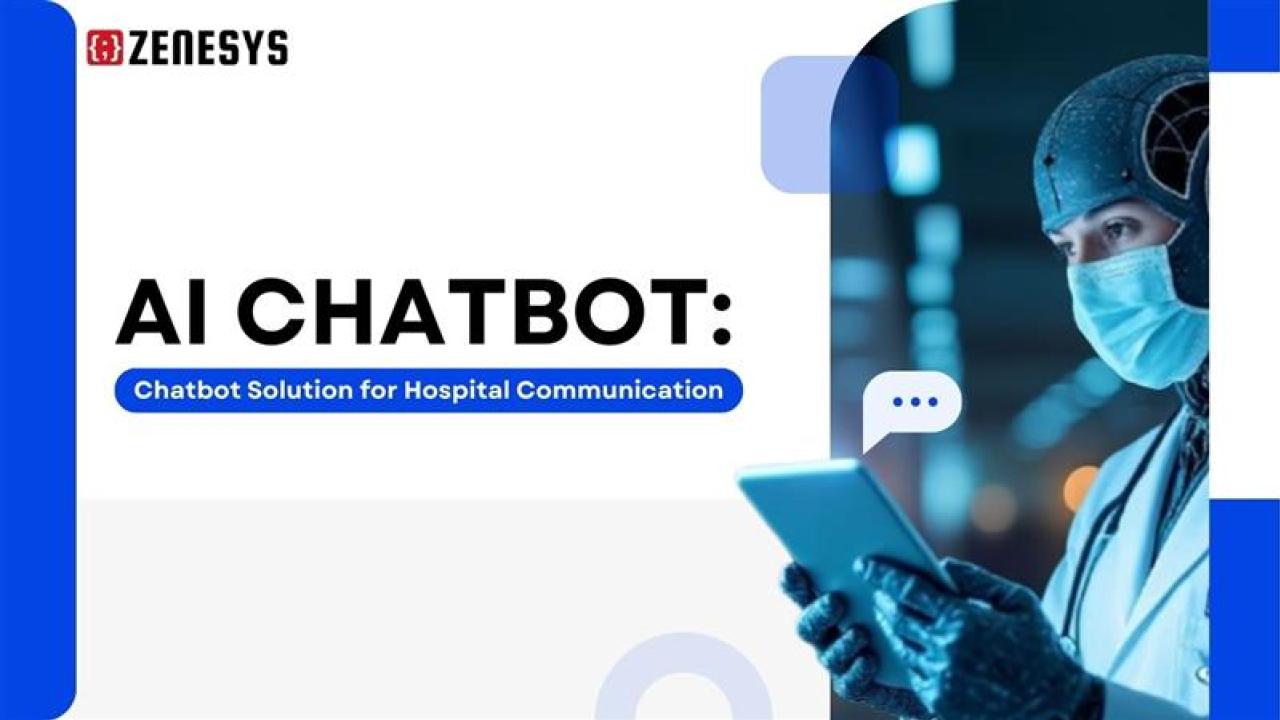
That is where a smart, well-designed AI chatbot for hospital communication comes in.
Simply put, a chatbot acts like a first-line assistant for your hospital.
It helps patients find answers, book appointments, ask simple medical questions, and reach the right department faster.
Why does this matter right now?
Because healthcare demand is growing, but staff capacity is not growing at the same speed.
Reports show that AI chatbots in hospitals can handle a large share of routine queries, which means staff can focus on real clinical work instead of repeating the same answers all day.
The point is, chatbots are not a “nice-to-have toy” anymore.
They are becoming basic infrastructure for modern hospital communication.
However, the problem is that many hospitals still see chatbots as a tech gadget rather than a service channel.
They launch a generic widget on the website and then wonder why nobody uses it.
Or they buy a rigid solution that cannot talk to their existing systems, and the project quietly dies.
If your hospital is thinking about outsourcing web or digital development, this is the right time to think about your chatbot as part of that plan, not an add-on later.
A good development partner can build or integrate a chatbot that works across your website, patient portal, and even messaging channels, instead of yet another disconnected tool.
This guide walks through what an AI hospital chatbot actually does, why it matters for patient and staff experience, and how to design, build, or outsource it in a way that pays off.
No fluff.
Just clear, practical input so you can decide what fits your hospital.
Key takeaways
An AI chatbot can handle routine patient questions, appointment requests, reminders, and simple triage so staff can focus on higher-value tasks.
Chatbots only work well when they are connected to your existing systems like EHR/HIS, scheduling, and billing—not when they run as an isolated widget.
The main benefits for hospitals are lower call volume, better patient experience, fewer no‑shows, and clearer communication across departments.
For outsourced projects, the chatbot must be treated as part of the digital ecosystem (website, portal, CRM), not a side project handed to a different vendor.
The “right” chatbot scope for you depends on your goals: patient communication, internal workflows, or both—trying to do everything at once usually leads to poor adoption.
What is an AI chatbot for hospital communication?
Think of a hospital chatbot as a virtual front-desk assistant that never sleeps. It sits on your website, portal, or messaging channels and answers common questions from patients, families, and sometimes even staff.
Simply put, it is software that can understand what a person types or says and reply in natural, simple language.
It can help with tasks like:
Answering FAQs about visiting hours, insurance, and services.
Helping people find the right department or doctor.
Suggesting available time slots and booking appointments.
Sending reminders or follow-up messages after a visit.
Routing urgent or complex queries to human staff or call centers.
A good chatbot does not try to replace doctors; it simply takes pressure off the front desk, call center, and patient support teams by handling the constant flow of simple questions.
Why hospital communication is broken today
If you work inside a hospital, none of this is news—you probably see the pain points every day.
Here is what usually goes wrong:
Phone lines are overloaded, especially during peak hours.
Patients repeat the same questions to different departments.
Staff answer the same basic queries over and over.
Information across website, IVR, and front desk is often inconsistent or outdated.
People miss appointments because they forget, not because they do not care.
Why it hurts: patients feel ignored or confused, staff feel drained doing low‑value repetitive work, and leadership sees rising costs without a clear way to scale communication.
Chatbots cannot fix every issue. But they can take a big chunk of the “simple-but-time-consuming” workload away from humans.
What a hospital chatbot should (and should not) do
A useful chatbot focuses on clear, safe, repeatable tasks. When you design or outsource one, start with a tight, realistic scope.
“Should do” tasks
Simple triage questions with clear disclaimers.
Provider search by specialty, location, or language.
Appointment search, booking, and rescheduling.
Pre-visit instructions and paperwork links.
Post-visit follow-up messages and feedback collection.
Directions, parking, and visiting policy information.
“Be careful” or “not ideal” tasks
Giving final medical diagnosis or treatment decisions.
Overriding clinical advice from human providers.
Handling sensitive mental health or emergency cases without clear escalation rules.
Chatbot is great for structured, repeatable communication, while anything that needs deep clinical judgment should go straight to a human.
How AI chatbots support patient communication
A hospital chatbot can quietly become the “front door” to your services online.
Here are the main ways it helps patients.
1. 24/7 answers
Patients do not think in office hours; questions come up at night, during work breaks, or over weekends.
A chatbot can answer basic questions any time:
“What time does the lab open tomorrow?”
“Do you accept my insurance provider?”
“Where is the pediatric wing located?”
Simply put, it keeps your hospital “reachable” even when staff are not available.
2. Appointment discovery and booking
Most patients just want to know two things: who can see them, and when.
A chatbot can guide them step by step:
Ask why they are visiting.
Suggest relevant departments or providers.
Show open time slots.
Complete booking or send them to a human when needed.
This reduces back-and-forth calls and frees up front-desk staff.
3. Reminders and follow-ups
Missed appointments are expensive for hospitals and frustrating for patients, and simple reminders through chat can change that.
A chatbot can:
Remind patients of upcoming visits.
Share pre-visit instructions (fasting, documents, etc.).
Send follow-up links for feedback or post-care instructions.
The point is, the experience feels supported, not forgotten.
How chatbots help hospital staff and operations
From the inside, a chatbot is not just a patient feature; it is a way to clean up the constant noise around communication.
1. Lower repetitive workload
Front-desk and call center teams spend a big part of the day answering the same few questions, and when a chatbot handles those, staff have more time for complex or sensitive cases.
That leads to:
Less burnout from repetitive tasks.
Shorter wait times on the phone.
Better quality of human interactions when needed.
2. Clearer routing and escalation
Instead of guessing which department should handle a query, the chatbot can follow rules.
For example:
Billing questions go to the finance team.
Surgery prep questions go to a specific nurse helpline.
Urgent symptoms trigger advice to call emergency services.
This reduces internal confusion and improves response consistency.
3. Better data for decision-making
Every question a patient asks is a data point, and when chatbots log those questions, leadership gets a clearer view of what people struggle with.
Hospitals can then:
Update website content around top questions.
Adjust IVR menus to match real needs.
Refine patient education materials.
Use cases when you outsource web development
Many hospitals do not build these systems in-house; they outsource web development, portal design, or broader digital work to external partners.
Here is where things go wrong:
The website is built by one vendor, the chatbot by another, and the hospital’s IT team is left in the middle.
The result is a chatbot that looks nice but does not talk to your main systems.
If you are outsourcing, think about the chatbot in three layers:
Patient experience layer – The chat interface on your site, portal, or app.
Logic layer – The actual “brain” of the chatbot: flows, AI model, rules.
Integration layer – Secure connections to EHR/HIS, scheduling, CRM, billing.
When you hire a development partner, your scope should clearly cover all three.
Leaving integration out of the contract is one of the fastest ways to ruin chatbot ROI.
Why hospitals should seriously consider chatbots now
So why should a hospital make this part of its current digital roadmap, not a “future project”?
Patient expectations are shaped by consumer apps like banking, shopping, and travel.
Staff shortages are real and not going away soon.
Regulations and quality standards push for better patient communication and access.
Web and portal redesign projects are already happening, and chatbots fit naturally into that moment.
The question is no longer “Should we use a chatbot?”—it is “What should our chatbot do, and how do we build it safely and usefully?”
Key capabilities to look for in a hospital chatbot
When you talk to vendors or your development partner, focus less on buzzwords and more on practical capabilities.
Important features:
Natural language understanding: The bot should understand normal, messy patient language, not just exact keywords.
Multilingual support: Hospitals often serve diverse communities. Language support is not optional.
Omnichannel access: Website chat, patient portal, and possibly messaging or voice channels should all connect to the same brain.
Integration with EHR/HIS and scheduling: This is what turns the bot from a FAQ tool into a real assistant.
Clear human handoff: When the bot is not sure, it must know how to hand over to a person gracefully.
Security and compliance: Healthcare data is sensitive. The bot must follow HIPAA and local regulations.
If a proposal sounds impressive but cannot answer “How will this connect to your existing systems and workflows?”, treat that as a red flag.
How to plan a hospital chatbot project
Outsourcing does not mean “hand it off and hope for the best”; you still need a clear plan inside the hospital.
Step 1: Define why you are doing this
Start with 2–3 clear goals, such as:
Reduce call center load by a realistic percentage.
Improve appointment booking completion rates.
Provide 24/7 answers to top 20 patient questions.
Without a clear “why”, the project will drift and you will chase features instead of outcomes.
Step 2: Map your communication flows
Sit with front-desk staff, nurses, and call center teams.
Ask them:
What questions do you hear every day?
Which ones take the most time but need the least judgment?
Which ones are risky and must stay with humans?
Turn that into a list of conversation flows that the chatbot will handle.
This becomes the base for your vendor brief.
Step 3: Decide where the chatbot will live
Common placements:
Main hospital website.
Patient portal or app.
Specific landing pages (for example, maternity or cardiology).
Make sure the chatbot is clearly visible but not annoying; the experience should feel like an option, not a pop-up that shouts over everything.
Step 4: Align with IT and compliance early
Do not wait until the last minute to talk to IT and compliance.
Topics to align on:
Data storage and encryption.
Audit trails and logging.
How to handle PHI in chat conversations.
Retention policies for chat history.
If you are outsourcing, include your IT and compliance people in vendor calls from day one.
Step 5: Choose build vs. buy (or a mix)
There are three broad options:
Using a pre-built healthcare chatbot platform.
Building a custom bot with a development partner.
Combining a platform with custom integrations and flows.
Pre-built tools can get you live faster but may limit how deeply you integrate; custom builds give you more control but require stronger technical leadership and a long-term maintenance plan, so the right choice usually depends on your internal capacity and how unique your workflows are.
How to work with an outsourced development partner
If your hospital is already planning or running an outsourced web or portal project, the chatbot should be part of that same program.
Be specific in your brief
Instead of saying “We need a healthcare chatbot”, say:
“We want a chatbot that handles these 10 top queries.”
“It must integrate with our scheduling system and EHR vendor X.”
“It must support English and one or two key local languages.”
A clear scope helps vendors give accurate proposals and prevents scope creep later.
Ask the right technical questions
Good questions to ask in vendor meetings:
How does your solution connect to our current EHR/HIS and portal?
What security and compliance standards do you follow?
How will you handle handoff from chatbot to human agent?
Who owns the training data and chat logs?
How do we update conversation flows without writing code every time?
You are not buying pure “AI magic”; you are buying a long‑term communication channel, so you should ask long‑term questions.
Plan content and training as part of the project
Chatbots are not only a tech build; they are also a content and training project.
You will need to:
Write clear answers for FAQs in simple language.
Align medical content with clinical leaders.
Train staff on when and how to trust or override the bot.
If this part is left to “later”, the chatbot will launch with weak content and quickly lose trust.
Safety, ethics, and trust
Healthcare is not the same as retail or travel; people are often scared, in pain, or simply looking for reassurance.
That means your chatbot must be designed with safety in mind:
Clear disclaimers on what it can and cannot do.
Strong rules around emergencies: always direct to emergency services.
Limits on sensitive topics like mental health or self-harm.
Transparent escalation to human staff when the bot is unsure.
Trust is earned over time, and if the chatbot gives even a few confusing or risky answers patients and staff will avoid it, so technical accuracy and clinical review are not “extra steps” but a core part of making the tool safe enough to use in real care.
Measuring success: what to track
If you do not measure, you will not know if the project is working.
Useful metrics include:
Number of conversations per day or month.
Completion rate of key flows, like appointment booking.
Reduction in call volumes for basic queries.
No-show rates before and after adding chatbot reminders.
Patient satisfaction scores about “ease of getting information”.
Review these with your partner regularly and decide what to improve; a chatbot is not a one-time launch but a channel you keep tuning.
Common mistakes to avoid
Many failed chatbot projects share the same patterns.
Watch out for:
Launching a generic bot without healthcare focus or clinical input.
Skipping integration and settling for a FAQ-only chatbot.
Underestimating content work and patient education.
Treating the chatbot vendor as separate from your main web or portal project.
Ignoring staff training and feedback loops.
The problem is, once people decide “this thing is useless”, it is very hard to bring them back.
So it is better to launch smaller but reliable, then grow, rather than overpromise and underdeliver.
How to decide if your hospital is ready
Not every hospital is at the same stage.
Some still struggle with basic website content; others already run portals and telehealth.
You are usually ready for a chatbot if:
You have clear, repeated questions from patients today.
You already have digital systems for appointments and records.
You are planning or running an outsourced web, portal, or app project.
You have at least some internal IT and clinical champions for digital tools.
If these are not in place yet, your first step may be to stabilize your basic digital channels, then bring in a chatbot.
Final thoughts: Treat chatbots like a service, not a widget
Simply put, a hospital chatbot is a service channel.
It sits alongside phone, email, and in-person desks.
If you treat it as a tiny add-on to your website, that is exactly what you will get: a small, underused feature.
If you treat it as part of how your hospital communicates, you can reduce pressure on staff and help patients feel supported from the first contact.
For hospitals outsourcing their web development, this is a smart time to act.
Bring the chatbot into the conversation early, focus on real use cases, insist on proper integration, and keep the language simple and human.
The point is not to chase the latest buzzword.
The point is to make it easier for people to reach care when they need it—and to help your teams spend their time where it matters most.