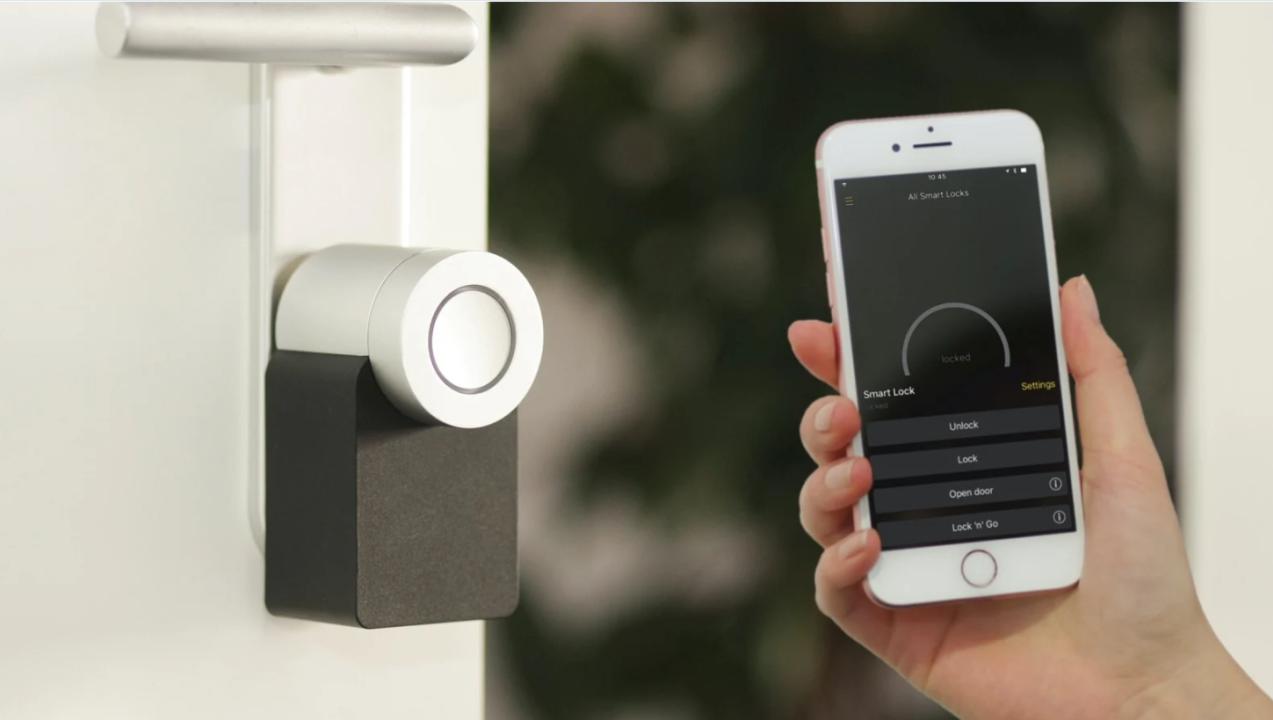
In the age of connected homes, we expect smart devices to operate seamlessly around the clock. Yet, many homeowners encounter a frustrating phenomenon: devices that work perfectly during the day but fail, slow down, or behave unpredictably after nightfall. From smart thermostats and security sensors to HVAC systems and lighting controls, this “after-dark” reliability gap raises important questions about hardware design, control logic, and environmental resilience.
One particularly common manifestation involves heat pump systems that operate normally in daylight but experience fan failures or reduced performance at night. For homeowners facing this issue, exploring Heat Pump Fan Not Spinning provides valuable insight into why smart hardware sometimes struggles during cooler evening hours.
Understanding the causes of these nighttime reliability gaps is essential not only for troubleshooting but also for planning maintenance, selecting systems, and designing smarter homes.
Why Smart Home Hardware Fails After Dark
Several factors contribute to reliability gaps that only appear at night. Unlike daytime failures, these issues often emerge from subtle interactions between environmental conditions, system design, and control logic.
1. Temperature and Environmental Sensitivity
Many smart home devices include mechanical components, sensors, or electronics that are temperature-sensitive. Nighttime often brings:
Lower ambient temperatures, which can affect fans, motors, or relays
Condensation or humidity changes, leading to intermittent sensor errors
Reduced natural airflow, which can increase heat buildup inside devices
For example, a heat pump fan may function perfectly during the warmer daytime but struggle to start when temperatures drop, highlighting marginal tolerances in components.
2. Power Supply and Voltage Variations
Electrical characteristics in homes can fluctuate between day and night. At night:
Certain appliances cycle on or off, causing brief voltage drops or spikes
Older wiring may deliver inconsistent voltage under lower loads
Protective circuits in smart devices may trigger unexpectedly
Sensitive smart hardware may interpret these variations as faults, shutting down or entering a protective mode until conditions stabilize.
3. Control Logic and Energy-Saving Features
Many smart devices rely on programmed schedules, adaptive algorithms, or energy-saving modes. These may include:
Nighttime fan speed reduction in HVAC systems
Sleep mode activation in thermostats or lighting systems
Delayed responses in security or automation devices to reduce power consumption
While these features are intended to optimize energy use, they can appear as performance gaps to users if the system does not respond as expected.
4. Integration and Network Dependency
Smart home devices often depend on Wi-Fi, Zigbee, or Z-Wave networks to communicate. Nighttime issues can be exacerbated by:
Router or network hardware entering low-power or maintenance modes
Increased interference from other wireless devices in the home
Network congestion from simultaneous activity (streaming, charging, automated routines)
These factors may lead to delayed commands, device unresponsiveness, or intermittent failures that only appear after dark.
Common Hardware Affected by Nighttime Reliability Gaps
HVAC Systems
Heat pumps and smart furnaces are among the most reported examples. Fans may fail to start, compressors may operate less efficiently, or thermostats may fail to maintain set temperatures. This is often a combination of temperature sensitivity, control logic, and mechanical wear.
Smart Sensors
Motion detectors, door/window sensors, and temperature sensors may enter low-power modes at night. Reduced battery efficiency and signal interference can result in missed events or false alerts.
Smart Lighting
Smart bulbs and connected switches may flicker or fail to respond due to delayed communication with hubs, firmware updates scheduled overnight, or voltage fluctuations.
Home Security Devices
Cameras, alarms, and automated locks can fail to record or transmit alerts if network performance dips or devices misinterpret environmental signals like low light, temperature, or humidity.
Diagnosing and Mitigating Nighttime Failures
Addressing reliability gaps requires a structured approach:
1. Monitor Patterns
Keep a log of device behavior, noting the time, temperature, and network activity. Identifying consistent patterns can reveal underlying causes.
2. Inspect Hardware
Check for dust, debris, or mechanical wear in fans, motors, or moving components. Verify that ventilation and clearance are sufficient to prevent overheating.
3. Evaluate Environmental Factors
Consider temperature, humidity, and airflow around devices. For HVAC units, outdoor conditions and ambient air movement may impact performance at night.
4. Review Control Settings
Adjust schedules, sleep modes, or energy-saving features. Confirm that devices are not programmed to reduce performance during nighttime hours.
5. Examine Power Supply
Voltage instability or insufficient surge protection can trigger device protection modes. Consider installing surge protectors, dedicated circuits, or uninterruptible power supplies (UPS) for critical devices.
6. Check Network Health
Ensure routers, hubs, and mesh networks maintain consistent connectivity. Relocate devices if interference or weak signal strength is affecting performance.
7. Consult Professionals
Complex devices, particularly HVAC systems, may require professional inspection. Technicians can assess mechanical components, refrigerant levels, control logic, and electrical circuits to identify failures that are not apparent during daytime operation.
Lessons from Nighttime Reliability Gaps
Nighttime failures offer insights beyond immediate troubleshooting:
Control logic can unintentionally affect perceived reliability: Energy-saving features may appear as failures.
Design margins matter: Components operating near tolerance limits during cooler nighttime conditions are more likely to fail.
Environmental conditions are critical: Temperature, humidity, and airflow influence device performance.
Maintenance is preventive: Regular checks prevent minor issues from becoming disruptive.
By understanding these lessons, homeowners can make informed choices about system upgrades, device placement, and maintenance strategies.
Preventive Strategies for Consistent Performance
Schedule routine inspections for HVAC and other smart hardware
Monitor and calibrate sensors regularly
Adjust energy-saving features to balance efficiency and reliability
Ensure proper ventilation and avoid obstructing airflow
Protect devices with surge protection and stable power sources
Maintain strong and consistent network connectivity for smart devices
Conclusion
The reliability gap in smart home hardware that emerges after dark is rarely a sign of random malfunction. Instead, it reflects the interaction between environmental conditions, control logic, network dependency, and mechanical limitations. Recognizing these patterns allows homeowners and technicians to approach problems methodically, distinguishing between true hardware failures and predictable operational adjustments.
For those experiencing heat pump fan issues at night, understanding the underlying mechanics and control logic through resources like Heat Pump Fan Not Spinning can provide actionable insights. By combining careful observation, preventive maintenance, and professional guidance, it’s possible to ensure that smart home devices remain reliable—day and night.