
Your website should be your best salesperson, working around the clock to convert visitors into customers. But if your conversion rates are disappointing, the problem might not be your product or service. Often, it's simple website design mistakes that drive potential customers away before they even consider buying from you.
Understanding how a website can help your business grow starts with avoiding these common pitfalls. Let's explore the top design mistakes that could be costing you sales and how to fix them.
1. Slow Loading Speed
Nothing kills conversions faster than a slow website. If your pages take more than three seconds to load, you're losing visitors before they even see your content. People expect instant results, and every extra second of loading time increases your bounce rate dramatically.
Optimize images, minimize code, and use reliable hosting to keep your site fast. Speed isn't just about user experience, it also affects your search engine rankings.
2. Confusing Navigation
When visitors can't find what they're looking for quickly, they leave. Complex menus with too many options, unclear labels, or hidden navigation elements frustrate users and hurt conversions.
Keep your navigation simple and logical. Use clear category names that make sense to your audience. Your main menu should guide visitors to important pages in two clicks or less.
3. Missing or Weak Call-to-Action Buttons
If visitors don't know what action to take next, they won't take any action at all. Buttons that blend into the background, vague text like "Click Here," or missing CTAs entirely are serious website design mistakes.
Make your call-to-action buttons stand out with contrasting colors. Use action-oriented text that tells users exactly what happens when they click, like "Get Your Free Quote" or "Start Your Trial."
4. Poor Mobile Experience
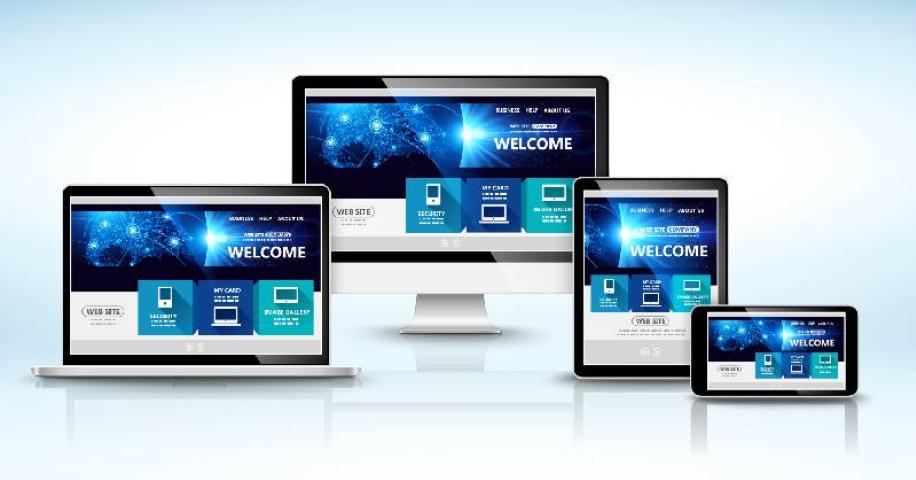
Over half of web traffic comes from mobile devices. If your website doesn't work smoothly on smartphones and tablets, you're automatically losing a huge portion of potential customers.
Test your website on different devices and screen sizes. Buttons should be easy to tap, text should be readable without zooming, and pages should adjust properly to different screen dimensions.
5. Too Much Text Without Visual Breaks
Large blocks of text overwhelm visitors and make your content look intimidating. People scan websites rather than reading every word, so walls of text get ignored completely.
Break up your content with headings, short paragraphs, bullet points, and images. White space isn't wasted space, it makes your content easier to digest and more inviting to read.
6. Auto-Playing Videos or Music
Few things annoy website visitors more than unexpected sounds blasting from their speakers. Auto-playing media is disruptive, especially for people browsing at work or in public spaces.
Let users choose when to play videos or audio. If you must include video content, make it click-to-play with visible controls. This small change can significantly reduce bounce rates.
7. Overwhelming Pop-Ups
While pop-ups can be effective when used correctly, bombarding visitors with multiple pop-ups within seconds of arriving drives them away. Exit-intent pop-ups, newsletter sign-ups, discount offers, and chat windows all appearing at once creates a terrible user experience.
Limit pop-ups to one per visit and time them carefully. Consider showing them after users have spent some time on your site or when they're about to leave, not immediately upon arrival.
8. Lack of Trust Signals
Online shoppers are cautious about where they spend their money. Websites without trust signals like security badges, customer reviews, contact information, or clear return policies struggle to convert visitors into customers.
Display testimonials prominently, show security certifications, include real customer photos if possible, and make your contact details easy to find. These elements build credibility and confidence.
9. Outdated Design
An outdated website sends the wrong message about your business. If your design looks like it's from 2010, visitors might question whether your products or services are current and relevant.
Modern, clean design doesn't have to be complicated. Piceci Services specializes in creating contemporary website designs that look professional while remaining user-friendly. Refreshing your design can instantly boost credibility and conversions.
10. Ignoring Accessibility
Websites that aren't accessible exclude potential customers with disabilities. Poor color contrast, missing alt text on images, tiny fonts, and keyboard navigation issues are common website design mistakes that limit your audience.
Design with accessibility in mind from the start. Use sufficient color contrast, add descriptive alt text to images, ensure reasonable font sizes, and make sure all features work with keyboard navigation.
Fixing These Mistakes Drives Results
Each of these design mistakes might seem small individually, but together they create significant barriers between your business and potential customers. The good news is that fixing them doesn't require a complete website overhaul.
Start by identifying which mistakes affect your site most severely. Use analytics to see where visitors drop off, then prioritize improvements based on impact. Even small changes can lead to noticeable improvements in conversion rates.
Piceci Services helps businesses identify and fix these critical design issues, creating websites that not only look great but actually convert visitors into customers. Their team understands that effective web design balances aesthetics with functionality and user experience.
Transform Your Website Into a Conversion Machine
Don't let these common design mistakes cost you valuable customers and revenue. Every visitor to your website is an opportunity, and your design should help convert those opportunities into sales.
Ready to fix the website design mistakes hurting your business? Contact Piceci Services today for a professional website audit. Their expert team will identify exactly what's holding your site back and create a strategic plan to boost your conversions.
Your competitors are already optimizing their websites. Don't get left behind. Take action now and turn your website into the powerful business tool it should be. Get in touch with Piceci Services and start seeing real results from your online presence.
Frequently Asked Questions
Q: What's the biggest website design mistake?
A: Slow loading speed is the most critical mistake because it affects everything else. Visitors won't experience your other features if they leave before your page loads.
Q: How do I know if my website has design problems?
A: Check your analytics for high bounce rates and low conversion rates. User testing and feedback also reveal design issues you might not notice yourself.
Q: Can small design changes really improve conversions?
A: Absolutely. Simple changes like improving button visibility, speeding up loading times, or simplifying navigation can significantly boost conversion rates.
Q: How often should I update my website design?
A: Review your design every 2-3 years to ensure it stays current. However, make smaller improvements and optimizations continuously based on user behavior data.
Q: Do I need to hire professionals to fix design mistakes?
A: While some fixes are simple DIY tasks, complex issues benefit from professional expertise to ensure proper implementation and optimal results.
Q: What's the first step to improving my website?
A: Start with a speed test and mobile responsiveness check. These two factors affect user experience most directly and have quick, measurable impacts.