Introduction
Keeping your vehicle legally
compliant in Uttar Pradesh goes beyond just having a valid driving license and
insurance. One critical requirement is ensuring that your up
road tax is paid and up to date. Fortunately, with the digitization of
transport services, you can now check your vehicle road tax status online in UP
within minutes, making it easier than ever to stay compliant with regulations
under the Motor Vehicles Act 1988.
In this detailed guide, we will walk
you through the complete process, explain why it matters, and share expert
insights from an insurance perspective to help you stay fully compliant.
What
Is Vehicle Road Tax in Uttar Pradesh?
Road tax is a mandatory fee levied
by the state government under the Motor Vehicles Act 1988. It allows you to
legally drive your vehicle on public roads and contributes to the development
and maintenance of infrastructure.
In Uttar Pradesh, road tax is
usually paid:
- As a one-time payment for private vehicles
- Annually or periodically for commercial vehicles
What
Is Road Tax Status?
Road tax status indicates whether
your vehicle tax is:
- Paid and valid
- Pending or unpaid
- Expired
Checking this status regularly helps
you avoid penalties and ensures your vehicle documents are always in order.
Why
You Should Check Road Tax Status Regularly
From an insurance and compliance
standpoint, this is not something to overlook.
Key
Reasons:
- Avoid fines and legal penalties
- Ensure smooth insurance claim processing
- Maintain valid vehicle registration
- Prevent issues during resale or transfer
If your road tax is unpaid, it can
lead to complications not only with authorities but also during insurance
claims.
How
to Check Vehicle Road Tax Status in UP Online
Digital platforms have made the
process simple and accessible.
Method
1: Using the Parivahan Sewa Portal
This is the most reliable method for
checking vehicle details across India.
Step-by-Step
Process:
- Visit the Parivahan Sewa portal
- Click on “Vehicle Related Services”
- Select “Uttar Pradesh” as your state
- Enter your vehicle registration number
- Complete captcha verification
- Click on “Search Vehicle Details”
You
Will See:
- Road tax payment status
- Registration validity
- Vehicle details
- Insurance information
Method
2: UP Transport Department Portal
You can also check status through
the state-specific transport website.
Steps:
- Open the UP transport portal
- Enter vehicle number
- View tax and registration details
This option may provide more
localized information.
Method
3: Mobile App Access
For quick access, use
government-supported mobile apps like:
- mParivahan
Steps:
- Download and install the app
- Register using your mobile number
- Enter vehicle registration number
- View complete vehicle details including tax status
Information
You Can Check Online
Once you access your vehicle
details, you can view:
- Road tax validity period
- Last payment date
- Vehicle class and type
- Registration certificate details
- Insurance status
This centralized information helps
you stay organized and compliant.
What
to Do If Road Tax Is Not Paid
If your vehicle shows pending or
expired road tax, act immediately.
Steps
to Follow:
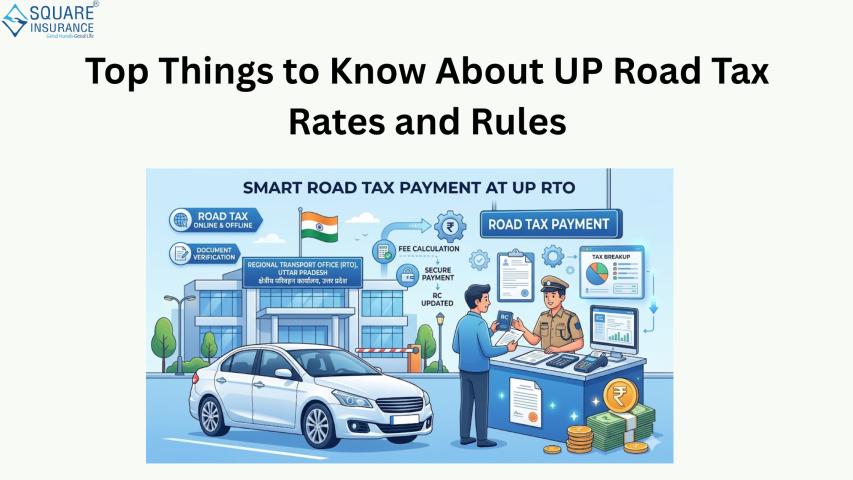
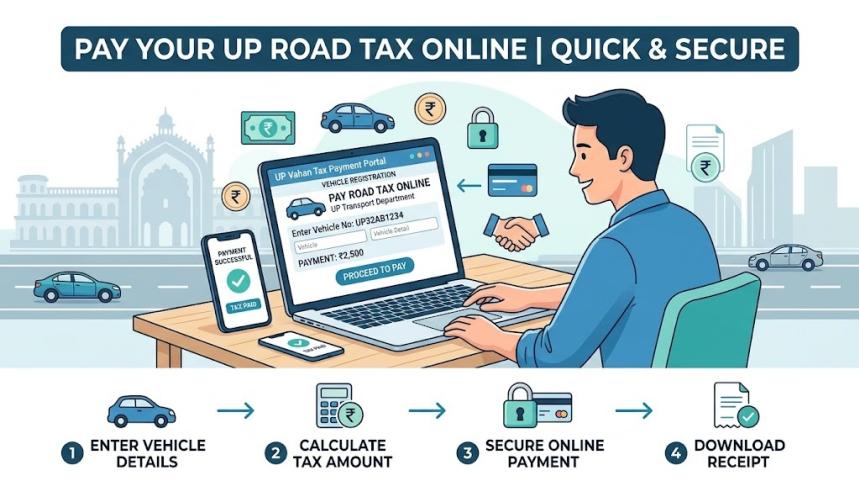
- Visit the Parivahan portal or local RTO
- Calculate pending tax amount
- Pay tax online or offline
- Save payment receipt for records
Timely action can help you avoid penalties
and legal issues.
Penalties
for Non-Payment of Road Tax in UP
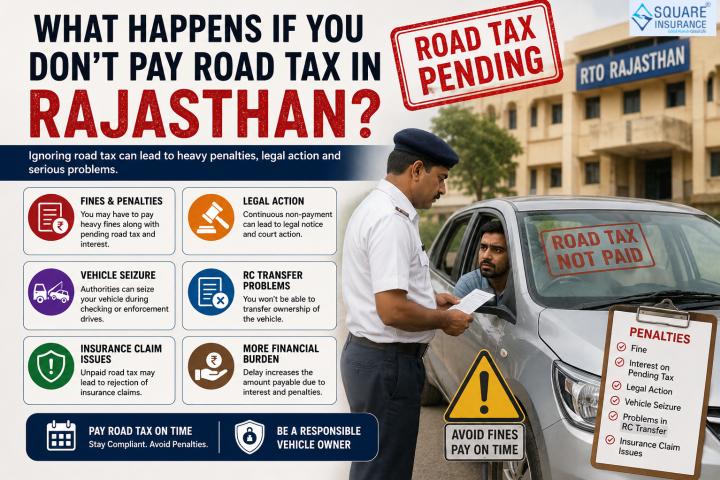
Failure to pay road tax can result
in:
- Heavy fines
- Interest on pending dues
- Vehicle seizure
- Legal action
Additionally, it may complicate your
vehicle insurance claims in case of an accident.
Road
Tax and Vehicle Insurance: Key Link
From an insurance expert’s
experience, road tax compliance is often overlooked but plays a critical role
in claim settlement.
While insurance and road tax are
separate, both are mandatory for legal driving. If your vehicle documentation
is incomplete, insurers may raise concerns during claim processing.
Maintaining both ensures:
- Faster claim approvals
- Reduced legal complications
- Better resale value
Common
Issues While Checking Road Tax Status
Despite the simplicity of online
systems, users may face:
1.
Incorrect Vehicle Number
Double-check your registration
number before submitting.
2.
Portal Downtime
Government portals may occasionally
be slow.
3.
Data Not Updated
Recently paid tax may take time to
reflect.
If issues persist, contact your
local RTO.
Tips
to Stay Compliant
- Set reminders for tax validity checks
- Keep copies of payment receipts
- Use official portals for verification
- Update vehicle details after relocation
These simple steps can save you from
major legal and financial issues.
Conclusion
Checking your vehicle road tax
status online in Uttar Pradesh is a simple yet essential responsibility for
every vehicle owner. It ensures that your vehicle remains legally compliant,
helps avoid penalties, and supports smooth insurance claim processing.
In today’s fast-paced environment,
staying updated with both road tax and insurance is crucial. Square Insurance can help you
compare the best policies, understand coverage options, and ensure your vehicle
remains protected while meeting all legal requirements.
Frequently
Asked Questions
1.
How can I check my vehicle road tax status in UP?
You can check it online through the
Parivahan portal or the UP transport website using your vehicle number.
2.
Is it free to check road tax status online?
Yes, it is completely free.
3.
What details are required to check road tax status?
You only need your vehicle
registration number.
4.
What happens if road tax is not paid in UP?
You may face fines, penalties, or
even vehicle seizure.
5.
Can I pay road tax online in UP?
Yes, online payment is available
through official portals.