Teams often store hundreds of screenshots, campaign graphics, product photos, and reference images without a consistent way to describe them. That makes the library difficult to search, slows handoffs, and encourages people to rewrite the same notes for every channel. A lightweight visual-description workflow can turn each asset into structured, reusable information.
Define the purpose before describing the image
The right description depends on where it will be used. An accessibility-oriented alt text draft should communicate the image function and essential meaning. A creative prompt needs visual attributes such as composition, lighting, color, and >
Capture observable details first
Separate observation from interpretation. Record visible subjects, objects, text, spatial relationships, dominant colors, and the apparent setting. Then add context that comes from the project brief. This distinction reduces confident but unsupported assumptions and makes review easier for someone who knows the source material.
Use automation for a first draft, not final judgment
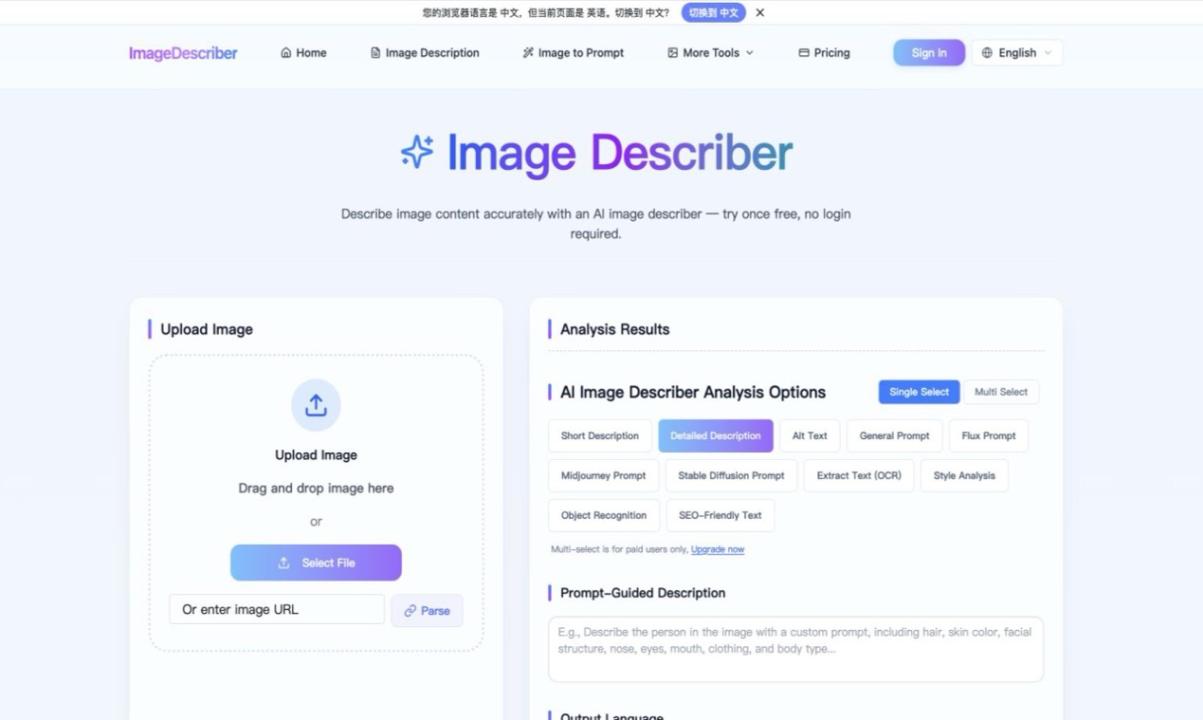
Automated analysis is useful when a folder is too large to describe manually. A browser-based option such as Image Describer can generate initial descriptions, prompt ideas, or alt-text drafts from an uploaded visual. The practical value is speed and consistency, but every output should still be checked against the image and its intended use.
Apply an editorial review pass
Review names, numbers, visible text, and any claim about people or places. Remove details that are speculative or irrelevant. For alt text, avoid repeating nearby captions and do not begin with filler such as “image of” unless the format itself matters. For creative prompts, preserve the visual characteristics that a designer would need to recreate the direction.
Store descriptions as reusable fields
Instead of burying the result in a document, attach structured fields to the asset: short description, long description, alt-text draft, extracted text, keywords, source, reviewer, and review date. This makes the same analysis useful for a content management system, a design library, social publishing, and internal search.
Protect sensitive material
Before uploading any image to an online service, check whether it contains personal data, confidential dashboards, customer information, or unreleased product details. Crop or redact sensitive regions when possible, and follow the organization’s data-handling rules. Public marketing assets are usually safer test material than private operational screenshots.
A compact production checklist
- Choose the intended output and audience.
- Generate or write an observable first draft.
- Verify text, identity, context, and important details.
- Edit for the destination and remove speculation.
- Store the result with the asset and record review status.
This workflow does not replace subject-matter review. It reduces blank-page work and gives teams a repeatable starting point, which is especially valuable when the same visual must support accessibility, search, documentation, and creative production.