A cinematic launch video can look polished and still leave viewers unsure about what is being sold. The problem is usually not the camera move or the color grade. It is that atmosphere became the main character while the product became a prop.
For a startup, that trade-off is expensive even before media spend enters the picture. A launch film has to do two jobs at once: create a feeling and make the product easy to understand. Tools such as Seedance 2.5 can turn a text or image-led brief into a cinematic video direction, but the brief still needs a clear product hierarchy.
Cinematic Style Is a Delivery System, Not the Message
“Make it cinematic” is not a positioning statement. It describes how the message should feel, not what the audience should learn.
Before choosing lenses, camera motion, or lighting, write one visible product promise. Keep it concrete enough to show without a paragraph of explanation:
- A compact speaker turns an empty campsite into a shared listening moment.
- A scheduling app turns a messy handoff into one confirmed plan.
- A travel bag changes from bulky storage to an organized carry system.
These are creative directions, not verified customer outcomes. Their purpose is to connect the product to one observable change. If the idea needs three benefits, two audience segments, and a list of features to make sense, it is still a campaign brief—not a film brief.
Build the Launch Film Around One Product-First Sentence
A useful working sentence has four parts:
For this audience, the product changes this situation by enabling this visible action, and the film ends on this final image.
Consider a fictional compact travel speaker. A weak brief might say: “Create an emotional, premium, adventurous film with beautiful sunrise shots.” Almost any outdoor product could fit that description.
A stronger version is more restrictive:
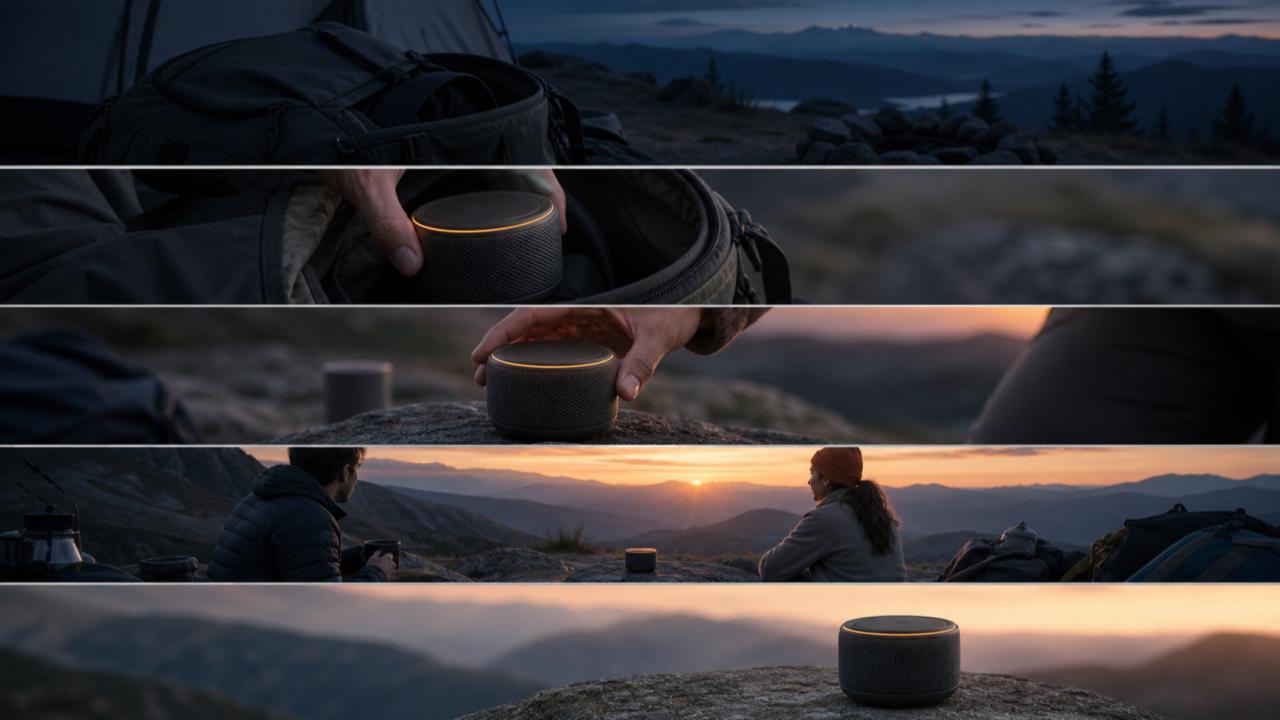
For weekend travelers, a compact speaker turns a quiet predawn campsite into a shared sunrise moment, ending with the speaker clearly visible between two friends.
Now the setting, product action, audience, and ending support the same idea. The film can still be atmospheric, but the atmosphere has a job.
Use a Five-Beat Structure for a 30-Second Cinematic Launch Video
The following timeline is an editorial planning framework, not a required model template. It gives each part of a 30-second launch video one responsibility.
0–4 seconds: Establish the tension
Show the situation before the product changes it. For the speaker example, begin with an empty, quiet campsite and packed gear in predawn blue light. Avoid explaining everything. One readable tension is enough.
4–8 seconds: Reveal the product cleanly
Give the product its least ambiguous shot. Show its shape, color, material, and scale without smoke, extreme blur, or a hand covering the important details. This is where visual recognition starts.
8–16 seconds: Show one meaningful interaction
Let a person perform the action that makes the product relevant. A hand removes the speaker from a backpack and places it on a rock. The action should explain use, not merely add movement.
16–24 seconds: Show the changed situation
Widen the frame. Two travelers now share the sunrise while the speaker remains visible. The emotional payoff works because the product has already been introduced and used.
24–30 seconds: End with a product-owned image
Return to a simple closing frame that belongs to this product and this campaign. Keep the speaker recognizable, preserve the amber light detail, and leave clean space for whatever call to action the publishing channel requires.
Give Every Reference Image One Job
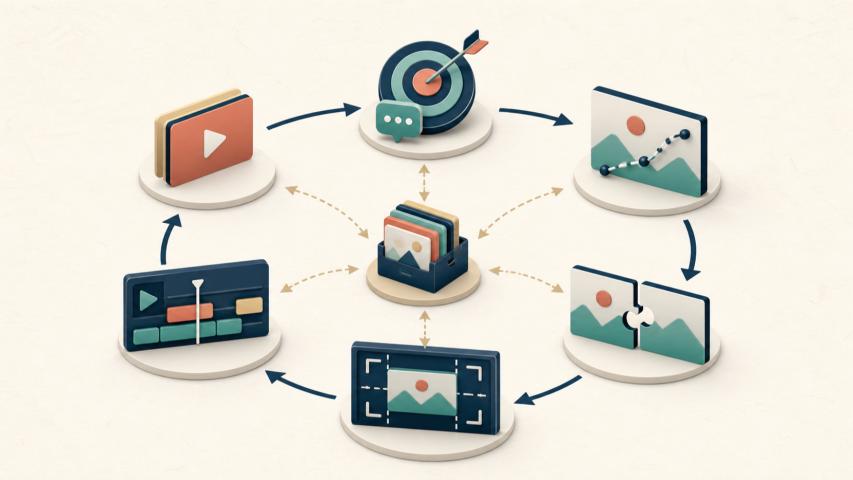
Reference media helps most when each asset controls a specific part of the brief. A folder full of attractive images can create conflicting instructions.
Assign one job to each reference:
- Product reference: locks the silhouette, material, color, and distinctive details.
- Environment reference: defines the location, weather, and time of day.
- Lighting reference: sets contrast, color temperature, and highlight behavior.
- Composition reference: guides framing and negative space.
- Motion reference: demonstrates camera speed or the rhythm of a physical action.
Do not ask one mood board to control everything. If a warm studio image, a cold mountain photo, and a fast handheld clip all define “the >
Create the Master Film Before Making Channel Variants
Start with one master creative direction. Approving separate social, landing-page, and presentation versions too early multiplies unresolved decisions.
The master should settle four things first:
- The product stays recognizable across shots.
- The camera arc supports the product reveal.
- The emotional change is visible without relying on a long voice-over.
- The closing frame leaves room for a clear next step.
After those decisions are stable, adapt the film for widescreen, vertical, or square placements. Do not treat adaptation as a simple crop. A vertical version may need the product closer to center, while a widescreen landing-page loop may need deliberate negative space for adjacent copy.
This order keeps the campaign idea consistent while allowing each channel to use a composition that fits its screen.
Review Product Clarity Before Reviewing Polish
Creative reviews often begin with taste: Is the light dramatic enough? Does the camera move feel premium? Those questions matter, but they should come later.
Run a product-clarity review first:
- Pause on a random product shot. Is the item recognizable without the title?
- Mute the video. Is the before-and-after change still understandable?
- Remove the logo and final caption. Could the same film advertise five unrelated products?
- Check the interaction. Does it show why the product belongs in the scene?
- Compare the first and final frames. Has the situation changed in a way the product visibly enabled?
If the answer to the third question is yes, the film may be visually attractive but strategically generic. Tighten the product action, the invariant details, or the final image before adding more spectacle.
A Lean Workflow From Brief to Review
The production process can stay simple:
- Write one product-first sentence.
- Define the five beats and the final frame.
- Select only references with named jobs.
- Generate a master direction from text, product imagery, or both.
- Review clarity before polish.
- Change one category at a time: product identity, camera, pacing, lighting, or composition.
- Adapt the approved direction for each channel.
Single-category changes are easier to judge than a full rewrite after every review. If the product looks right but the reveal feels late, adjust pacing without replacing the references and lighting at the same time. The goal is not laboratory-grade testing. It is a review trail that makes the next decision understandable.
Frequently Asked Questions
Does cinematic video always mean slower pacing?
No. Cinematic direction can use fast or slow pacing. What matters is whether the timing supports the product reveal, interaction, and final image instead of adding motion without purpose.
How much screen time should the product receive?
There is no universal percentage. The product needs enough clear exposure for viewers to recognize it, understand one meaningful action, and connect it to the changed situation.
Should a startup begin with text-to-video or image-to-video?
Use text when exploring broad scene directions. Start with product imagery when shape, material, packaging, or another visual identity detail must remain central. A combined brief can use text for direction and references for constraints.
Do we need a finished brand system before creating a concept?
No, but define a small set of invariants first: product appearance, one accent color, the intended audience, the emotional shift, and the closing frame. These constraints prevent the concept from becoming generic.
Conclusion
A cinematic launch video works when >
When you are ready to turn that focused brief into a 30-second video direction, Seedance 2.5 offers text- and image-led paths for scenes, references, camera movement, pacing, and channel-aware formats. Treat the first result as a master direction to review—not as a reason to skip the brief.