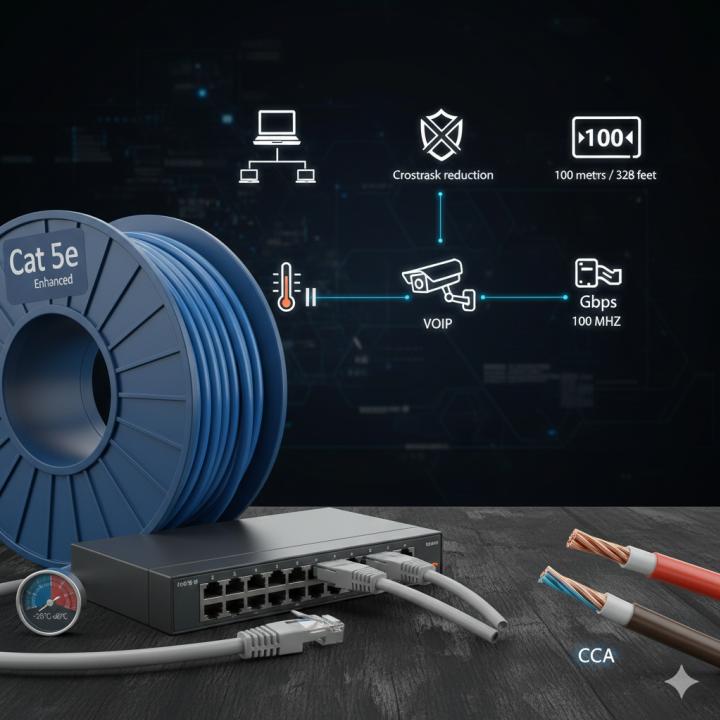
When setting up a home or office network, one of the most common questions people ask is: How long can a Cat 5e cable run without losing performance? Cat 5e is still one of the most widely used Ethernet cable standards because it’s affordable, flexible, and supports gigabit speeds. But like all networking cables, it has its limitations—especially when it comes to distance.
Cat 5e cables are built to handle up to 1 Gbps speeds at 100 MHz, making them ideal for many everyday networking tasks. However, their performance depends heavily on how far the signal needs to travel. To get the best results, you need to understand the maximum cable length and the factors that impact performance.
Maximum Recommended Length: 100 Meters
The industry-standard maximum length for Cat 5e Ethernet cables is 100 meters (328 feet). This distance includes 90 meters of solid cable (usually installed inside walls or conduits) and 10 meters of patch cables connected to devices.
Beyond this 100-meter limit, the chances of signal degradation, latency, and speed drops increase significantly. Because Ethernet relies on electrical signals, longer distances cause energy loss and make the cable more vulnerable to interference.
Why is the Cable Length Limited?
The limitation exists because electrical signals weaken as they travel through copper. Cat 5e cables are designed to carry data efficiently, but they cannot maintain full gigabit speeds when the distance becomes too great. This is why most networking standards—including Cat 6, Cat 6a, and Cat 7—follow the same 100-meter rule for copper cables.
If you exceed the limit, you may experience:
-
Slower network speed
-
Connection drops
-
High latency
-
Packet loss
-
Unstable performance
These issues become more noticeable if your network transfers large files, streams video, or handles gaming traffic.
How to Extend Network Distance Beyond 100 Meters
If your setup requires going beyond 100 meters, you have options. Modern networking equipment can help extend signal strength while maintaining performance. The most common solutions include:
1. Network Switches
Placing a switch after every 100-meter run allows the signal to regenerate. This is the simplest and most cost-effective option.
2. Ethernet Extenders
These devices boost the signal over long distances, sometimes up to 1 kilometer depending on the technology.
3. Fiber Optic Cables
Fiber is ideal for long-distance communication. It can run hundreds of meters or even kilometers without loss since it uses light signals instead of electricity.
4. Powerline Adapters
Although not as reliable as Ethernet, these adapters use electrical wiring in a building to extend the network.
Choosing the right solution depends on the network setup, budget, and performance requirements.
How Cable Quality Affects Maximum Length
Not all Cat 5e cables are created equal. The quality of the copper used, shielding, and construction plays a big role in how well the cable performs over distance.
High-quality Cat 5e cables made with 100% copper conductors (not CCA or aluminum) can maintain performance more effectively. Poor-quality cables may struggle even at shorter distances, especially in environments with electrical noise.
If your installation is near heavy machinery, fluorescent lighting, or power cables, consider using shielded Cat 5e (STP) to reduce interference. Unshielded (UTP) Cat 5e works well for most residential and office environments.
Cat 5e and Gigabit Speeds
Cat 5e cables support up to 1 Gbps, which is sufficient for many modern internet connections and internal networks. However, for consistent gigabit speeds, you must keep the cable under the recommended 100-meter limit.
If you need multi-gigabit speeds such as 2.5 Gbps or 5 Gbps, Cat 5e can support them in short distances but is not ideal for long runs. For higher performance, upgrading to Cat 6 or Cat 6a cables is recommended.
Testing Your Cat 5e Cable
If you suspect that your cable run is too long or causing connection issues, testing the cable is essential. Professional cable testers can measure signal strength, detect issues, and confirm whether your cabling meets the required performance standards.
Even small problems like poor connectors, improper bending, or cheap materials can affect performance over distance.
Alternatives to Cat 5e
Although Cat 5e cables are still widely used, newer Ethernet cable types offer better performance and greater future-proofing. When exploring different types of Ethernet options, it's useful to understand the differences:
-
Cat 6: Supports up to 10 Gbps at shorter distances, ideal for high-speed networks.
-
Cat 6a: Handles 10 Gbps up to 100 meters with better shielding.
-
Cat 7/Cat 7a: Highly shielded cables designed for stable performance but more expensive.
-
Cat 8: Used for data centers with speeds up to 40 Gbps, but only for short runs.
Choosing the right cable depends on your needs, budget, and the environment where the cable will be installed.
What Happens If You Exceed 100 Meters?
If your Cat 5e cable run goes beyond the recommended length, here’s what you might experience:
1. Lower Speeds
Instead of 1 Gbps, your connection may drop to 100 Mbps or lower.
2. Unstable Connection
The network might connect and disconnect randomly.
3. Increased Latency
A longer cable run increases the time it takes for data to travel.
4. Packet Loss
Lost data packets mean retransmissions, which slow everything down.
For mission-critical setups, like office networks or surveillance systems, it’s best to stay within the recommended limit.
Best Practices for Cat 5e Cable Installation
To get the best performance from your Cat 5e cables, follow these installation tips:
-
Avoid running cables parallel to electrical wiring.
-
Do not bend the cable sharply; maintain proper bend radius.
-
Use high-quality connectors and keystone jacks.
-
Keep cables away from heat sources.
-
Test every cable after installation.
-
Label both ends of the cable for easier troubleshooting.
These practices help maintain signal integrity and ensure a stable network.
Final Thoughts
Cat 5e cables remain a reliable and cost-effective option for networking. The maximum recommended length is 100 meters, which is sufficient for most home and small-business setups. Staying within this limit helps maintain speed, reduce latency, and ensure stable performance. Understanding the distance limitations and the different types of Ethernet solutions available will help you build a strong, future-ready network.
Sources: https://www.webtrafficexchange.com/applications-and-work-principles-of-cat-5e-ethernet-cables
https://sfcable.hashnode.dev/what-is-the-maximum-speed-supported-by-cat-5e