Someone in Corpus Christi searches for a local service, taps the top result on their phone, and gives the page a few seconds. If the first screen doesn't say what the business does, where it works, and how to call it, they tap back and try the next result. That first screen is where most local websites win or lose a customer, which makes good above the fold design one of the easiest things to get wrong.
What Above the Fold Means, and Why It Matters on a Phone
Above the fold is the part of a page visible before anyone scrolls. The phrase comes from newspapers, where the stories on the top half of the front page did the selling. A website works the same way.
On a desktop, the first screen has room for a headline, an image, and a button side by side. On a phone it shows much less, often a headline and the edge of the next section. Because most local searches happen on phones, the first screen should be designed for the smaller view first and then expanded for the desktop, not the other way around.
Why the First Screen Affects Results
The first screen shapes three things: whether the visitor trusts the business, whether they stay, and whether they act. A vague opening makes an established company look uncertain. A clear one tells the visitor the company knows its customers.
Early exits can be a sign that the first screen is not doing its job, but bounce rate alone cannot explain why someone leaves. An unclear headline, a slow-loading hero image, or a hard-to-find phone number may add friction. Looking at engagement alongside calls, form submissions, and page performance gives a clearer picture of what needs attention. A stronger first screen will not make up for weak reviews or a confusing service list, but it can make the next step easier for an interested visitor.
Plenty of sites look polished and still fail to convert, and the first screen is usually where that gap starts. Visitors judge a page in seconds, so a site can look professional on the surface and still lose the call it was built to earn. A site that looks good but isn't converting is a common problem on local business websites.
What Corpus Christi Visitors Look for First
Local customers can arrive with a problem to solve. A water heater has failed after a freeze, a storm has cracked a window, or a family needs a dentist who can see a child this week. The first screen should answer three practical questions: what service is available, which areas the business serves, and how to get in touch.
For businesses serving Corpus Christi, local relevance matters. Someone looking for a plumber, restaurant, dentist, or contractor needs to know if the company serves their area and how to contact it. A clear service area reference and a visible phone number help answer those questions without making people hunt through the page.
Good web design services account for these details from the initial layout, making it easier for visitors to find the information they need.
What to Put Above the Fold
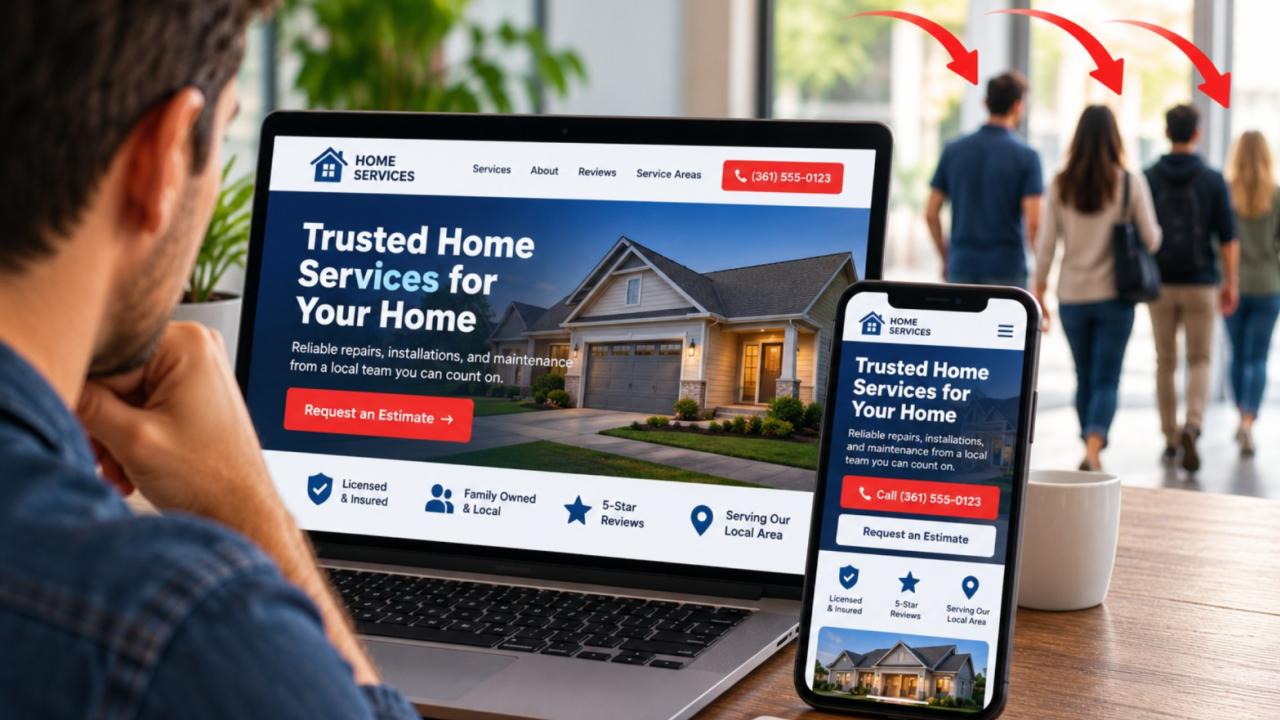
A useful first screen usually includes these elements:
A headline that names the service and the place. "Roof Repair in Corpus Christi" tells a visitor more in one line than a slogan does.
A one or two sentence value statement. It should say what the customer gets, how quickly you respond, or what makes the work reliable.
A tappable phone number. On mobile this is often the most useful element on the page.
One specific call to action. "Request an Estimate" or "Book a Visit" works better than "Learn More."
A trust signal. A review rating, a short testimonial, a license number, or years serving the area.
A layout that loads fast. It should look uncluttered and render quickly on a typical phone connection.
Not every page needs all six, but the first screen should contain the headline, a contact path, and at least one trust signal.
Examples by Business Type in Corpus Christi
Home services: An HVAC or plumbing company in Corpus Christi should lead with the service and the phone number. A homeowner with a failed unit in August wants a call button and, if the company offers it, same-day availability. A short line about local technicians does more than a long company history.
Restaurant: A restaurant near the water has a different first screen than one in an inland neighborhood. Visitors deciding where to eat tonight need hours, location, and a menu or reservation link immediately. For a waterfront spot, one photo that shows the setting can do more than a text paragraph about the atmosphere, and the page should still load quickly for someone standing outside deciding where to go.
Medical and professional services: A dental or legal office should lead with the type of care or practice area, whether it is accepting new clients, and a simple way to book a consultation. Since these visitors are choosing someone to handle a personal or sensitive matter, a short line on credentials and who the practice serves builds trust early.
Retail: A shop should make its location, hours, and current offer visible at the top. Someone deciding whether to drive across town wants to know what is in stock and where to park. One clear photo of the storefront or products beats a rotating slideshow.
Mistakes to Avoid
Cluttered sliders: Rotating banners hide the main message after the first second, and most visitors never reach the third slide. The key message should be visible without any movement.
Vague headlines: "Quality Solutions for You" could describe any company. Name the service and the location instead.
Hidden contact details: If the phone number is hard to find, visitors assume the business is hard to reach. Keep it visible in the header on every page.
Slow hero images: A large background photo can look impressive on a fast connection and frustrating on a slow one. Compress images, and make sure the headline and button appear before the photo finishes loading.
Competing actions: A first screen that asks for a call, a download, a subscription, and a follow all at once usually gets none of them. Pick one primary action and make it obvious.
Closing Check
The first screen is the one part of a website nearly every visitor sees. It doesn't have to do everything, but it does have to answer what you do, where you serve, and how to reach you. For Corpus Christi businesses, those answers should be visible on a phone within a few seconds.
Try this on your own site: open your homepage on a phone, look only at the first screen for five seconds, and ask whether a stranger could say what you offer, where you work, and how to call you. If the answer is unclear, the fix is usually a rewrite of the headline and the contact area, not a full rebuild.