
Are you looking to sell your cryptocurrency directly from the Tangem Wallet? Whether you’re taking profits, managing your portfolio, or converting digital assets into fiat, this guide will walk you through the step-by-step process of how to sell crypto on Tangem Wallet safely and efficiently.
Tangem is a popular hardware wallet that combines secure storage with mobile convenience. But unlike typical software wallets, Tangem uses a smartcard-based system that pairs with your smartphone to manage assets. Selling crypto using Tangem involves a few more steps compared to a centralized exchange—but it’s absolutely doable and safe.
Let’s dive into everything you need to know.
What Is Tangem Wallet?
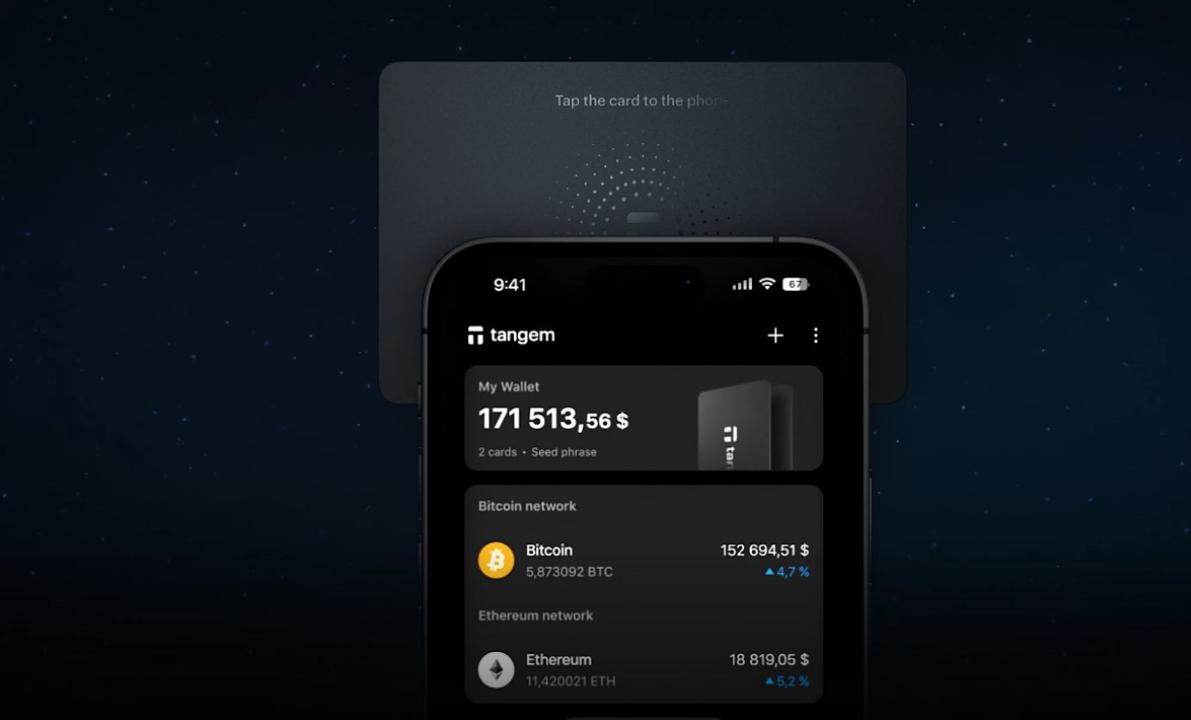
Tangem Wallet is a non-custodial, hardware-based crypto wallet that stores private keys securely on a physical NFC-enabled smartcard. You simply tap the card on your smartphone (via NFC), and control your assets through the Tangem mobile app (iOS or Android).
The key benefit? Maximum security with full ownership—your private keys never leave the card, and there's no server involved. But because of that, Tangem itself does not host a crypto exchange. Instead, it integrates with third-party providers to enable swapping, buying, and selling.
What You’ll Need Before Selling Crypto on Tangem
Before you begin the selling process, make sure you have the following ready:
- A fully set up Tangem Wallet card paired with the mobile app.
- Crypto assets (e.g., BTC, ETH, USDT) stored in your Tangem Wallet.
- A verified account with a supported exchange or crypto-fiat gateway (like Mercuryo, MoonPay, or Simplex).
- A bank account, debit card, or fiat wallet to receive the funds.
How to Sell Crypto on Tangem Wallet – Step-by-Step
Here’s how to sell crypto from your Tangem Wallet:
Step 1: Open the Tangem App and Select the Asset
- Open the Tangem Wallet mobile app on your phone.
- Tap your card to connect securely.
- On the dashboard, select the cryptocurrency you want to sell—such as Bitcoin (BTC), Ethereum (ETH), or USDT.
Step 2: Tap “Sell” or “Exchange”
- Depending on your app version and crypto asset, you may see “Sell,” “Swap,” or “Exchange.”
- Tap that option. Tangem will route you to one of its third-party providers—like Mercuryo, Simplex, or MoonPay—that handle fiat transactions.
Note: Tangem itself does not process sales—it’s the gateway. These providers allow you to convert your crypto to fiat.
Step 3: Choose the Amount and Fiat Currency
- Enter how much crypto you’d like to sell.
- Choose the fiat currency you want to receive (e.g., USD, EUR, GBP).
- The app will show you a conversion rate, transaction fee, and expected payout.
Make sure you’re happy with the rate before continuing.
Step 4: Enter Your Payment Details
- You’ll now be redirected to the third-party provider’s website or window within the Tangem app.
- Input your bank details, credit/debit card, or fiat wallet address depending on the provider's payout method.
- If you haven’t used this provider before, you may need to go through KYC verification (e.g., upload ID, selfie, etc.).
Step 5: Confirm and Send the Crypto
- After verifying your info and agreeing to the terms, the provider will display a crypto wallet address where you need to send your coins.
- Use the Tangem app to authorize the transaction and send the crypto to the given address.
⚠️ Important: Always double-check the wallet address and amount before sending. This transaction is irreversible.
Step 6: Receive Fiat in Your Account
- Once your crypto transaction is confirmed on the blockchain, the provider processes the payout.
- The fiat money will be sent to your selected payout method, usually within minutes to a few hours (sometimes longer depending on the method and bank).
You’ll get a confirmation email or notification when your money arrives.
Tips for Selling Crypto on Tangem
- Check fees and conversion rates before confirming any sale.
- Use reputable providers like Mercuryo, MoonPay, or Simplex—Tangem integrates only trusted services, but always do your own research.
- Keep your Tangem card safe—it's your key to accessing and sending funds.
- Always keep your firmware and app updated for the latest security and compatibility.
Can You Sell Directly to a Bank from Tangem?
No—Tangem does not send funds directly to your bank. Instead, it routes transactions through licensed fiat gateway providers. Think of Tangem as the secure interface, not the payment processor.
Supported Cryptos for Selling
Tangem supports dozens of crypto assets, but only select coins are eligible for fiat sales, depending on the provider. Common options include:
- Bitcoin (BTC)
- Ethereum (ETH)
- Tether (USDT)
- USD Coin (USDC)
To check if your coin is supported for selling, simply select it and tap “Sell” in the Tangem app.
Final Thoughts: Is Selling Crypto on Tangem Worth It?
Absolutely—Tangem gives you a secure and flexible way to sell crypto without relying on centralized custodians. While it may take a few extra steps compared to Coinbase or Binance, the extra security and ownership are worth it for many users.
Just remember: Tangem is not a crypto exchange. It’s a secure tool that connects you to services that let you sell, giving you full control over when, where, and how you trade your assets.
Also Read:
- Why is My Crypto.com transaction rejected?
- How to Withdraw from Tangem Wallet Without Card
FAQs
Q: Does Tangem charge fees for selling crypto?
A: No, but the third-party provider (like Mercuryo or Simplex) will charge a transaction fee.
Q: Can I sell crypto to PayPal using Tangem?
A: It depends on the provider used—some support PayPal withdrawals, others don’t.
Q: Is it safe to sell crypto using Tangem?
A: Yes, as long as you use the official app and verified providers.