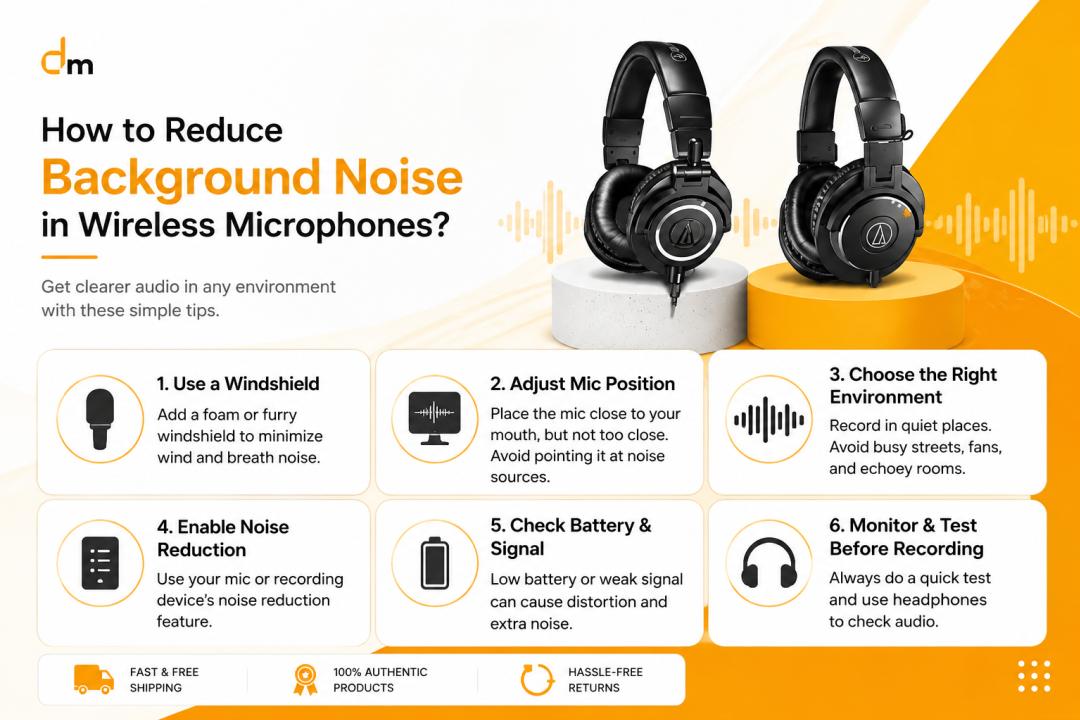
Background noise is one of the biggest problems content creators, vloggers, gamers, and podcasters face when using wireless microphones. Even a high quality wireless mic can sound unprofessional if it picks up fan noise, traffic sounds, keyboard clicks, echo, or random environmental distractions.
For creators in Pakistan, this issue becomes even more common because many recordings happen in home studios, offices, outdoor locations, cafés, or untreated rooms. The good news is that reducing background noise in wireless microphones is much easier when you understand the right microphone settings, placement techniques, and recording environment improvements.
Why Wireless Microphones Pick Up Background Noise
Wireless microphones are designed to capture voice clearly while allowing freedom of movement. However, they can also capture unwanted sounds if:
The microphone sensitivity is too high
Recording environments are noisy
The mic placement is incorrect
Cheap transmitters or receivers are used
Gain settings are poorly configured
A lot of creators assume background noise only comes from microphone quality, but the environment and setup play an equally important role.
Most Common Sources of Background Noise
Before solving the issue, it helps to identify what type of noise is affecting recordings.
Noise Source | Common Example |
Fan & AC Noise | Ceiling fan, air conditioner hum |
Traffic Noise | Cars, bikes, horns |
Electrical Interference | Buzzing or static noise |
Echo & Reverb | Empty rooms with hard walls |
Handling Noise | Touching the mic or clothing friction |
Wind Noise | Outdoor recording conditions |
Computer Noise | Keyboard clicks, laptop fans |
Different noise problems require different solutions.
Use Proper Microphone Placement
One of the easiest ways to reduce background noise is correct microphone positioning.
Keep the Mic Close to Your Mouth
Wireless microphones work best when placed close to the speaker’s mouth. When the mic is too far away, it captures more environmental sound instead of focused voice audio.
For lavalier microphones:
Position the mic around chest level
Keep it 6–8 inches from the mouth
Avoid loose clothing contact
For wireless handheld microphones:
Keep consistent speaking distance
Avoid moving the mic too far away while talking
This simple adjustment alone can improve voice clarity significantly.
Choose the Right Wireless Microphone
Not all wireless microphones perform equally in noisy environments.
Dynamic vs Condenser Wireless Mics
Some wireless systems use condenser->
Microphone Type | Best For | Noise Handling |
Condenser Wireless Mic | Studio-> | Captures more ambient sound |
Dynamic Wireless Mic | Noisy environments | Better noise rejection |
Directional Lavalier | Interviews & creators | Focused voice pickup |
Creators recording outdoors or in busy areas usually benefit more from directional microphones.
Reduce Gain Settings Properly
High microphone gain is one of the most common causes of noisy audio.
What Happens With Excessive Gain?
When gain levels are too high:
Background hiss increases
Room noise becomes louder
Audio sounds harsh
Distortion appears more easily
A better approach is:
Keep the gain moderate
Bring the microphone physically closer
Increase voice level naturally
This creates cleaner recordings without unnecessary environmental noise.
Use Noise Reduction Features in Modern Wireless Mics
Many modern wireless microphone systems now include built-in noise reduction technology.
Popular creator-focused microphones like:
DJI Mic 2
Hollyland Lark M2
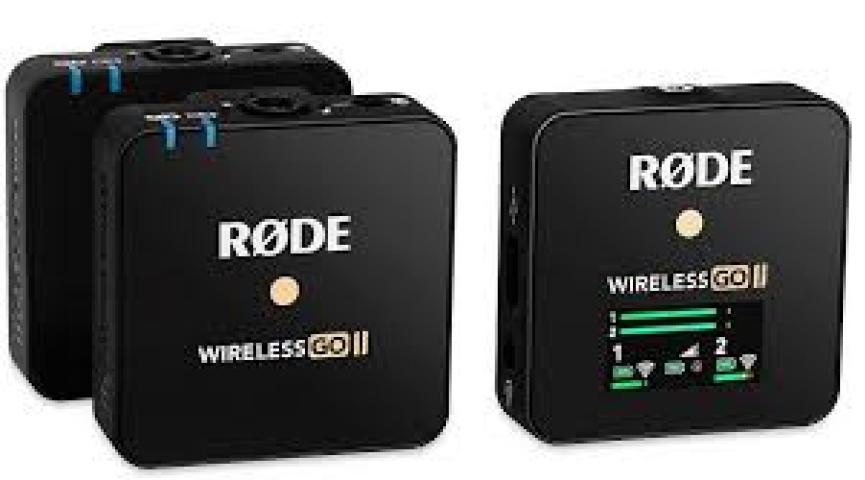
Rode Wireless PRO
SYNCO wireless microphones
often provide:
AI noise cancellation
Wind reduction
Low-cut filters
Environmental noise suppression
These features help significantly during:
Outdoor vlogging
Street interviews
Travel content
Event coverage
However, overusing aggressive noise reduction can sometimes make voices sound unnatural.
Improve Your Recording Environment
Even expensive wireless microphones struggle in poor acoustic environments.
Simple Ways to Reduce Room Noise
You do not need a fully professional studio to improve sound quality.
Practical solutions include:
Closing windows and doors
Turning off fans temporarily
Using curtains and carpets
Adding cushions or soft furniture
Recording in smaller rooms
Avoiding empty echo-heavy spaces
Soft surfaces absorb reflections and reduce echo naturally.
Use Windscreens and Foam Covers
Outdoor recording creates another challenge: wind noise.
Even light wind can ruin otherwise clean audio recordings.
Why Windscreens Matter
Foam covers and furry windshields help reduce:
Air bursts
Wind rumble
Outdoor distortion
For YouTubers and vloggers in Pakistan recording travel content, food vlogs, or interviews outdoors, a proper windscreen is almost essential.
Monitor Audio While Recording
Many creators realize audio problems only after filming is complete.
Always Use Headphones for Monitoring
Monitoring live audio helps identify:
Static interference
Clothing rustle
Weak signal connection
Sudden background noise
Professional creators almost always monitor audio during important shoots.
This becomes especially important for:
Podcasts
Interviews
YouTube videos
Event coverage
Wedding videography
Reduce Wireless Interference
Wireless microphones can sometimes pick up signal interference from nearby electronic devices.
Common Interference Sources
Wi-Fi routers
Smartphones
Bluetooth devices
LED lights
Other wireless systems
To reduce interference:
Keep transmitters away from phones
Use clean frequency channels
Avoid crowded wireless environments
Maintain direct line-of-sight between transmitter and receiver
Premium wireless systems usually handle interference better than cheap entry-level models.
Best Wireless Microphones for Noise Reduction
For creators looking for cleaner audio performance, certain wireless microphones perform noticeably better in real-world conditions.
Good Options for Pakistani Creators
Hollyland Lark M2
Compact and lightweight
Strong AI noise cancellation
Good for mobile creators
DJI Mic 2
Excellent audio quality
Reliable wireless connection
Internal recording backup
Rode Wireless PRO
Professional-grade audio
Advanced safety track recording
Strong outdoor performance
SYNCO Wireless Microphones
Budget-friendly
Good beginner option
Useful for YouTube creators
These microphones are commonly used by:
Vloggers
Podcasters
Filmmakers
Interview creators
Streamers
Common Mistakes That Increase Background Noise
Recording Too Far From the Mic
Distance weakens voice clarity and increases room noise.
Using High Gain Unnecessarily
Creators often boost gain instead of improving microphone placement.
Ignoring Room Acoustics
Hard surfaces create an echo that becomes difficult to remove later.
Relying Completely on Editing Software
Heavy noise reduction during editing can make audio sound robotic.
It’s always better to capture cleaner audio during recording rather than trying to “fix it in post.”
Can Editing Software Remove Background Noise?
Yes, but with limitations.
Programs like:
Adobe Audition
DaVinci Resolve
Audacity
Premiere Pro
Final Cut Pro
offer noise reduction tools that can reduce:
Hiss
Hum
Fan noise
Low-level background sounds
However, excessive processing often damages voice quality.
Professional creators usually combine:
Proper recording techniques
Good microphones
Moderate post-processing
Instead of depending entirely on software cleanup.
Pro Tips From Content Creators
Record Test Audio Before Shooting
A quick 20-second test recording can save hours of editing later.
Use Backup Audio Recording
Some wireless systems offer internal backup recording, which helps prevent audio loss.
Choose Quiet Recording Times
Recording late at night or early morning often reduces environmental noise significantly.
Upgrade Environment Before Expensive Gear
Improving room acoustics usually provides bigger results than upgrading microphones immediately.
FAQs
Why is my wireless microphone picking up background noise?
This usually happens because of high-gain settings, poor microphone placement, noisy environments, or low-quality microphones.
How can I make my wireless microphone sound clearer?
Keep the mic close to your mouth, lower gain settings, reduce room noise, and use proper windscreens or foam covers.
Which wireless microphone is best for noise cancellation?
Popular options like DJI Mic 2, Hollyland Lark M2, and Rode Wireless PRO offer excellent built-in noise reduction features.
Can software completely remove background noise?
Editing software can reduce noise, but it cannot fully fix severely poor recordings without affecting voice quality.
Are wireless microphones good for YouTube videos?
Yes. Wireless microphones are excellent for YouTube content, interviews, podcasts, and vlogging because they provide mobility and cleaner voice recording compared to built-in camera microphones.
Final Thoughts
Reducing background noise in wireless microphones is less about buying the most expensive equipment and more about understanding proper recording techniques. Simple improvements like correct microphone placement, balanced gain settings, quieter recording environments, and better monitoring habits can dramatically improve audio quality for creators in Pakistan. In my experience, Hollyland wireless microphones are among the most practical options for YouTubers, podcasters, and content creators because they offer reliable noise reduction, strong wireless performance, and creator-friendly usability without being overly complicated.
For creators looking for original wireless microphones, creator gear, cameras, and professional audio equipment, Delenzo Mart Pakistan offers a wide range of trusted products for YouTubers, podcasters, streamers, and content creators. You can explore the latest tech gear at https://www.delenzomart.com.pk/ or contact 03251111081 for product guidance and support.