3D content creation is moving faster than ever. AI image-to-3D tools, photogrammetry, LiDAR scanning, sculpting software, and online 3D generators now make it easier to create 3D models from many different sources.
But there is one problem many creators quickly discover: a model can look good in a preview and still be difficult to use.
It may contain too many polygons. The mesh may be uneven. The file may be too heavy for a web viewer. The model may look fine at first, but become hard to edit, animate, convert, or import into a game engine.
This is where an AI retopology tool becomes useful.
What Is AI Retopology?
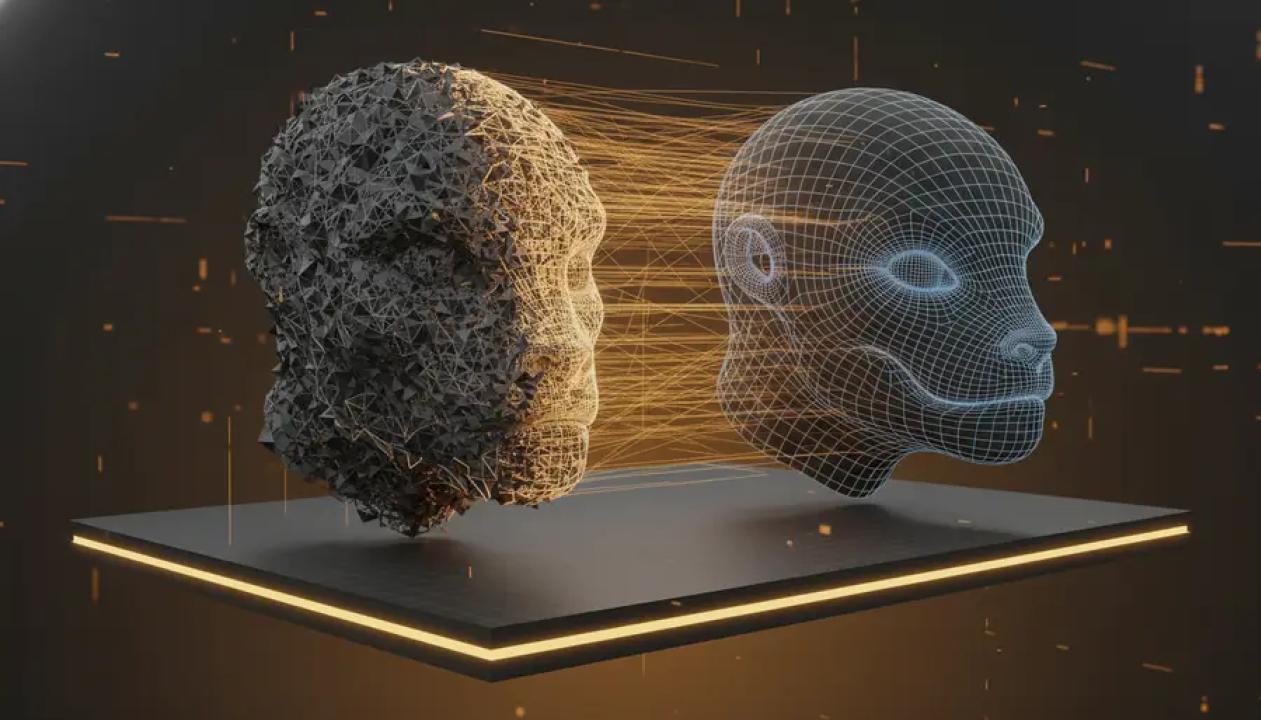
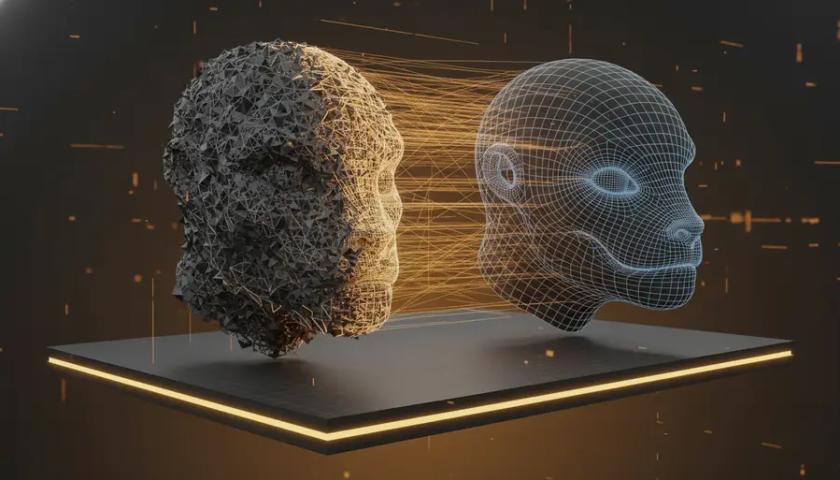
Retopology is the process of rebuilding the polygon structure of a 3D model. In simple terms, it turns a dense or messy mesh into a cleaner and more practical version.
Traditional retopology is often done manually by 3D artists. It gives the best control, especially for animated characters or production-level assets, but it can also be slow and technical.
AI retopology makes this cleanup process faster. Instead of manually rebuilding the entire mesh, users can upload a 3D model and let AI generate a cleaner topology based on the shape of the original object.
The goal is not only to reduce file size. A good retopology workflow can also improve polygon distribution, make the model easier to edit, and prepare it for real-time or downstream use.
Why High-Poly Models Are Often a Problem
High-poly models are not always bad. They are useful for sculpting, scanning, detailed rendering, and close-up visual work.
The problem appears when those models need to be used in practical workflows.
A scanned object with millions of triangles may be too slow for a web 3D viewer. A generated 3D model may look nice, but have messy geometry around thin parts or curved surfaces. A sculpted prop may be too heavy for mobile, VR, AR, or game use.
In these cases, creators need a lighter and cleaner version of the same model.
That is why AI retopology is becoming more relevant. It helps bridge the gap between “this model was generated” and “this model is usable.”
AI Retopology vs Simple Decimation
Many users confuse retopology with decimation.
Decimation mainly reduces polygon count. It can make a model lighter, but it often keeps the original messy structure. In some cases, it can also damage important details or create poor surface quality.
AI retopology is different because it attempts to rebuild the mesh structure, not just delete polygons. The result can be cleaner, more even, and easier to use in a 3D workflow.
This does not mean AI retopology replaces expert manual work. For hero characters, facial animation, complex rigs, or strict game production standards, manual cleanup may still be needed.
But for scans, props, AI-generated models, ecommerce assets, web 3D previews, and early LOD versions, AI retopology can save a lot of time.
When Should You Use an AI Retopology Tool?
An AI retopology tool is most useful when the shape of your model is good, but the mesh is too heavy or messy.
Common use cases include:
- Cleaning up AI-generated 3D models
- Reducing dense photogrammetry or LiDAR scans
- Preparing product models for ecommerce viewers
- Creating lighter assets for AR, VR, and WebGL
- Building early game props or LOD models
- Making sculpted models easier to edit or convert
For example, if you use an image-to-3D generator to create a model, the first result may be good enough visually but not optimized enough for every use case. Retopology can be the next step before converting, editing, or publishing the asset.
Triangle or Quad Output: Which Is Better?
Most creators will eventually face one simple question: should the output be triangle-based or quad-oriented?
Triangle output is usually better for compatibility. It works well for game engines, real-time viewers, GLB files, previews, and general delivery.
Quad-oriented output is better when the model may need further editing, sculpting, rigging, or animation. Quads are often easier to work with in professional 3D software because they can support cleaner edge flow and more predictable deformation.
There is no single best choice. The right option depends on where the model will be used next.
Image3D AI: Online AI Retopology for Practical Cleanup
Image3D AI provides an online AI retopology tool designed for creators who want to clean up 3D models without setting up a complex desktop workflow.
Users can upload OBJ or GLB files, choose triangle or quad-oriented output, select a detail level, and generate a cleaner version of the model directly online.
This makes it useful for people who already work with AI-generated 3D models, image-to-3D assets, scans, or high-poly files. Instead of jumping between multiple tools too early, users can run a first cleanup pass in the browser and then continue in Blender, Unity, Unreal Engine, a GLB viewer, or another 3D pipeline.
Image3D AI also connects with related 3D workflows, including image to 3D generation, AI texture tools, and format conversion. For creators building assets from images or preparing models for different platforms, this kind of all-in-one workflow can reduce friction.
AI Retopology Is Not Magic, But It Is Practical
AI retopology should not be treated as a one-click solution for every production problem.
Users still need to inspect the result. Important checks include the model silhouette, surface details, polygon density, shading, normals, textures, and whether the file works correctly in the destination software.
However, even with these limitations, AI retopology is becoming a practical part of modern 3D creation.
It helps creators move faster, test ideas earlier, and prepare models for real-world use without spending hours on manual cleanup from the beginning.
Final Thoughts
As AI 3D generation becomes more common, cleanup tools will become just as important as generation tools.
Creating a 3D model is only the first step. Making that model lightweight, editable, compatible, and ready for the next workflow is where retopology matters.
For creators working with scans, sculpted assets, ecommerce models, game props, AR previews, or AI-generated 3D files, an AI retopology tool can be a valuable bridge between raw output and usable 3D content.