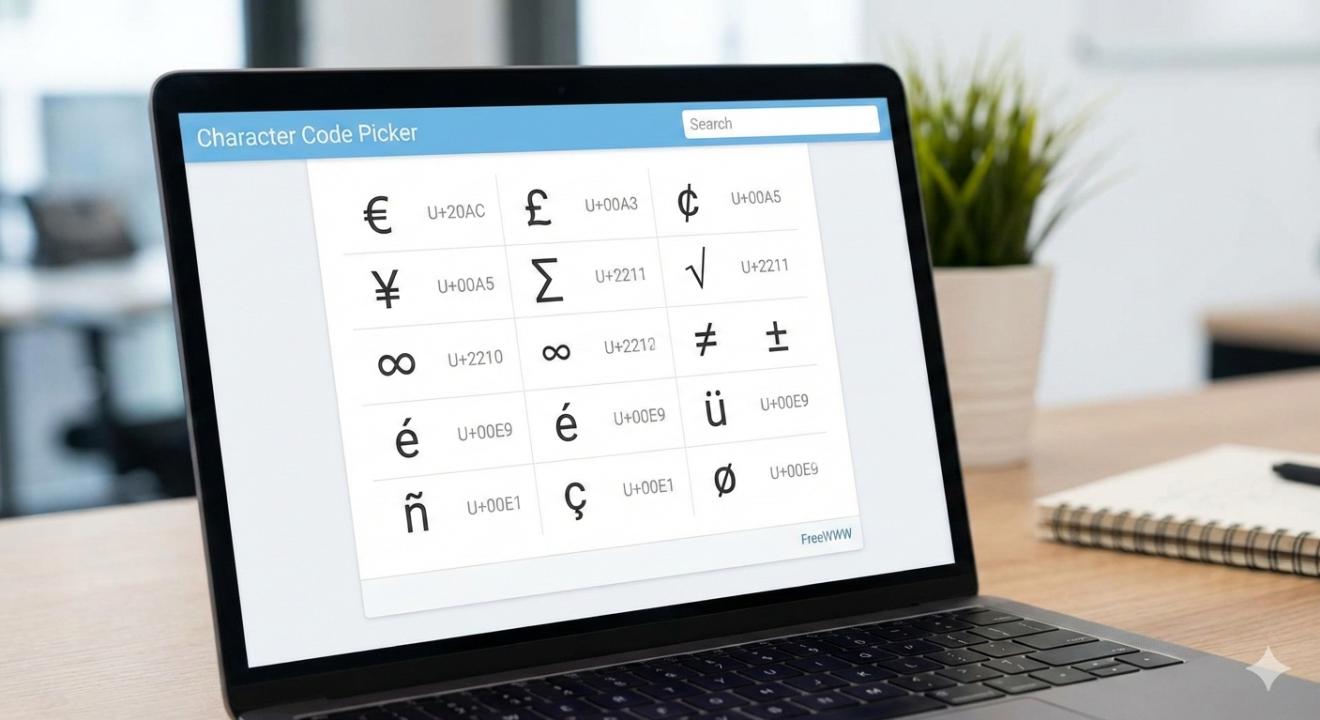
From adding unique symbols to typing non-English characters, special characters play an essential role in enhancing digital content. Whether you're a developer, designer, or just someone trying to insert a unique character into a document, finding the right character code can often be time-consuming and tedious. That’s exactly why we created the FreeWWW Character Code Picker a free, simple tool to quickly find and copy special characters for any of your projects.
Why You Need a Character Code Picker
Special characters are a crucial part of writing and design, yet they’re often hidden behind long character maps or complex code. The Character Code Picker helps eliminate the frustration of hunting down the right character and its code. Whether you need to add symbols for your website, insert a foreign alphabet into a document, or use special characters in your coding projects, this tool lets you search for and copy characters instantly.
By providing an easy way to access Unicode, HTML Entities, and ASCII codes, the Character Code Picker makes it effortless to incorporate special characters into your work without any hassle.
How It Works
Using the FreeWWW Character Code Picker is simple:
- Go to the Character Code Picker page.
- Search for a special character by name or category (such as currency symbols, punctuation, or mathematical symbols).
- Select the character you need from the list.
- Copy it directly into your project or document.
The tool provides both the character and its code, making it easy to use it in your coding projects or simply add it to your writing.
Who Can Benefit from the Character Code Picker?
The Character Code Picker is ideal for anyone who regularly uses special characters in their work:
- Developers: Quickly find and use characters in your code without having to look up their Unicode or HTML entity.
- Writers: Add symbols, accents, and other special characters to your documents easily.
- Designers: Use icons, glyphs, and symbols in your designs without needing external resources.
- Educators and Students: Work with diverse languages and characters in your lessons and assignments.
- Content Creators: Enhance your posts, social media captions, and websites with unique characters and symbols.
Why It’s Special
What sets the Character Code Picker apart is its simplicity and speed. Unlike other tools that require you to scroll through complicated charts or guess which code corresponds to a symbol, the Character Code Picker makes finding and copying characters quick and easy. The interface is clean and intuitive, designed to save you time and frustration.
Plus, it’s completely free and ad-free, so you can focus on your work without interruptions.
Key Benefits of Using the Character Code Picker:
- Instant Access to Special Characters: Find and copy characters immediately, without searching through long lists or complex websites.
- No Sign-Up Needed: Just go to the tool and start using it right away.
- Variety of Characters: Access Unicode, HTML entities, and ASCII codes for all types of characters — from punctuation to foreign alphabets.
- Free and Easy to Use: Completely free and designed for fast use on any device.
- Perfect for Developers, Writers, and Designers: A must-have tool for anyone who needs special characters regularly.
Get Started Today
If you’re tired of hunting for special characters or remembering complex codes, the FreeWWW Character Code Picker is here to simplify the process. It’s an easy-to-use, free tool that helps you incorporate symbols and characters into your work quickly and efficiently.
🔠 Try it now: FreeWWW Character Code Picker