Choosing the right web design tools in 2026 can directly impact how fast and effectively you build websites. With so many options available, making the right choice is more important than ever.
Modern tools go beyond design and now include AI, automation, and collaboration features. This makes them essential for both beginners and experienced professionals.
In this guide, you’ll learn about the best tools, how they differ, and how to choose the right one based on your needs.
What Are Web Design Tools and Why Do They Matter
Web design tools help you create, design, and optimize websites without unnecessary complexity. They simplify workflows and improve productivity across different stages of development.
These tools are important because they reduce development time and improve user experience. Whether you're designing a landing page or a full website, the right tool can make a significant difference.
Best Web Design Tools for Beginners and Professionals
Selecting the right web design tools depends on your skill level and project goals. Below are the top categories and tools you should consider in 2026.
No-Code and AI Website Builders
No-code tools are ideal for beginners who want to create websites without writing code. These platforms use drag-and-drop editors and AI features.
Popular options include:
- Wix Studio for quick website creation
- Durable for AI-generated websites
- Webflow for visual design with flexibility
These tools are perfect for small businesses, portfolios, and landing pages.
UI/UX Design and Prototyping Tools
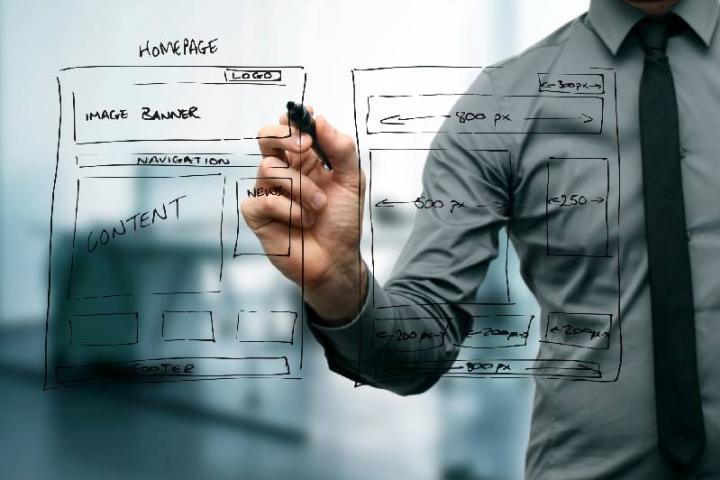
UI/UX tools focus on designing user interfaces and creating interactive prototypes. They are widely used by designers and product teams.
Key tools include:
- Figma for real-time collaboration
- Adobe XD for advanced prototyping
- Justinmind for interactive mockups
These tools help visualize ideas before development begins.
Graphic Design Tools for Web Assets
Graphic design tools are used to create visual elements like banners, icons, and images. They enhance the overall look and feel of your website.
Common tools include:
- Canva for quick and simple designs
- Photoshop for advanced editing
- Illustrator for vector graphics
These tools are essential for branding and visual consistency.
Content Management Systems (CMS)
CMS platforms help manage website content efficiently. They are ideal for blogs, business websites, and content-heavy platforms.
Popular CMS tools include:
- WordPress for flexibility and scalability
- Shopify for eCommerce websites
- WooCommerce for WordPress-based stores
These platforms make content updates easy without technical knowledge.
Front-End Frameworks and Development Tools
Frameworks are used by developers to build responsive and functional websites. They provide pre-built components and faster development.
Top frameworks include:
- Bootstrap for responsive layouts
- Tailwind CSS for utility-first styling
- React for dynamic user interfaces
These tools are best suited for advanced users and developers.
How to Choose the Right Web Design Tools
Choosing the best web design tools requires understanding your project needs and technical skills. Not every tool will fit every use case.
Define Your Goals
Start by identifying what you want to build. A simple blog, portfolio, or eCommerce site will require different tools.
Clear goals help you narrow down your options quickly.
Consider Your Skill Level
Beginners should focus on no-code tools with simple interfaces. Professionals can explore advanced tools with customization options.
Choosing the right complexity level ensures better efficiency.
Evaluate Features and Integrations
Look for tools that offer essential features like responsiveness, SEO support, and integrations. These features improve performance and scalability.
Integration with tools like analytics and marketing platforms is also important.
Budget and Scalability
Some tools are free, while others require subscriptions. Choose a tool that fits your budget and can scale with your business.
Avoid switching tools frequently, as it can affect workflow and consistency.
Key Features to Look for in Web Design Tools
Not all tools offer the same capabilities. Understanding key features helps you make a better decision.
Ease of Use
A simple interface saves time and reduces the learning curve. This is especially important for beginners.
Drag-and-drop editors are a good example of user-friendly design.
Responsiveness
Modern websites must work across all devices. Tools should allow easy mobile optimization.
Responsive design ensures a better user experience.
Collaboration Capabilities
Team collaboration is essential for large projects. Tools like Figma allow real-time editing and feedback.
This improves productivity and reduces delays.
Customization Options
Advanced users need flexibility to customize designs. Tools should allow code editing or advanced styling.
Customization ensures unique and scalable designs.
SEO and Performance Optimization
SEO features help your website rank better on search engines, as explained in Google’s official guide on Google Search Central. Performance tools improve loading speed and usability.
Both are crucial for long-term success.
Common Mistakes to Avoid When Choosing Web Design Tools
Many users make mistakes when selecting tools, which can impact their workflow and results.
Choosing Based on Popularity Alone
Just because a tool is popular doesn’t mean it’s right for you. Always evaluate your specific needs.
Focus on functionality rather than trends.
Ignoring Learning Curve
Some tools require time to learn. Choosing a complex tool without proper knowledge can slow you down.
Start simple and upgrade as needed.
Overlooking Scalability
Your needs will grow over time. Choosing a tool that cannot scale can create future challenges.
Always think long-term.
Not Testing Before Committing
Many tools offer free trials. Use them to test features and usability before making a decision.
This reduces the risk of choosing the wrong platform.
Future Trends in Web Design Tools
The landscape of web design tools is evolving rapidly with new technologies and innovations.
AI-Powered Design
AI is transforming how websites are built. Tools can now generate layouts, content, and designs automatically.
This reduces manual effort and speeds up development, allowing businesses to focus more on growth tactics like eCommerce PR strategies.
No-Code and Low-Code Platforms
These platforms are becoming more advanced. They allow non-developers to build complex websites.
This trend is making web design more accessible.
Real-Time Collaboration
Collaboration features are improving with cloud-based tools. Teams can work together from anywhere.
This is essential for remote and distributed teams.
Focus on Performance and UX
Modern tools prioritize speed and user experience. Faster websites lead to better engagement and conversions.
Optimization features will continue to improve.
Practical Tips to Get Started with Web Design Tools
Starting with the right approach can save time and improve results.
Start with One Tool
Avoid using multiple tools initially. Focus on mastering one platform.
This builds confidence and efficiency.
Follow Templates and Best Practices
Use pre-built templates to understand design structure. This helps you learn faster.
Templates also ensure professional-looking results.
Learn Basic Design Principles
Understanding layout, color, and typography improves your designs. Tools are only effective when used correctly.
Invest time in learning fundamentals.
Keep Testing and Improving
Web design is an ongoing process. Continuously test your designs and make improvements.
This leads to better performance and user satisfaction.
Conclusion
Choosing the right web design tools is essential for building efficient and visually appealing websites. The right tools can simplify your workflow and improve productivity.
From no-code builders to advanced frameworks, each tool serves a different purpose. Understanding your needs helps you make better decisions.
Focus on usability, scalability, and features when selecting tools. This ensures long-term success and better results.
Start exploring these tools, test their capabilities, and refine your approach to create high-performing websites.