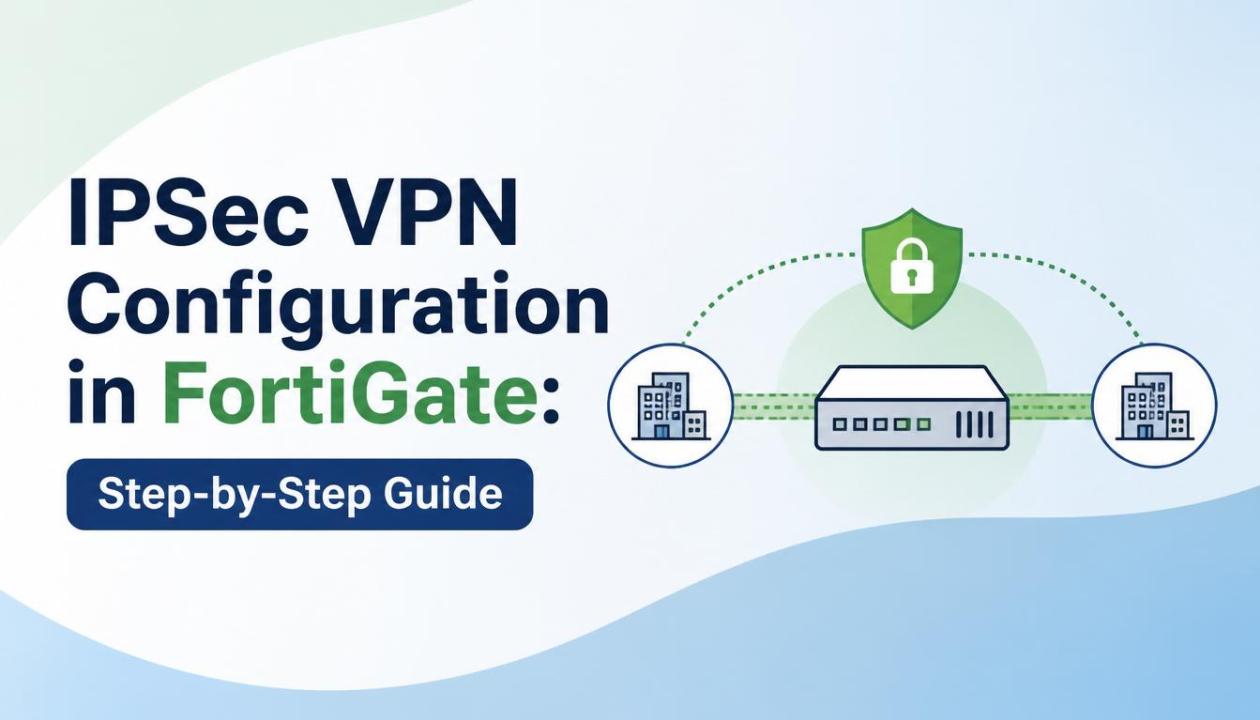
Organizations today rely heavily on secure remote connectivity to support branch offices, remote workers, and cloud applications. One of the most trusted methods for protecting data across public networks is IPSec VPN. FortiGate firewalls provide a robust and flexible IPSec VPN solution that enables secure communication between sites and users.
Professionals preparing for Fortinet NSE 4 Training often learn IPSec VPN deployment as one of the most important networking and security skills. Understanding how to configure and troubleshoot IPSec VPNs is essential for modern network security administrators.
What Is IPSec VPN?
Internet Protocol Security (IPSec) is a suite of protocols that encrypts and authenticates data transmitted over IP networks. It creates a secure tunnel between two endpoints, ensuring confidentiality, integrity, and authentication.
IPSec VPN is commonly used for:
Site-to-Site VPN connectivity
Remote Access VPN connections
Secure branch office communication
Cloud-to-on-premises connectivity
Business partner network integration
Why Use IPSec VPN in FortiGate?
FortiGate firewalls offer advanced VPN capabilities that simplify secure network deployment.
Key Benefits of FortiGate IPSec VPN
Strong encryption standards
Secure authentication methods
Centralized VPN management
High availability support
Dynamic routing integration
Scalable VPN architecture
Detailed monitoring and logging
IPSec VPN Components
Before configuration, it is important to understand the key IPSec components.
Phase 1 (IKE Phase 1)
Phase 1 establishes a secure and authenticated channel between VPN peers.
Key parameters include:
Remote Gateway IP Address
Authentication Method
Pre-Shared Key (PSK)
Encryption Algorithm
Hash Algorithm
Diffie-Hellman Group
Phase 2 (IKE Phase 2)
Phase 2 negotiates how user data will be encrypted and transmitted.
Key parameters include:
Source Subnet
Destination Subnet
Encryption Protocol
Perfect Forward Secrecy (PFS)
Key Lifetime
Security Associations (SA)
Security Associations define how traffic is protected between VPN endpoints.
Prerequisites Before Configuration
Ensure the following information is available:
Local Site Information
Public IP Address
Internal Network Subnet
WAN Interface
Remote Site Information
Remote Public IP Address
Remote LAN Subnet
Firewall Details
Security Requirements
Encryption Standards
Authentication Method
Shared Secret Key
Network Topology Example
For this guide, assume the following setup:
Site A
FortiGate Firewall
WAN IP: 203.0.113.1
LAN Network: 192.168.1.0/24
Site B
FortiGate Firewall
WAN IP: 198.51.100.1
LAN Network: 192.168.2.0/24
The objective is to establish secure communication between both LAN networks.
Step 1: Create Phase 1 Interface
Navigate to:
VPN → IPSec Tunnels → Create New
Select:
Custom VPN Tunnel
Configure the following:
Basic Settings
Name: SiteA-SiteB
Template Type: Custom
Network Settings
Remote Gateway: Static IP Address
IP Address: 198.51.100.1
Authentication
Method: Pre-Shared Key
Shared Secret: StrongPassword123
Phase 1 Proposal
Encryption: AES256
Authentication: SHA256
DH Group: 14
Save the configuration.
Step 2: Configure Phase 2 Selectors
After creating Phase 1, configure Phase 2.
Phase 2 Parameters
Local Network
192.168.1.0/24
Remote Network
192.168.2.0/24
Proposal
AES256
SHA256
Enable PFS
DH Group 14
Key Lifetime
3600 seconds
Save the configuration.
Step 3: Create Static Route
FortiGate must know how to reach the remote network.
Navigate to:
Network → Static Routes
Create a new route:
Route Details
Destination: 192.168.2.0/24
Interface: SiteA-SiteB VPN
Save the route.
Step 4: Create Firewall Policies
Firewall policies allow traffic through the VPN tunnel.
LAN to VPN Policy
Navigate to:
Policy & Objects → Firewall Policy
Configure:
Incoming Interface: LAN
Outgoing Interface: VPN Tunnel
Source: LAN Subnet
Destination: Remote LAN
Service: ALL
Action: ACCEPT
NAT: Disabled
VPN to LAN Policy
Create another policy:
Incoming Interface: VPN Tunnel
Outgoing Interface: LAN
Source: Remote LAN
Destination: Local LAN
Service: ALL
Action: ACCEPT
Save both policies.
Step 5: Verify VPN Tunnel Status
Navigate to:
VPN → IPSec Monitor
Check:
Tunnel Status
Incoming Traffic
Outgoing Traffic
Encryption Statistics
A green status indicates the tunnel is operational.
Step 6: Test Connectivity
Verify communication between sites.
Testing Methods
Ping Test
Ping a device from:
192.168.1.0/24
to
192.168.2.0/24
Application Testing
File Sharing
Database Access
Internal Web Applications
VPN Monitor
Confirm traffic counters increase during testing.
Common IPSec VPN Troubleshooting Tips
VPN issues are usually caused by configuration mismatches.
Verify Phase 1 Parameters
Ensure both sides use identical:
Encryption Algorithms
Authentication Methods
DH Groups
Pre-Shared Keys
Verify Phase 2 Parameters
Confirm:
Local Networks
Remote Networks
Security Proposals
PFS Settings
Check Routing
Validate static routes exist on both firewalls.
Review Firewall Policies
Confirm:
Policies are enabled
Correct interfaces are selected
NAT is disabled
Analyze Logs
Navigate to:
Log & Report → VPN Events
Look for:
Authentication failures
Proposal mismatches
Routing issues
IPSec VPN Best Practices
To improve security and performance, follow these recommendations.
Use Strong Encryption
Recommended:
AES256
SHA256 or SHA512
Enable Perfect Forward Secrecy
PFS enhances security by generating unique session keys.
Use Complex Pre-Shared Keys
Avoid weak passwords.
Use:
Uppercase letters
Lowercase letters
Numbers
Special characters
Monitor VPN Health
Regularly review:
VPN logs
Tunnel uptime
Bandwidth usage
Keep Firmware Updated
Install supported FortiOS releases to benefit from security improvements.
Advantages of IPSec VPN Over Traditional Connectivity
Cost Savings
Eliminates expensive leased circuits.
Strong Security
Provides encryption and authentication.
Scalability
Supports multiple branches and remote users.
Flexibility
Works across public internet connections.
Business Continuity
Maintains secure communications even during network changes.
When Should You Use IPSec VPN?
IPSec VPN is ideal when:
Connecting branch offices
Securing hybrid cloud environments
Supporting remote workforce connectivity
Protecting sensitive business traffic
Building secure multi-site networks
Conclusion
IPSec VPN remains one of the most reliable methods for securing communications across public networks. FortiGate simplifies deployment through an intuitive interface, advanced encryption capabilities, and comprehensive monitoring tools. By following a structured configuration approach, organizations can establish secure and stable VPN connectivity between sites.
Whether you are managing enterprise networks or preparing for Fortinet NSE 4 Certification, mastering IPSec VPN configuration is an essential skill. Understanding VPN design, implementation, and troubleshooting helps network professionals build secure infrastructures capable of supporting modern business requirements.