Modern facilities face a critical decision when selecting power infrastructure: should they invest in modular USB charger sockets with traditional USB-A ports, next-generation USB-C interfaces, or a combination of both? As device charging standards rapidly evolve, organizations must understand the technical distinctions between these port types to make informed decisions that serve current needs while remaining adaptable for future requirements. This comprehensive analysis examines the practical differences between USB-A and USB-C configurations in USB charging modules, helping decision-makers select the optimal solution for their specific applications.
Key Takeaways
USB-C ports deliver substantially higher power output, supporting charging from 5W to 240W compared to USB-A's typical 2.5W to 12W capacity
The reversible design of USB-C connectors eliminates insertion frustration and reduces port wear over time
USB-A maintains broader compatibility with legacy devices, making hybrid configurations optimal for diverse environments
Power Delivery technology enables USB-C ports to charge laptops and tablets, not just smartphones
Investment in modular USB charger socket systems allows component upgrades as standards continue evolving
Strategic port allocation should reflect actual device usage patterns rather than simply maximizing port count
Understanding USB Port Technology Fundamentals
The Evolution of USB Standards
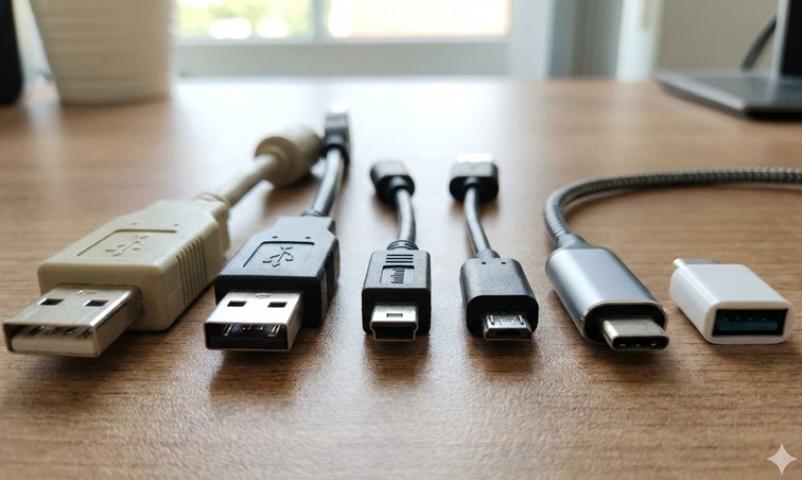
Universal Serial Bus technology emerged in 1996 to standardize peripheral connections and power delivery across computing devices. The original specification provided 2.5 watts of power through USB-A connectors, sufficient for keyboards and mice but inadequate for device charging. Over nearly three decades, USB standards have evolved through multiple revisions, each bringing significant improvements in data transfer speeds and power delivery capacity.
USB 2.0 maintained the 2.5-watt power limitation while improving data speeds to 480 Mbps. USB 3.0 increased power delivery to 4.5 watts, enabling basic smartphone charging. The introduction of USB-C connectors coincided with USB 3.1, which fundamentally transformed power delivery capabilities. According to IEC standard 62680-1-2, this newer standard supports Power Delivery specification, enabling modular USB charger sockets to provide sufficient wattage for laptops, monitors, and other power-intensive devices through a single cable.
Physical Design Differences
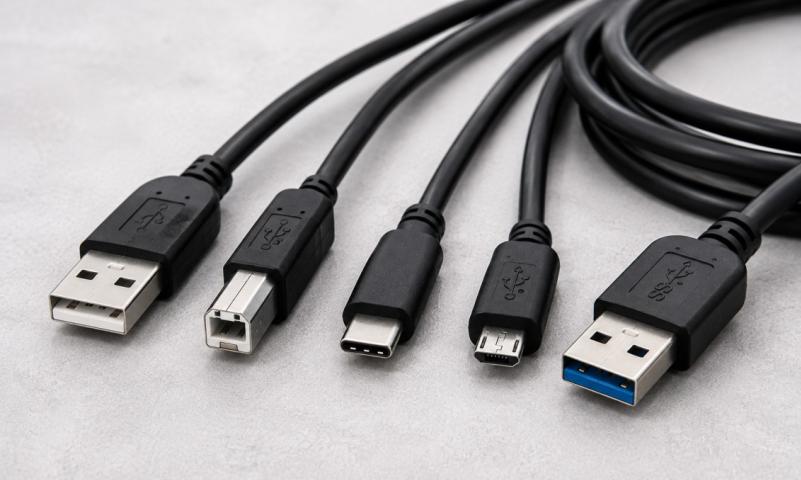
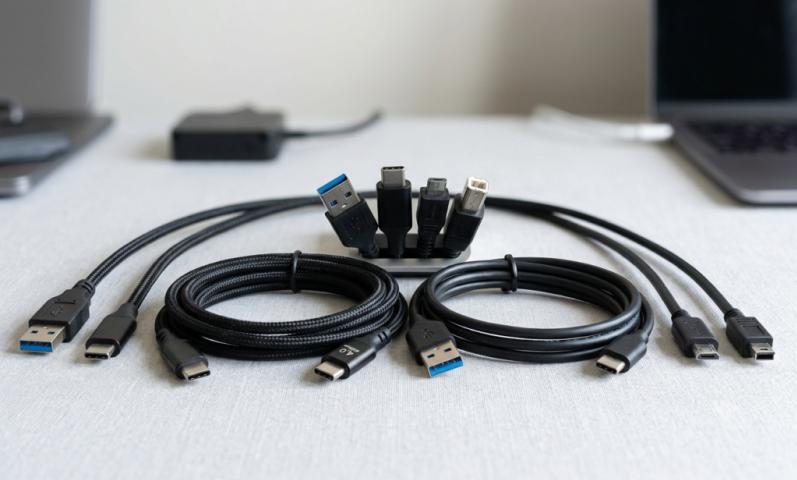
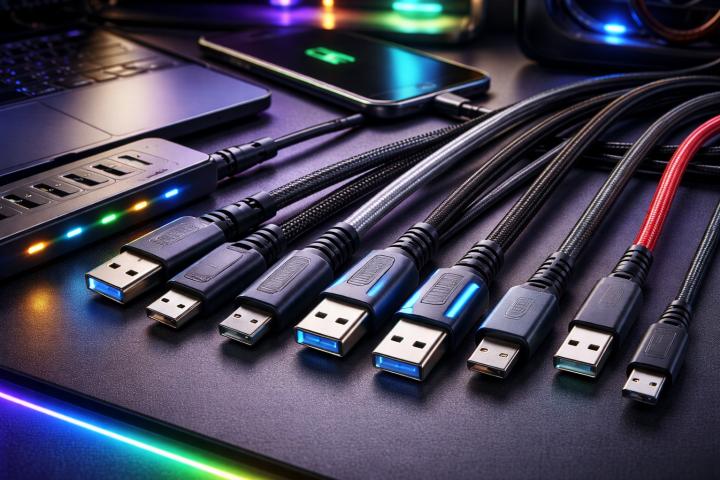
USB-A connectors feature a rectangular shape measuring approximately 12mm by 4.5mm. The asymmetric design requires correct orientation during insertion—a limitation that causes daily frustration for millions of users. The connector's internal pin structure creates this directional requirement, as electrical contacts must align properly for functionality.
USB-C connectors present a smaller, oval-shaped profile measuring approximately 8.4mm by 2.6mm. The symmetrical design allows insertion in either orientation, eliminating the trial-and-error process associated with USB-A. This reversibility represents more than convenience; it reduces mechanical wear on both cables and USB charging module ports, extending hardware lifespan in high-use environments.

Power Delivery Capabilities Comparison
| Specification | USB-A Standard | USB-C with Power Delivery |
|---|---|---|
| Maximum Power Output | 2.5W (USB 2.0) to 12W (typical) Up to 18W (with Quick Charge) | Up to 100W (USB PD 3.0) Up to 240W (USB PD 3.1 EPR) |
| Voltage Options | 5V fixed | 5V, 9V, 15V, 20V, 28V, 36V, 48V (negotiable) |
| Typical Charging Time | Smartphone: 2-3 hours | Smartphone: 30-60 minutes |
| Device Compatibility | Smartphones, tablets, small accessories | Smartphones, tablets, laptops, monitors, peripherals |
| Bidirectional Power | No (one-way only) | Yes (can power or receive power) |
| Data Transfer Speed | Up to 5 Gbps (USB 3.0) | Up to 40 Gbps (USB4/Thunderbolt) |
Understanding Power Delivery Technology
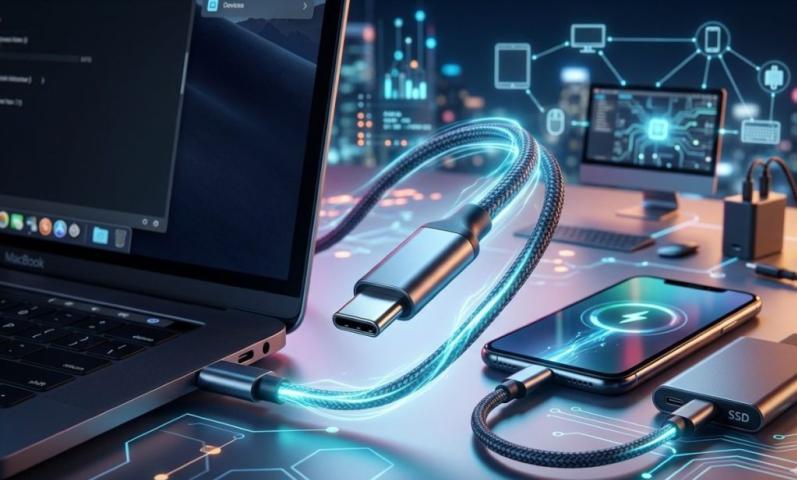
Power Delivery represents a sophisticated charging protocol that negotiates optimal voltage and current between the power source and connected device. Traditional USB-A charging provides constant 5-volt output regardless of device requirements. In contrast, USB-C with Power Delivery dynamically adjusts voltage based on device needs, optimizing charging speed while protecting battery health.
This negotiation occurs through the configuration channel within the USB-C connector. When a device connects to a USB charging module, it communicates its power requirements to the source. The modular USB charger socket responds by delivering the appropriate voltage and current combination. A smartphone might request 9V at 2A for fast charging, while a laptop demands 20V at 3A for standard operation. This intelligent power management prevents overcharging and extends device battery lifespan.
Practical Charging Speed Differences
Real-World Charging Performance
The theoretical power specifications translate directly into practical charging time differences. When charging a typical smartphone with a 3,000mAh battery, a USB-A port at 5V/2.4A (12W) delivers approximately 30% charge in 30 minutes. The same device connected to a USB-C port with 18W Power Delivery achieves approximately 55% charge in the same timeframe—nearly double the charging speed.
For tablets with larger batteries, the disparity becomes even more pronounced. A USB-A connection might require four to five hours for complete charging, while USB-C with 30W Power Delivery reduces this to approximately 90 minutes. Laptop charging illustrates the most dramatic difference: USB-A simply cannot provide sufficient power for laptop operation, while USB-C at 60-100W enables both operation and charging through the same connection in USB charging modules.
Charging Efficiency Considerations
Beyond raw charging speed, efficiency matters for commercial installations. USB-C Power Delivery operates at higher efficiency levels compared to traditional charging methods. The voltage negotiation reduces energy loss as heat during the conversion process. For facilities with numerous modular USB charger sockets operating continuously, this efficiency improvement yields measurable energy cost reductions over time.
Smart power management in quality USB-C implementations includes automatic shutoff when devices reach full charge or when no device is connected. This feature prevents phantom power draw, further reducing operational costs. USB-A ports typically lack this sophisticated power management, continuing to draw standby power even when unused.
Device Compatibility Analysis
Current Device Landscape
Understanding the devices that occupants actually use determines optimal port configuration in USB charging modules. Recent market analysis indicates that approximately 65% of smartphones sold in 2024 feature USB-C charging ports, up from just 35% three years earlier. However, billions of devices with USB-A charging cables remain in active use, particularly older smartphones, wireless accessories, and portable electronics.
Laptop manufacturers have rapidly adopted USB-C charging, with nearly all models introduced since 2023 supporting Power Delivery charging. Tablets show similar migration, though some older units retain proprietary connectors. Wireless earbuds, fitness trackers, and smart watches present mixed adoption, with premium products favoring USB-C while budget options maintain micro-USB or proprietary connectors.
Legacy Device Support Requirements
Organizations must evaluate their specific user base when selecting modular USB charger socket configurations. Educational institutions supporting students with varied economic backgrounds benefit from maintaining USB-A availability alongside USB-C ports. Corporate environments with standardized device programs can more aggressively adopt USB-C-dominant configurations. Public spaces like airports and hotels serve the most diverse populations, making hybrid solutions with both port types essential.
The practical reality dictates that USB-A elimination remains premature for most applications. Even as USB-C becomes dominant for new devices, the installed base of USB-A-dependent products will require support for years to come. Modular systems offering easy port type upgrades provide the most flexible approach, allowing organizations to adjust port ratios as their user base evolves without replacing entire USB charging module installations.
Installation and Space Considerations
Physical Footprint Requirements
The compact size of USB-C ports allows higher port density in modular USB charger sockets compared to USB-A configurations. A standard power module measuring 100mm by 75mm might accommodate two USB-A ports, or alternatively three USB-C ports in the same footprint. This density advantage becomes significant in space-constrained applications where maximizing available charging ports improves functionality without enlarging installation cutouts.
However, port density must be balanced against practical usage patterns. Clustered ports cause cable congestion when multiple users charge devices simultaneously. Quality USB charging module designs space ports appropriately to prevent interference between adjacent cables and device housings. The optimal configuration often prioritizes usability over maximum theoretical port count.
Heat Dissipation Requirements
Higher power output generates more heat during operation. USB-C ports delivering 60W or 100W produce substantially more thermal energy compared to 12W USB-A ports. Modular USB charger socket designs must incorporate adequate heat dissipation mechanisms—typically metal housings that conduct heat away from electronics, combined with ventilation allowing airflow around components.
Installations in conference tables, desk surfaces, or enclosed furniture require particularly careful thermal management. Manufacturers specify minimum clearance requirements around USB charging modules to ensure proper cooling. Installations violating these specifications risk shortened component lifespan or premature failure. Professional installation following manufacturer guidelines ensures reliable long-term operation.
Cost Analysis and Investment Strategy
| Configuration Type | Initial Cost Range | Best Applications | Future-Proofing Rating |
|---|---|---|---|
| USB-A Only | $45 - $120 per module | Budget installations, legacy device support | Limited (2-3 year relevance) |
| Hybrid (USB-A + USB-C) | $80 - $180 per module | Public spaces, mixed device environments | Good (4-6 year relevance) |
| USB-C Only | $100 - $220 per module | New construction, corporate standardized environments | Excellent (7-10 year relevance) |
| Modular System | $120 - $280 per module | Long-term installations requiring adaptability | Superior (upgradable as standards evolve) |
Total Cost of Ownership Evaluation
Purchase price represents only one component of total ownership costs for USB charging modules. Installation labor typically adds $75-$150 per module depending on complexity and electrical work requirements. Hardwired installations cost more initially but eliminate the visible power cables required by plug-in units, improving aesthetics in premium applications.
Maintenance costs remain minimal for quality modular USB charger sockets, though USB-C ports experience less mechanical wear due to reversible design. Over a five-year service life, USB-A ports may require replacement in high-traffic installations, while USB-C ports typically maintain functionality. Energy costs favor USB-C installations due to superior efficiency and smart power management, though the difference amounts to just $15-$30 annually per module in typical usage scenarios.
Strategic Investment Approach
Organizations planning facility upgrades should adopt a strategic perspective on USB charging module selection. New construction projects benefit from USB-C-dominant configurations, as these installations will serve users for decades. Retrofit projects in existing facilities face different considerations—maintaining some USB-A capability ensures immediate usability for current occupants while USB-C ports accommodate future needs.
Modular systems commanding premium prices offer superior long-term value by allowing component upgrades without replacing entire installations. When USB standards evolve—as they inevitably will—modular systems enable organizations to upgrade port types and capabilities while retaining mounting hardware and electrical infrastructure. This upgradeability transforms a capital expenditure into a more flexible investment adaptable to technological change.

Safety and Certification Requirements
Essential Safety Standards
All modular USB charger sockets for commercial installation must carry appropriate safety certifications verifying compliance with electrical safety standards. In North America, UL or ETL listings confirm products passed rigorous testing for fire resistance, shock prevention, and electromagnetic compatibility. European markets require CE marking conforming to IEC 62680 standards, while other regions maintain specific certification requirements. Installing uncertified equipment risks user safety, violates building codes, and may void facility insurance policies.
USB-C installations with high-power delivery require particularly stringent safety measures. Quality USB charging modules incorporate overcurrent protection preventing excessive current draw, overvoltage protection guarding against voltage spikes, and thermal protection shutting down the unit if overheating occurs. These protections become critical when USB-C ports deliver 60W or 100W—power levels sufficient to cause device damage or create fire hazards if circuits malfunction.
Cable Quality Considerations
The cables connecting devices to modular USB charger sockets significantly impact safety and performance. USB-C cables supporting Power Delivery above 60W must incorporate electronic marker chips communicating cable capabilities to connected devices. Cables lacking proper certification may fail to charge high-power devices, deliver inconsistent charging performance, or present safety risks under high-current loads.
Organizations should specify cable quality standards for their facilities rather than assuming users will provide appropriate cables. Providing certified cables as part of USB charging module installations ensures optimal performance and eliminates user frustration with incompatible or substandard cables. The incremental cost of quality cables proves minimal compared to the degraded user experience resulting from inadequate cable quality.
Future Technology Trends
Emerging Standards Evolution
USB-C represents the current state of USB technology, but the standard continues evolving. The USB Power Delivery Extended Power Range specification now supports up to 240W delivery at 48V—sufficient for desktop computers and high-performance workstations. According to recent industry compliance documentation, while few current devices utilize this capability, the specification demonstrates USB-C's headroom for future growth. Facilities investing in quality modular USB charger socket infrastructure position themselves to accommodate these emerging requirements through component upgrades rather than complete replacement.
The European Union's mandate requiring USB-C as the standard charging port for all portable electronic devices sold in member states accelerates industry adoption. This regulatory push will likely influence global manufacturing standards even beyond Europe, as companies prefer unified product designs over region-specific variants. Organizations can anticipate accelerated USB-C adoption across all device categories over the next three to five years.
Wireless Charging Integration
While wired USB charging dominates current installations, wireless charging capability appears increasingly in premium USB charging modules. Wireless charging eliminates cable clutter and wear concerns, though it typically delivers lower power output and operates less efficiently than wired connections. Hybrid solutions incorporating both USB-C ports and wireless charging pads offer maximum flexibility, allowing users to choose their preferred charging method based on immediate needs.
For environments prioritizing aesthetics—executive conference rooms, hotel lobbies, upscale restaurants—wireless charging integration with supplementary USB-C ports provides optimal user experience. Budget-conscious installations can defer wireless capability while ensuring USB-C infrastructure meets current and near-term charging requirements. Modular systems again prove advantageous, as wireless charging components can be added later without replacing entire installations.
Frequently Asked Questions
Looking for a Reliable USB Socket Module Manufacturer?
When facilities require professional-grade modular USB charger sockets for demanding commercial environments, partnering with experienced manufacturers ensures quality, compliance, and long-term reliability. Glob-el specializes in innovative power infrastructure solutions designed for modern workspaces, offering comprehensive USB charging modules with rigorous testing, complete certifications, and dedicated technical support for mission-critical installations. With over three decades of manufacturing expertise and ISO 9001 quality management systems, the company delivers modular solutions serving diverse applications from conference facilities to public spaces, combining flexibility with proven performance.