
Introduction
When setting up or upgrading your internet, the type of ethernet cable you use can make a big difference in speed and stability. With so many options like Cat 5e, Cat6, Cat7, and Cat 8, it’s natural to get confused about compatibility. A common question people ask is, “Can I plug a Cat 8 cable into a Cat6 jack?” The answer is straightforward, but there are some details you need to understand to avoid wasted money or performance limitations.
What is a Cat 8 Cable?
Cat 8 is the newest and most advanced ethernet cable available for consumers. It supports blazing fast speeds up to 25–40 Gbps and runs on a bandwidth of 2000 MHz. It’s designed mainly for data centers, big businesses, and professional setups where huge amounts of data are exchanged quickly. Cat 8 also has strong shielding to reduce interference.
But while it sounds powerful, Cat 8 often provides more speed than what normal home internet plans offer. That’s why many people ask if it even works with older jacks like Cat6.
What is a Cat6 Jack?
A Cat6 jack is simply the connector that allows ethernet cables to connect to devices and networks. The jack and cable work together to control the speed and stability of the connection. A Cat6 jack is designed for Cat6 cables, which can support up to 10 Gbps speeds at shorter lengths (usually up to 55 meters).
So what happens when a user tries to plug in a higher-rated Cat 8 cable into a Cat6 jack?
The Exact Answer
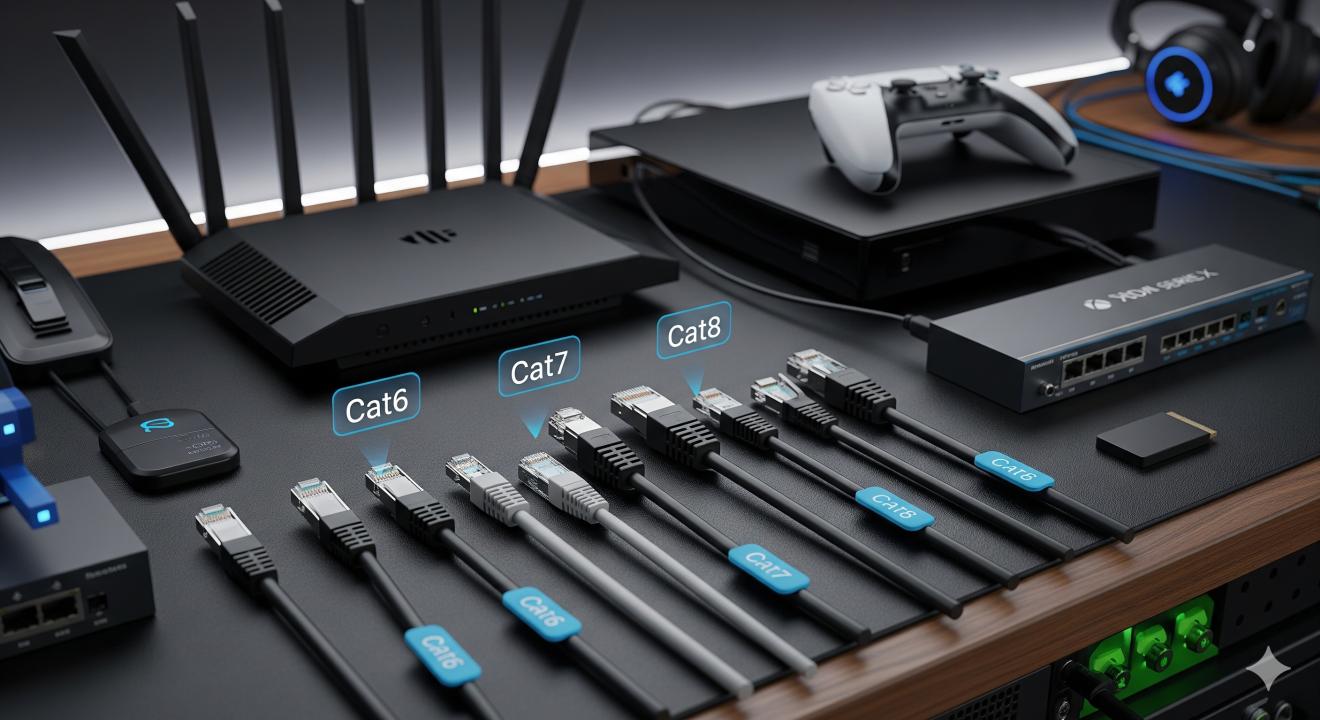
Here’s the simple answer: Yes, you can plug a Cat 8 cable into a Cat6 jack, but the connection will only perform at Cat6 speed and not at Cat8’s maximum capability. Both Cat6 jacks and Cat8 cables use the same RJ45 connector shape, so they physically fit together. However, the system will always run at the lowest common standard, meaning your Cat 8 cable will essentially operate like a Cat6 one when plugged into a Cat6 jack.
Why Does It Work?
Most ethernet cables, whether Cat5e, Cat6, or Cat8, are designed to be backwards compatible. That means newer cables can connect with older jacks and devices without errors. The catch is that while the connection works, performance cannot go beyond the limits of the older component. In this case, the Cat6 jack limits the maximum speed to 10 Gbps, even if the cable itself is capable of 40 Gbps.
Cat8 Cable + Cat6 Jack = Cat6 Performance
Think of it like this: if you pour water through a huge pipe (the Cat 8 cable) but the pipe eventually narrows down into a smaller joint (the Cat6 jack), the flow rate will always be limited by the smaller section. The Cat6 jack is the limiting factor, so the Cat8 cable will only run like a Cat6 connection in this setup.
How About Cat 5e Ethernet Cable?
It’s worth noting that many homes still run on cat 5e ethernet cable, and that’s more than enough for gigabit internet. Cat 5e supports speeds up to 1 Gbps and is still commonly used today. If you plug a Cat8 cable into a Cat5e jack, it will still fit and work, but again, the performance will max out at the Cat5e level. So even though Cat8 sounds impressive, your network is only as fast as its weakest link.
Do You Need Cat 8 for Home Use?
For most households, Cat8 is unnecessary. Home internet providers usually don’t go beyond 1–2 Gbps speeds, which Cat 5e or Cat6 already handle perfectly. Cat8 is excellent for businesses, server rooms, and situations where you transfer huge amounts of data across internal networks, but for gaming, streaming, and normal browsing, it’s far more cable than you realistically need.
Benefits of Using Cat6 Instead
Cat6 cables are cheaper, widely supported, and strong enough for 10 Gbps speeds. They are backwards compatible with Cat5e ethernet cable and forward compatible with Cat6a. If you want future-proofing without overspending, Cat6 or Cat6a is the sweet spot. You get stable internet, plenty of speed for gaming and streaming, and reliable performance across medium and long distances.
Easy Example to Understand
Imagine you’re filling a swimming pool through a hose. A Cat8 cable is like a fire hose that can deliver an ocean of water very quickly. A Cat6 jack, however, is like a smaller faucet attachment. No matter how high-powered the hose is, the water still has to pass through the limited faucet size. That’s why plugging Cat8 into a Cat6 jack means you’re limited by the Cat6 speed.
Common Misunderstandings
Myth: Plugging Cat8 into a Cat6 jack boosts the jack’s performance.
Truth: The jack limits the speed, not the cable.Myth: You need Cat8 for gaming.
Truth: Cat5e and Cat6 already handle the speeds online games require.Myth: Mixing cables and jacks causes damage.
Truth: It does not; ethernet standards are designed for backward compatibility.
Final Recap Answer
To answer it clearly: Yes, you can plug a Cat8 cable into a Cat6 jack, but the connection will only work at Cat6’s performance level. The cable and the jack fit together physically, but your network speed is limited by the lowest-rated component, which in this case is the Cat6 jack. For home use, Cat6 or even a Cat 5e ethernet cable is usually enough.
Conclusion
Ethernet cables are built to be flexible and compatible across generations, so plugging a Cat8 cable into a Cat6 jack works just fine. The important thing to remember is that the speed will always be limited by the weaker part of the system. If your jack or your devices only support Cat6, plugging in Cat8 won’t give you faster internet. For most homes, Cat5e ethernet cable or Cat6 does the job perfectly, while Cat8 is more suited to specialized environments like data centers. Save your money by matching the right cable with your real needs, and you’ll still enjoy fast and reliable internet without overspending.
Sources: https://spoxor.com/ethernet-cables-explained-a-comprehensive-overview/
https://sharefolks.com/view/what-are-three-things-to-consider-when-choosing-an-ethernet-cord
https://newyorktimesnow.com/blog/what-are-the-4-types-of-network-cables