Best Image to 3D Model Generators in 2026: We Tested 10 Tools
Two years ago, turning a single image into a usable 3D model meant accepting lumpy blobs that barely resembled the input. In 2026, the question is no longer can AI do it — it's which image to 3D model generator is best for your specific workflow.
We ran 10 leading tools through the same set of 20 reference images (products, characters, architecture, and organic objects) and scored them on geometry accuracy, texture quality, topology cleanliness, generation speed, cost per model, and export flexibility. This guide breaks down the results — and, more importantly, tells you which tool wins for your use case, because no single generator is best at everything.
TL;DR — For most creators, a multi-model platform that lets you switch engines per asset delivers the best results. For raw photorealism, Rodin AI leads. For free experimentation, TRELLIS-2 and Hunyuan3D are the strongest open-source options. For pure speed, Tripo generates clean topology in under a minute.
The short answer: The best image to 3D model generator in 2026 depends on your use case. Meshy AI is best for game developers (clean topology, rigging, 10M+ creator community). Tripo AI is best for speed and 3D printing (20–60s generation, strong color retention). Rodin AI is best for photorealistic quality (4K PBR, enterprise studios). Trify3D and 3D AI Studio are best overall for creators who want multiple AI engines in one platform. TRELLIS-2 and Hunyuan3D are the best free, open-source options for users who can self-host.
How We Tested
To keep this comparison honest, every tool received the same 20 reference images across four categories: product photos, character concepts, architectural sketches, and organic objects (food, plants, sculptures).
Key findings from testing:
- Generation speed range: 3 seconds (TRELLIS-2 self-hosted) to 10 minutes (Luma AI) — a 200× spread across the field
- Price range: $0 (open-source) to $99/mo (Rodin AI), with most commercial tools clustering at $19–24/mo
- Cost per model: $0.15–0.20 on multi-model platforms vs $0.50+ on Rodin direct
- Community scale: Meshy leads with 10M+ creators; Trify3D reports 18,000+ active creators and 1.2M+ models generated
- Export format coverage: only Trify3D and 3D AI Studio offer all five formats (GLB, FBX, OBJ, USDZ, STL) at entry tier
"After testing every tool on this list extensively, the biggest difference in 2026 is multi-model access. No single AI model wins at everything — but having all of them in one place means you always get the best result for each specific task." — Jan, Founder of 3D AI Studio
Quality metrics:
- Geometry accuracy and detail preservation
- Texture quality and PBR material accuracy (albedo, normal, roughness, metallic)
- Topology cleanliness and polygon count
- Multi-angle consistency
Practical factors:
- Generation speed and reliability
- Pricing and real cost per model
- Ease of use and workflow integration (Blender, Unity, Unreal)
- Output formats and export options (GLB, FBX, OBJ, USDZ, STL)
We did not give any tool — including our own — a free pass. The goal is a ranking you can actually trust when you're spending real money on credits.
Quick Comparison: 10 Best Image to 3D Tools (2026)
Sorted by starting price. Note that "TRELLIS-2" refers to the open-source Microsoft model (self-hosted), while "Trellis 2" is the managed cloud service at trellis2.app.
| Tool | Starting Price | Quality | Speed | Multi-Image | Output Formats |
|---|---|---|---|---|---|
| TRELLIS-2 (open source) | Free | Very Good | ~3s | ✗ | GLB, OBJ, PLY |
| Hunyuan3D | Free (open source) | Good | 10–25s | ✗ | GLB, OBJ |
| Luma AI | Free | Fair | 5–10 min | ✔ | GLB, USDZ |
| Polycam | $10/mo | Good | 2–5 min | ✔ | GLB, OBJ, PLY |
| 3D AI Studio | $19/mo | Excellent | 30–120s | ✔ | GLB, FBX, OBJ, USDZ |
| Meshy AI | $19/mo | Good | 30–90s | ✗ | GLB, FBX, OBJ |
| Trellis 2 | $19/mo (free tier) | Very Good | 1–3 min | ✗ | GLB |
| Trify3D | $19.90/mo | Excellent | <30s preview | ✔ | GLB, FBX, OBJ, USDZ, STL |
| CSM.ai | $20/mo | Good | 45–120s | ✗ | GLB, FBX |
| Tripo AI | $24/mo | Good | 20–60s | ✔ | GLB, FBX, OBJ |
| Rodin AI (Hyper3D) | $99/mo | Exceptional | 60–180s | ✔ | GLB, FBX, OBJ |
Best Overall: Multi-Model Platforms
In 2026, the biggest shift in image-to-3D isn't any single model getting better — it's that no one model wins at everything. Tripo produces cleaner topology for rigging; Meshy is faster for simple props; Rodin delivers higher photorealism for hero assets. Locking yourself into one engine means accepting compromises on every asset it isn't best at.
This is why multi-model aggregation platforms became the category to beat. Two tools lead here:
Trify3D
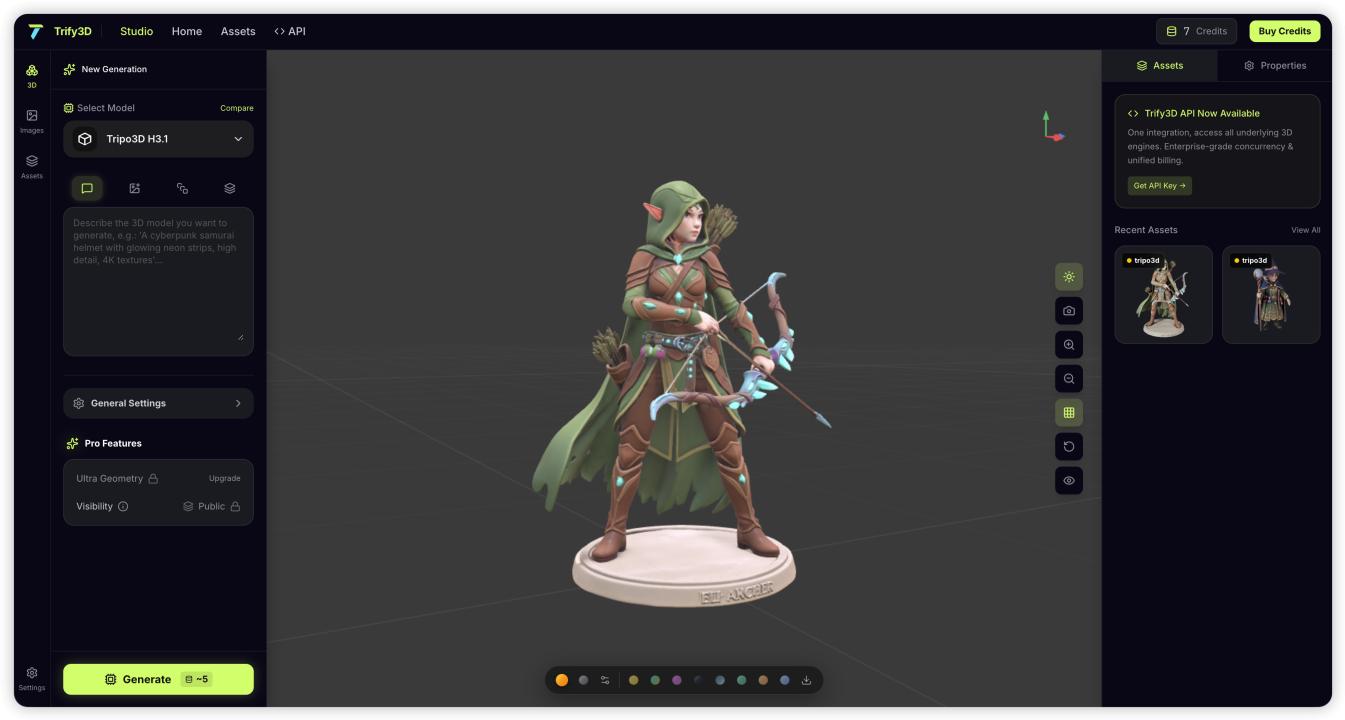
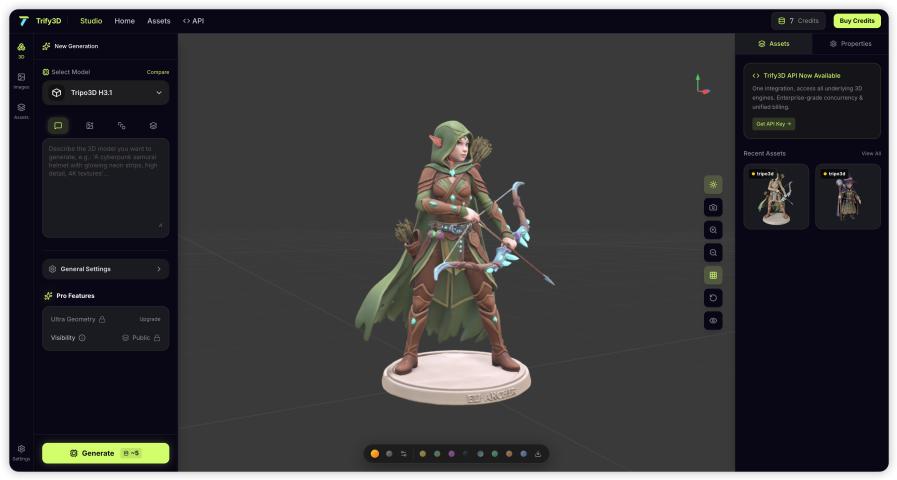
Trify3D gives you access to and side-by-side comparison of the world's leading AI engines in one platform. The core value: instead of guessing which model fits an asset, you can run the same image through multiple engines and pick the best output.
- Modes: Image to 3D, Text to 3D, AI Texturing (PBR maps)
- Exports: GLB, FBX, OBJ, USDZ, STL — including STL from the Starter tier, which makes it one of the few platforms that handles game dev and 3D printing equally well
- Speed: previews in under 30 seconds
- Pricing: Starter $19.90/mo, Pro $29.90/mo, Max $149.90/mo, plus one-time credit packs with no subscription required
- Niche subtools: a dedicated low-poly generator, photo-to-printable-statue, and background removal utilities that most general-purpose competitors don't offer
- Free tier: 50 credits to start
Where it fits: creators who want engine choice without managing multiple subscriptions, and especially anyone splitting work between games and 3D printing.
3D AI Studio
3D AI Studio takes a similar multi-model approach, bundling Meshy, Rodin, Tripo, Hunyuan, and Trellis under one subscription, plus pipeline tools like remeshing, LOD generation, and AI texturing. At roughly $0.17 per model on the Studio plan, it's aggressive on value.
The trade-off: it's a newer platform with a smaller track record than Meshy or Tripo individually, and full access still requires credits.
Verdict on multi-model platforms: if you generate more than a handful of models per month across different asset types, this category pays for itself. Pick based on which bundled engines and subtools matter most to your workflow.
Best by Use Case
A single "best" ranking hides the truth — the right tool depends entirely on what you're making. Here's how the field splits by use case.
Best for Game Development: Meshy AI & Tripo
Game developers care about three things: clean topology that rigs without retopology, consistent >
Meshy AI is the established leader here, and for good reason. Its Meshy 4 model produces game-optimized base meshes, includes biped and quadruped rigging with walking animation, and supports 50+ concurrent generation tasks. It ships Blender and Unity plugins, AI texturing without UV mapping, and a 10-million-creator community for assets and inspiration. Enterprise-grade compliance (ISO 27001, SOC2, GDPR) and clients like Supercell, Nexon, and Square Enix back its production readiness.
Tripo AI is the faster challenger — generating in 20–60 seconds with topology that's increasingly game-ready out of the box. Its auto-rig for stylized and realistic characters is strong. The weakness: quality can be inconsistent on organic shapes, and its community is smaller than Meshy's.
Best for 3D Printing: Tripo & Trify3D
3D printing demands watertight meshes, good color/texture retention, and STL export. Most AI-generated models need a remesh pass before they're printable, so tools with built-in remeshing or clean topology win.
Tripo is widely praised in the 3D printing community for holding color and texture through export, making it easy to take AI output straight into a slicer. Trify3D is notable for including STL export from the Starter tier alongside its photo-to-printable-statue subtool — purpose-built for the printing use case rather than bolted on.
Best for Photorealistic Quality & Studios: Rodin AI
When the priority is maximum fidelity — product visualization, VFX, hero assets — Rodin AI by Hyper3D is the benchmark. It produces high-detail output with 4K PBR textures, clean quad topology, multi-view support, and API access for automated pipelines. Its client list (Nvidia, Meta, Tencent, Shutterstock, Supercell, MIT) signals its enterprise positioning.
The catch: Rodin is expensive (starting at $99/mo) and has no bundled pipeline tools — you're paying for raw quality and API automation, not a full workflow.
Best Free & Open Source: TRELLIS-2 & Hunyuan3D
Not every workflow needs a paid subscription. For technical users willing to self-host, two open-source models stand out.
TRELLIS-2 is Microsoft Research's 4-billion-parameter model built on the Structured LATent (SLAT) representation. It generates at 512³ resolution in roughly 3 seconds and outputs full PBR materials (albedo, roughness, metallic, normal) plus GLB, OBJ, PLY, and 3D Gaussian formats. It's MIT licensed, which means commercial use is allowed. The trade-off: you need a powerful GPU to run it locally, and Gaussian Splatting output doesn't drop cleanly into traditional pipelines.
Hunyuan3D, from Tencent, uses a two-stage mesh-plus-texture synthesis pipeline and accepts image, text, and sketch input. It generates in 10–25 seconds with clean topology. Like TRELLIS-2, it's self-hosted with no managed cloud — best for technical teams that want a free, controllable alternative.
Prefer not to self-host? Trellis 2 runs the same SLAT architecture as a managed cloud service — no GPU required — starting at $19/mo with a free tier. It's the easiest way to get TRELLIS-2-class quality without setting up local inference.
Best for Beginners: Luma AI & Canva
If you're just exploring and want zero friction, Luma AI (free, web-based) and Canva's AI 3D Model Generator (embedded in Canva's design flow) are the lowest barriers to entry. Quality is lower and generation is slower (5–10 minutes for Luma), but they're perfect for learning the workflow before committing to a paid tool.
Tool-by-Tool Breakdown
Meshy AI
Strengths: Game-optimized meshes, rigging + animation, AI texturing without UVs, 50+ concurrent tasks, Blender/Unity plugins, large community, enterprise compliance. Weaknesses: Free tier limited to ~200 credits, locked to a single AI model, higher tiers get pricey. Best for: Game developers and 3D artists who want the most mature single-engine workflow.
Tripo AI
Strengths: Fast (20–60s), clean topology, strong color/texture retention, auto-rig, multi-image input. Weaknesses: Inconsistent on organic shapes, limited post-processing, smaller community. Best for: Fast prototyping, hard-surface modeling, and 3D printing.
Rodin AI (Hyper3D)
Strengths: Best-in-class photorealism, 4K PBR, clean quad topology, API access, multi-view. Weaknesses: Expensive ($99/mo+), no bundled pipeline tools, enterprise-focused. Best for: Studios needing maximum fidelity and API automation.
Hunyuan3D
Strengths: Free, open-source, two-stage mesh+texture, image/text/sketch input, clean topology. Weaknesses: Self-hosted only, requires powerful hardware, smaller ecosystem. Best for: Technical teams wanting a free, controllable alternative.
TRELLIS-2
Strengths: Free, MIT-licensed, 4B parameters, ~3s generation, full PBR, multiple export formats. Weaknesses: Requires a strong GPU for self-hosting, Gaussian output harder for traditional pipelines, no built-in rigging. Best for: Developers wanting free, high-fidelity generation with full pipeline control.
Trify3D
Strengths: Multi-engine access and comparison in one workflow, AI texturing, PBR maps, all five export formats (incl. STL) from Starter, niche subtools (low-poly, photo-to-statue, background removal), 50 free credits. Weaknesses: Newer platform; multi-model comparison requires more credits per asset than single-engine tools. Best for: Creators who want engine choice and split work across games, printing, and visualization.
Trellis 2
Strengths: Microsoft SLAT architecture as a managed service, no GPU required, 25+ >Weaknesses: GLB-only export, single architecture (no engine switching). Best for: Creators who want TRELLIS-2-class quality without local GPU setup.
Polycam
Strengths: LiDAR photogrammetry, USDZ for AR, mobile app, real-world object capture. Weaknesses: Requires physical access to objects, slower (2–5 min), device-dependent quality. Best for: Scanning real objects for AR or archviz (different workflow than AI generation).
Luma AI
Strengths: Free, easy, multi-image, web-based. Weaknesses: Lower quality, slow (5–10 min). Best for: Beginners and free experimentation.
CSM.ai
Strengths: Good quality, reasonable price ($20/mo). Weaknesses: GLB/FBX only, no multi-image. Best for: Mid-range general-purpose generation.
Meshy vs Tripo vs Rodin: Which Is Best?
These three come up most often in head-to-head comparisons, so here's the direct breakdown.
Meshy vs Tripo: Both target game developers, but they trade blows differently. Meshy has the deeper ecosystem — rigging, animation, Blender/Unity plugins, and a far larger community for assets and support. Tripo is faster (20–60s vs 30–90s) and its topology is cleaner straight out of generation, which means less retopology before rigging. Pick Meshy for the complete game-dev pipeline and community; pick Tripo for speed and clean hard-surface meshes.
Meshy vs Rodin: Different leagues. Meshy is a workflow tool — fast, broad, plugin-integrated, mid-price ($19/mo). Rodin is a quality weapon — the best photorealism and 4K PBR on the market, but at $99/mo with no bundled pipeline tools. Pick Meshy for everyday production; pick Rodin when a single hero asset must look flawless.
Tripo vs Rodin: Tripo wins on speed, price, and topology for rigging. Rodin wins on photoreal fidelity and API automation. If you're 3D printing or prototyping, Tripo. If you're doing product visualization or VFX, Rodin.
The reason multi-model platforms exist is that most studios eventually need all three — Meshy for bulk props, Tripo for fast concepts, Rodin for hero shots — and running them under one subscription beats paying separately.
How to Choose: A 5-Question Decision Framework
Still unsure? Answer these:
- What are you making? Games → Meshy/Tripo. Printing → Tripo/Trify3D. Photoreal assets → Rodin. Quick concepts → any multi-model platform.
- What's your budget? $0 → TRELLIS-2/Hunyuan3D (self-host) or Luma (cloud). $20/mo → Meshy, Tripo, Trify3D, CSM. $100+/mo → Rodin for studios.
- Do you need multiple AI engines? If yes → Trify3D or 3D AI Studio. If one engine is fine → Meshy or Tripo.
- What formats do you need? Web/AR → GLB/USDZ. Games → FBX. Printing → STL. Make sure your tool exports what your pipeline expects.
- Can you self-host? Yes → grab TRELLIS-2 or Hunyuan3D for free. No → pick a managed cloud service.
How Image to 3D Actually Works
Most modern image-to-3D generators share a similar pipeline under the hood, and understanding it helps you pick the right tool and get better results.
The core challenge is single-view reconstruction: a 2D image hides three sides of an object, so the model has to infer the unseen geometry. Two technical approaches dominate in 2026:
- Structured latent representations (SLAT): Pioneered by Microsoft Research's TRELLIS, this encodes 3D shape and texture in a compact latent space, then decodes it into meshes or 3D Gaussians. It's fast (seconds), produces full PBR materials, and is the architecture behind both TRELLIS-2 and Trellis 2.
- Multi-stage diffusion: Used by many commercial tools, this generates an initial coarse 3D shape, then refines geometry and textures in subsequent passes. Slower but flexible across >
Tips for best results from any single image:
- Use a clear subject on a simple background
- Ensure good, even lighting
- Avoid heavy shadows or multiple objects in one image
- For higher accuracy, provide multiple angles if the tool supports it
- Product photos, clean sketches, and concept art convert best
Frequently Asked Questions
Can I really get good 3D models from just one image?
Yes. Single-image input produces usable results in 30 seconds to 3 minutes for most objects. The AI estimates hidden sides based on what it can see. For maximum accuracy, provide multiple angles — but one clear image is enough to start.
Which image to 3D generator is best for game development?
For clean, game-ready topology, Meshy AI and Tripo lead. For engine flexibility per asset type, a multi-model platform like Trify3D or 3D AI Studio lets you pick the right model for each job.
Are AI-generated 3D models ready for 3D printing?
Most need a quick remesh to become watertight. Tools with built-in remeshing (3D AI Studio) or clean topology (Tripo) and STL export (Trify3D) handle this best. Tripo is especially strong at retaining color through the printing pipeline.
Can I use AI-generated 3D models commercially?
Yes. Models from Meshy, Tripo, Rodin, Trify3D, and Trellis 2 are commercially usable. Open-source tools like TRELLIS-2 (MIT) and Hunyuan3D also allow commercial use. Always confirm you hold the rights to any source image you upload.
How much does an image to 3D model cost?
It varies widely. On multi-model platforms, each generation runs roughly $0.15–0.20 per model. Rodin direct costs $0.50+ per model. Free tools like TRELLIS-2 and Hunyuan3D cost nothing but require your own GPU. Free cloud tiers (Luma, Trellis 2) let you test before paying.
What's new in image-to-3D for 2026?
Quality improved dramatically: TRELLIS-2 generates in ~3 seconds, topology from tools like Tripo is now game-ready out of the box, and multi-model platforms mean you always get the latest engines without switching subscriptions. The category shifted from "can it work?" to "which workflow fits you?"
The Verdict
There is no single best image to 3D model generator — there's the best one for your workflow. If you want maximum photorealism and have a studio budget, Rodin. If you want the most mature game-dev pipeline, Meshy. If you want free and open-source, TRELLIS-2 or Hunyuan3D. If you want speed, Tripo.
And if you want the flexibility to use all of these engines from one place — comparing outputs side by side and exporting to whatever format your project needs — multi-model platforms like Trify3D are the most pragmatic choice for creators who work across games, printing, and visualization without wanting to juggle five subscriptions.
Ready to try image to 3D? Start free at Trify3D (50 credits, all export formats) or explore the SLAT-powered Trellis 2 for single-image conversion with no GPU required.
Methodology note: This comparison is based on testing conducted in June 2026 using 20 reference images across four asset categories. Pricing and features change frequently in this space — always verify current details on each tool's site before purchasing.