Businesses increasingly rely on cloud-based applications to support accounting, customer management, collaboration, document processing, and other daily operations. As employees work from different locations and use a variety of devices, protecting access to business applications has become more challenging.
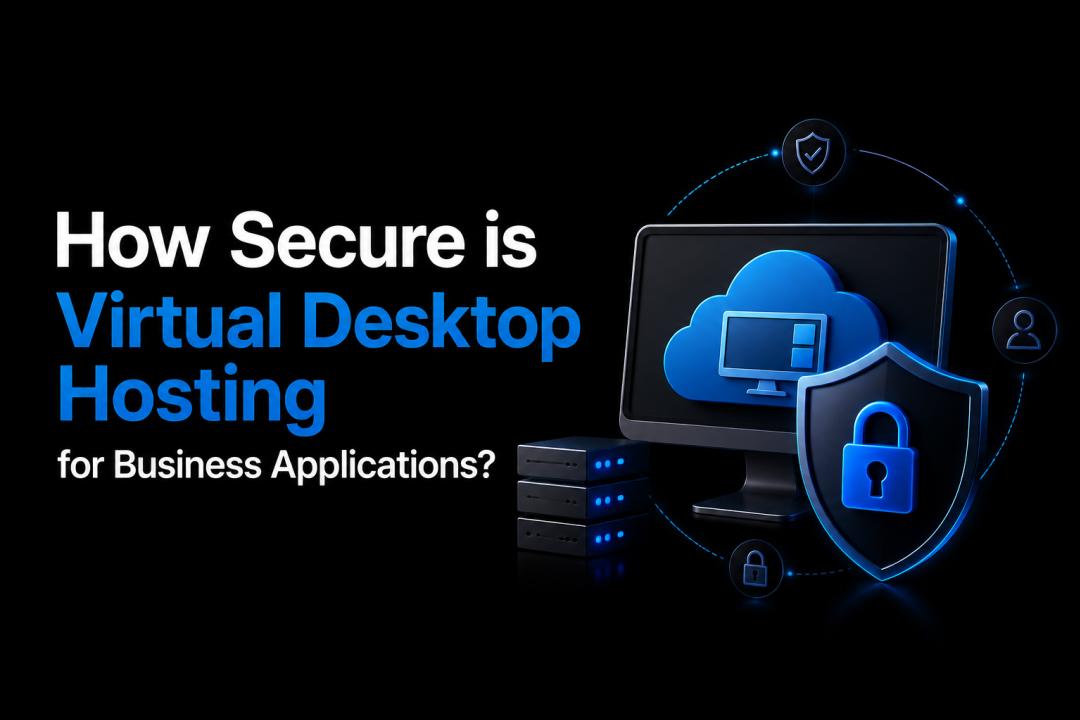
Virtual desktop hosting provides a centralized way to deliver desktops and applications to authorized users. Instead of storing business applications and sensitive files entirely on individual computers, organizations can host desktop environments in a managed cloud infrastructure and allow users to access them remotely.
But how secure is this approach?
When properly configured and managed, virtual desktop hosting can provide strong security controls for business applications. However, security depends on factors such as access management, encryption, monitoring, backups, endpoint protection, and the provider's infrastructure.
What is Virtual Desktop Hosting?
Virtual desktop hosting allows a complete desktop environment to run on remote servers rather than directly on an employee's physical computer. Users connect to their hosted desktop through an internet connection and interact with their applications as if they were running locally.
Business applications, files, user profiles, and other resources can remain within the hosted environment. This centralized model gives administrators greater control over how users access company resources and how sensitive information is handled.
For businesses with remote or hybrid employees, this approach can also reduce the need to install and maintain applications separately on every computer.
Why Security Matters for Business Applications
Business applications often contain confidential financial records, customer information, employee data, intellectual property, and operational documents. A compromised account or unsecured device can therefore create significant business risks.
Traditional desktop environments may leave sensitive information distributed across laptops and workstations. If a device is lost, stolen, infected with malware, or accessed by an unauthorized person, locally stored information could be exposed.
A centrally hosted desktop environment can reduce some of these risks by keeping applications and business data within a controlled infrastructure. However, centralization does not automatically guarantee security. Organizations still need appropriate technical controls and security policies.
Key Security Features to Look For
When evaluating a hosted desktop solution, businesses should consider several important security capabilities.
1. Encryption
Encryption helps protect information while it moves between a user's device and the hosted environment. It can also protect stored information when supported by the underlying infrastructure.
Businesses should ask providers how data is encrypted, which protocols are used, and how encryption keys are managed.
2. Multi-Factor Authentication
Passwords alone may not provide sufficient protection for business applications. Multi-factor authentication adds another verification step, such as an authentication app, security key, or one-time code.
Even if an employee's password is compromised, an attacker may be unable to access the hosted desktop without the additional authentication factor.
3. Role-Based Access Controls
Not every employee needs access to every application or file. Role-based permissions allow administrators to assign access according to job responsibilities.
For example, an accounting employee may need access to financial applications, while a sales representative may only require customer relationship management software.
Limiting permissions reduces the potential impact of compromised accounts.
4. Centralized Security Management
One advantage of a hosted environment is centralized administration. IT teams can manage users, applications, permissions, updates, and security policies from a controlled environment.
Instead of securing every workstation independently, administrators can apply many security controls at the hosted infrastructure level.
5. Regular Updates and Patch Management
Outdated operating systems and applications can contain vulnerabilities that attackers may exploit. A secure hosted environment should have a consistent process for applying security updates and patches.
Businesses should confirm who is responsible for operating system updates, application maintenance, and security patches before selecting a provider.
6. Monitoring and Threat Detection
Security monitoring can help identify suspicious login attempts, unusual activity, and other potential threats.
Logging and monitoring also provide administrators with useful information when investigating security incidents. Depending on the service, organizations may have access to alerts, activity logs, and other security reporting tools.
How Virtual Desktops Can Reduce Endpoint Risk
Employee devices remain an important part of an organization's security strategy. However, a hosted desktop model can reduce the amount of sensitive information stored directly on those endpoints.
For example, an employee working from a personal laptop may connect to a hosted business desktop instead of downloading company files to the laptop. This can help limit exposure if the device is lost or compromised.
It is important to understand that this does not eliminate endpoint security requirements. Devices still need secure operating systems, updated software, reliable authentication, and appropriate malware protection.
Is Virtual Desktop Hosting Secure for Remote Employees?
It can be, provided remote access is properly secured.
Remote employees may connect from homes, offices, coworking spaces, or other locations. A centralized hosted desktop can provide employees with the same business environment regardless of where they work.
Organizations should combine this flexibility with security measures such as multi-factor authentication, strong passwords, access controls, encrypted connections, device security, and user awareness training.
The security of the connection also depends on the technology used by the hosting provider and how the environment is configured.
What Businesses Should Ask a Hosting Provider
Before choosing a provider, businesses should ask practical security questions, including:
- Where are the hosted desktops and business applications located?
- How is data protected during transmission and while stored?
- Is multi-factor authentication available?
- How are user permissions managed?
- What monitoring and security logging capabilities are provided?
- How frequently are systems patched?
- What backup and disaster recovery procedures are available?
- How are security incidents handled?
- What measures protect the underlying infrastructure?
- What responsibilities remain with the customer?
These questions can help businesses understand both the provider's security measures and their own responsibilities.
Security Depends on Configuration and Management
No hosting model can eliminate every cybersecurity risk. A poorly configured hosted desktop can still expose an organization to threats.
For example, weak passwords, excessive user permissions, outdated software, disabled security controls, or poorly managed accounts can create vulnerabilities regardless of where the desktop is hosted.
Businesses should therefore treat security as an ongoing process rather than a one-time setup. User accounts should be reviewed regularly, inactive accounts should be removed, permissions should be adjusted when employees change roles, and security policies should be updated as business requirements evolve.
Final Thoughts
Virtual desktop hosting can provide a secure foundation for accessing business applications by centralizing desktops, applications, and data within a controlled environment. Features such as encryption, multi-factor authentication, role-based access, centralized administration, patch management, and monitoring can help businesses reduce security risks.
However, the level of protection depends on the hosting provider, infrastructure, configuration, and security practices used by the organization. Businesses should evaluate these factors carefully instead of assuming that a hosted desktop is automatically secure.
For organizations that need secure remote access to business applications while maintaining centralized control, a properly managed virtual desktop environment can be a practical option.
Frequently Asked Questions
1. Is virtual desktop hosting secure for small businesses?
Yes. Small businesses can benefit from centralized security controls without maintaining the entire desktop infrastructure themselves. The actual level of security depends on the provider, configuration, authentication methods, and business security practices.
2. Can employees access hosted desktops from personal devices?
Yes, depending on the hosting solution. Employees can often access their hosted desktops from laptops, desktops, tablets, or other supported devices. Businesses should still establish endpoint security requirements for personal devices.
3. Does virtual desktop hosting protect business data?
It can reduce the amount of business data stored directly on employee devices because applications and information can remain within the hosted environment. Organizations should still use appropriate access controls, encryption, backups, and monitoring.
4. How does multi-factor authentication improve hosted desktop security?
Multi-factor authentication requires users to provide additional verification beyond a password. This makes unauthorized access more difficult if a user's password is stolen or exposed.
5. What should I check before choosing a virtual desktop provider?
Review the provider's authentication options, encryption practices, access controls, monitoring, patch management, backup procedures, infrastructure security, support, and incident-response processes. Also clarify which security responsibilities belong to the provider and which remain with your business.