TL;DR:
AI event summary tools turn recordings into written recaps, searchable transcripts, or video highlights. Snipin AI focuses on event content repurposing, while Notta, Fireflies.ai, and Otter.ai prioritize transcription and meeting summaries. OpusClip and Descript support video clipping and editing. Compare processing limits, output quality, and subscription costs before choosing.
Introduction
What Do You Need From Your Event Recordings?
A single event recording can hold hours of valuable insights, but finding the moments worth revisiting can be a challenge. Rewatching an entire conference just to locate one announcement, expert insight, or audience question can slow down post-event work.
Different teams need different outputs. Event organizers may want session summaries, marketers may need short videos for social media, and internal teams may need searchable notes and action items.
That is where AI event summary tools can help. Depending on the platform, they can turn recordings into written recaps, searchable transcripts, or video highlights. Comparing these capabilities helps you choose a tool that fits your team's needs and budget.
6 AI Event Summary Tools Compared
These six tools offer different ways to summarize event recordings, create transcripts, and produce video highlights. Compare their key features, pricing, and use cases to find the right fit for your event workflow and budget.
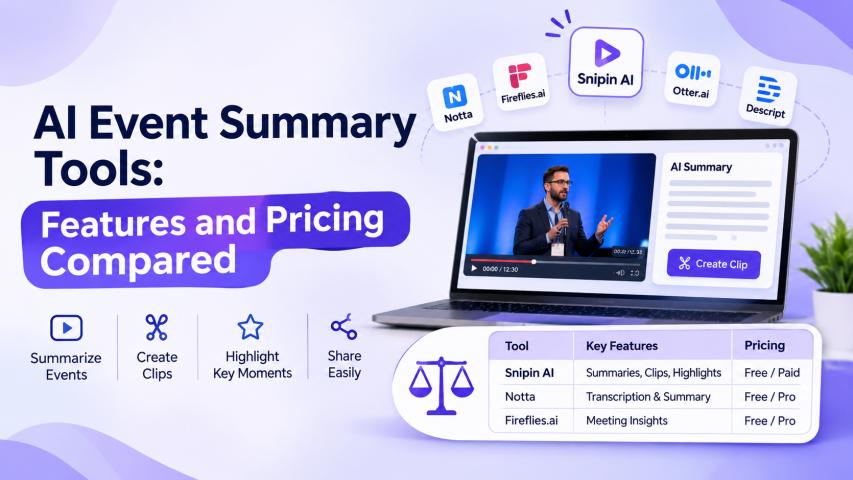
Tool | Primary capability | Pricing overview |
Snipin AI | Event summaries and video highlights | Free start; paid pricing to confirm |
Notta | Transcription and written summaries | Free; Pro from $8.17/month annually |
Fireflies.ai | Searchable transcripts and meeting summaries | Free; Pro from $10/seat/month annually |
Otter.ai | Live transcription and meeting notes | Free; Pro from about $8.33/user/month annually |
OpusClip | Short-form video clipping | Free; Starter at $15/month |
Descript | Transcript-based video editing | Free; paid plans available |
Prices are indicative USD rates and may change. Check each provider’s current pricing page for plan limits and billing terms.
1. Snipin AI: For Event Summaries and Highlights
Snipin AI helps turn recordings of conferences, webinars, and other events into summaries, key takeaways, and short video clips. Its event-content workflow also supports organizing and sharing recorded material.
Unlike tools built primarily around meeting notes, Snipin AI is relevant when teams want to reuse event recordings across recaps and video content. An AI event summary generator can be especially useful when audiences need the main insights without watching an entire session.
Pricing: A free starting allowance includes 120 minutes of video processing. Confirm paid-plan pricing directly with the provider.
Best for: Event teams that need written recaps and video highlights from recordings.
2. Notta: For Transcription and Written Recaps
Notta converts speech into text and generates AI summaries. Teams can use it to review presentations, interviews, and recorded discussions without replaying every minute.
Its free plan offers 120 transcription minutes per month, with restrictions on conversation length and summary generation. Pro is listed at $8.17 per month with annual billing, while Business offers additional team features and allowances.
Check recording duration and upload limits before processing long event sessions.
Best for: Teams that prioritize searchable transcripts and written summaries.
3. Fireflies.ai: For Searchable Meeting Records
Fireflies.ai transcribes and summarizes conversations, helping teams find specific statements and review follow-up information. It can also process supported uploaded audio and video files.
Its published pricing lists a free plan, Pro at $10 per seat per month, and Business at $19 per seat per month with annual billing. Features and usage allowances vary by plan.
Fireflies is more meeting-focused than event-publishing-focused, making it useful for town halls, virtual panels, and internal discussions.
Best for: Organizations that need searchable records and meeting summaries.
4. Otter.ai: For Live Transcription and Meeting Notes
Otter.ai provides live transcription, summaries, and meeting notes. Users can search transcripts and revisit important information from supported meetings.
Its free Basic plan includes 300 monthly transcription minutes, with restrictions on audio and video imports. Pro is listed at approximately $8.33 per user per month with annual billing. Paid plans offer higher allowances and additional features.
Before uploading a full conference recording, verify file-import limits and maximum recording duration.
Best for: Teams that need live transcription and searchable meeting notes.
5. OpusClip: For Short Video Highlights
OpusClip helps transform longer recordings into short-form videos. Its features include AI clipping, captions, reframing, and editing tools for social media content.
The free plan offers 60 credits per month. Starter is listed at $15 per month, while Pro is listed at $14.50 per month with annual billing.
However, video clipping is not the same as generating a detailed written recap. Teams needing both outputs may require a separate summarization workflow.
Best for: Marketing teams creating short videos from presentations, interviews, and event recordings.
6. Descript: For Transcript-Based Editing
Descript combines transcription with text-based audio and video editing. Editors can locate sections through a transcript, remove unwanted content, and prepare recordings for publication.
Its free plan offers limited usage, while paid plans provide expanded editing and AI capabilities. The Creator plan has been listed at $12 per editor per month with annual billing; verify the current price and inclusions before subscribing.
Descript is better suited to teams that want control over their final videos than those seeking only an automatic written summary.
Best for: Communications teams that edit recordings after transcription.
What Determines the Real Cost?
The advertised subscription is only one part of event summary software pricing. Your actual cost depends on recording volume, user access, and the outputs you need.
Compare these factors before purchasing:
Processing limits: How many recording minutes or hours are included?
Summary allowances: Are AI summaries capped or credit-based?
File restrictions: Can the platform process long recordings and large uploads?
Export features: Are captions, downloads, and editing tools included?
Team pricing: Are charges calculated per user, editor, or workspace?
Distribution: Can you organize and share finished content within the platform?
A low-cost transcription plan may work for occasional webinars but become restrictive when processing multiple conference sessions each week. Calculate the total cost against your monthly workload rather than comparing subscription prices alone.
Which Tool Fits Your Workflow?
The right AI event summarization software depends on what your team needs after an event.
Written recaps and transcripts: Consider Notta, Fireflies.ai, or Otter.ai.
Event summaries and video highlights: Evaluate Snipin AI.
Short-form social videos: Consider OpusClip.
Hands-on video editing: Explore Descript.
When testing event video summarization tools, use the same recording across shortlisted platforms. Check whether summaries preserve the speaker’s meaning, whether selected clips provide enough context, and whether important names, figures, and announcements are accurate.
Also assess how AI event content platforms fit your publishing process. If your team regularly creates recaps, organizes recordings, and distributes clips, a workflow that supports multiple outputs may save more time than a transcript-only tool.
Run a small trial before committing. Compare output quality, processing limits, privacy controls, and the amount of manual correction required. The best option is the one that produces reliable content within your budget without adding unnecessary work.
Frequently Asked Questions
1. What are AI event summary tools used for?
Ans. They turn event recordings into written summaries, key takeaways, searchable transcripts, or video highlights, depending on the platform.
2. Are summary tools different from AI video clipping tools?
Ans. Yes. Summary tools condense information into written takeaways, while clipping tools identify and edit video segments. Some platforms support both.
3. How much does event summary software cost?
Ans. Some tools offer free plans with limits, while paid subscriptions may charge per user, editor, or usage allowance. Compare these restrictions before budgeting.
4. How do I choose an AI event summary generator?
Ans. Test it on a real recording and compare accuracy, file limits, useful outputs, export options, privacy controls, and editing time.