In today’s digital era, managing insurance policies has become simpler than ever. Gone are the days of maintaining bulky paper files. With ICICI Lombard, you can now download your ICICI Lombard Car Insurance Policy Document PDF online within minutes. This digital access ensures convenience, security, and instant availability whenever you need it.
As an insurance content writer with over 15 years of experience and more than 10,000 published blogs, I strongly recommend policyholders to always keep a soft copy of their ICICI Lombard Car Insurance Policy Document handy. Let’s understand why this document is crucial, how to download it, and what to do if you face any issues.
What Is an ICICI Lombard Car Insurance Policy Document?
The ICICI Lombard Car Insurance Policy Document is official proof of insurance issued by the insurer. It contains all vital information related to your policy, such as:
- Policy number
- Insured vehicle details
- Coverage type
- Policy validity period
- Insured Declared Value (IDV)
- Add-on covers
- Premium paid
- Terms & conditions
This document is legally recognized and must be carried (physically or digitally) while driving.
Why Is the Policy Document Important?
Here’s why you should always keep your policy document:
- Legal Requirement
Traffic police can ask for it anytime.
- Claim Processing
Required during claim filing.
- Proof of Coverage
Confirms your insured benefits.
- Policy Renewal
Helps during the renewal process.
- Loan & RC Transfer
Mandatory for ownership changes.
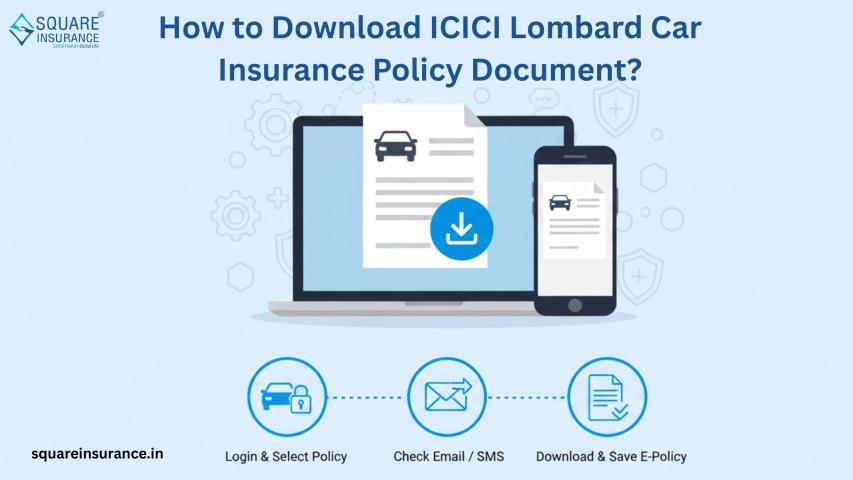
How to Download ICICI Lombard Policy Document PDF Online?
Downloading your policy document is simple:
Step-by-Step Process:
- Visit the ICICI Lombard official website
- Click on ‘Login’
- Enter registered mobile number/email
- Verify with OTP
- Go to My Policies
- Select your car policy
- Click Download PDF
Your policy document will be downloaded instantly.
Alternative Ways to Get Policy Copy
1. Email
You receive the PDF instantly after purchase.
2. Mobile App
Download from the ICICI Lombard mobile app.
3. Customer Care
Request a duplicate copy anytime.
4. Branch Visit
Get a physical copy from the nearby branch.
What If You Lose Your Policy Document?
No worries! You can easily:
- Re-download from the website
- Check the registered email inbox
- Request a duplicate copy
- Contact customer support
Digital copies are legally valid.
Details Mentioned in Policy Document
Your policy PDF includes:
- Policyholder name
- Vehicle registration number
- Engine & chassis number
- Coverage type
- Insured Declared Value (IDV)
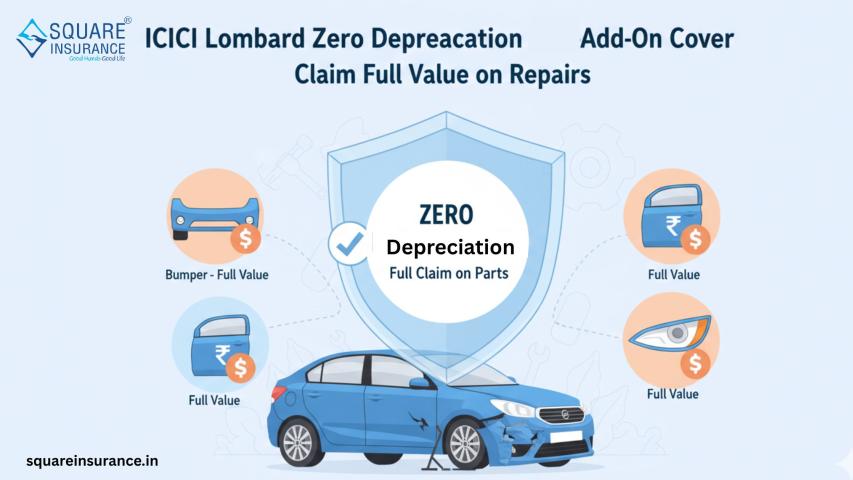
- Add-ons opted
- Premium breakup
- Claim process
- Exclusions
Always cross-check details after downloading.
Benefits of Downloading Policy Online
- Instant access
- Paperless process
- Eco-friendly
- Easy storage
- Shareable
- Secure
Common Issues While Downloading & Solutions
- Wrong login details
Use registered number/email only - OTP not received
Check network & spam folder - Policy not visible
Contact customer support
Tips to Safely Store Policy Document
- Save in the cloud (Google Drive)
- Email to yourself
- Keep in the mobile gallery
- Print backup copy
ICICI Lombard – Trusted Insurer
ICICI Lombard is one of India’s leading general insurance providers offering:
- Quick digital services
- High claim settlement ratio
- Wide garage network
- 24/7 support
- User-friendly portal
Their online policy download feature reflects their tech-driven approach.
Frequently Asked Questions (FAQs)
Q1. Is the digital policy document valid?
Yes, it is legally accepted.
Q2. Can I download old policy documents?
Yes, from your login dashboard.
Q3. Is there any charge to download?
No, it’s completely free.
Q4. What if I changed my mobile number?
Contact customer support for an update.
Q5. How does Square Insurance help in policy management?
squareinsurance helps customers download ICICI Lombard policy documents, compare insurance plans, renew policies, and receive expert assistance for claims and coverage selection—all in one place.
Expert Opinion (EEAT Approach)
As a seasoned insurance professional, I always advise customers to download and verify their policy PDF immediately after purchase. This avoids errors, ensures coverage clarity, and speeds up claims. Digital documents are safer, easier to store, and instantly accessible—making them far superior to physical copies.
Conclusion
The ICICI Lombard Car Insurance Policy Document – Download PDF Online feature makes policy management effortless. Whether it’s verification, renewal, or claim filing, having your document digitally stored ensures you’re always prepared.
If you haven’t downloaded your policy yet, do it today and stay stress-free on the road.
Important Note
You can also manage your policies, track renewals, and compare insurers using our mobile application:
Square Insurance POS – Apps on Google Play
Download now and experience smart, simple, and secure insurance management at your fingertips!